
What Does 1st and 2nd Mean on LinkedIn: The Complete Guide

1st-degree connections are people directly connected to you on LinkedIn. 2nd-degree connections are people connected to your 1st-degree contacts, friends of friends.
You've searched for a prospect, found the right title, and then noticed a tiny 1st or 2nd beside their name. It looks like a label, but for a BDR it's a routing instruction. The number tells you how close the prospect is to your existing network, what LinkedIn lets you do next, and whether your outreach has a warm path or needs more work.
Treat connection degrees as a sales funnel. 1st degree is active access. 2nd degree is warm pipeline. 3rd degree is colder territory. The mistake is treating every profile the same and sending the same bland message to all of them. LinkedIn gives you useful context before you write a word. Use it.
Table of Contents
How to Convert 2nd Degree Connections Into Direct Relationships
Privacy Settings and Search Filters That Affect Your Network
Frequently Asked Questions About LinkedIn Connection Degrees
What 1st and 2nd Degree Connections Actually Mean
A BDR searches for a VP of Revenue Operations and sees a small badge beside the prospect's name. The badge isn't decorative. LinkedIn uses it to show the relationship between your account and that person.
A 1st-degree connection is someone directly connected to you because you accepted their invitation or they accepted yours. LinkedIn displays a 1st-degree icon beside the person's name in search results and on their profile. You can generally message this person directly, which makes the relationship the most accessible starting point for outreach. LinkedIn defines 1st-degree connections and explains the profile badge.
A 2nd-degree connection is connected to one or more of your 1st-degree contacts, but not directly to you. In plain English, they're a professional friend of a friend. LinkedIn displays a 2nd-degree badge beside the name, and that shared network can reveal a potential introduction route. You can generally send a connection request or, where available, use InMail.
A 3rd-degree connection sits further away, connected through your 2nd-degree network. LinkedIn's network model also includes fellow members of your LinkedIn groups, so your practical network is broader than your direct contacts alone. LinkedIn explains the broader definition of your network.
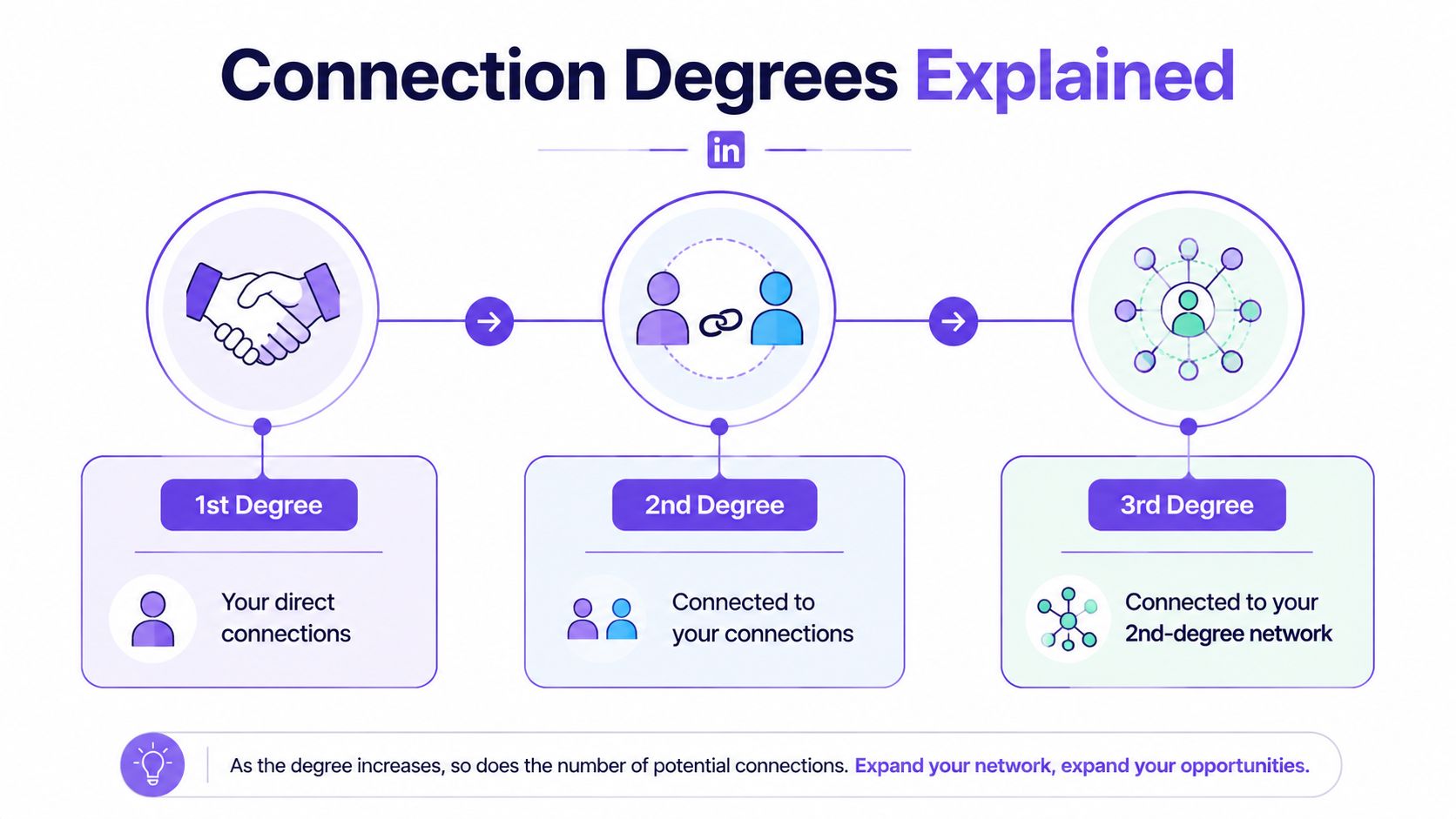
For prospecting, that distinction matters because it changes your next move. Use LinkedIn Boolean search techniques to find the right people, then use their connection degree to decide how to approach them.
Comparing Connection Degrees and What You Can Do With Each
Connection degree is a sales-routing signal, not a score for relationship quality. A quiet 1st-degree contact may ignore every message, while a 2nd-degree prospect showing buying intent can deserve immediate attention. Use the degree to estimate access friction, then let fit and intent decide priority.
Connection degree | Sales value | Recommended motion |
|---|---|---|
1st degree | Existing access, but attention still must be earned | Reopen a relevant conversation, share useful context, or ask for a referral |
2nd degree | A reachable prospect with a visible path through your network | Check mutual connections, confirm relevance, then request an introduction or connect with a specific reason |
3rd+ degree | Wider reach with less context and more access friction | Filter aggressively, engage with relevant content, and contact only when the business reason is clear |
A 2nd-degree prospect can beat a 1st-degree contact in a real pipeline scenario. Suppose a prospect has recently posted about hiring sales operations staff and shares a connection with a customer who knows your work. That prospect has both an intent signal and a credible introduction route. A 1st-degree contact with no recent activity offers easier access, but no clear reason to start a conversation.
Use the Connections filter to narrow searches by 1st, 2nd, and 3rd+ degree connections. LinkedIn documents the connection-degree search filter. Start with 2nd-degree prospects who match your ideal customer profile and show a business problem your team can address. Then inspect mutual connections before writing a message.
Your workflow should match the degree. For 1st-degree contacts, review the last interaction and continue a conversation that already has context. For 2nd-degree prospects, use mutual connections and intent signals to build a credible reason to reach out. For 3rd-degree prospects, narrow the list further. A job change, relevant post, group connection, or clear company initiative can justify the extra effort.
Practical rule: Connection degree tells you how to enter the conversation. Intent tells you whether the conversation deserves your time.
Use 1st degree to create momentum, 2nd degree to expand deliberately, and 3rd degree only when the prospect gives you a strong reason to proceed.
How to Convert 2nd Degree Connections Into Direct Relationships
A 2nd-degree prospect is not a lead just because you share a contact. The mutual connection gives you a route, not permission to name-drop. Use that route with judgment.
Start with the strongest warm path
Open the prospect's profile and identify mutual connections. Then separate people who know the prospect from people who merely occupy the same enormous digital neighborhood. Ask a trusted contact for an introduction only when they can make the context credible.
A useful introduction request is specific:
“Could you introduce me to Priya? She's leading revenue operations at a company like the ones we support, and I noticed she's working on the same reporting challenge we've been discussing.”
If no mutual contact can introduce you, send a personalized connection request. Mention the shared context, the prospect's work, or a relevant post. Don't turn the note into a compressed product brochure. Nobody accepts a connection request because they're excited to read your feature list.
Warm the interaction before asking
Engage with the prospect's content when you have something useful to add. A thoughtful comment can demonstrate that you understand the issue, while “Great post” demonstrates that your keyboard works. Then send a request tied to that interaction.
Try a message such as:
“Hi Alex, your point about inconsistent pipeline definitions stood out. I work with B2B sales teams on related reporting challenges and would be glad to connect.”
After acceptance, resist the urge to pitch immediately. Thank them, respond to relevant content, and ask a sensible question. Use practical LinkedIn conversation starters when you need a better opening than “Hope you're well.”
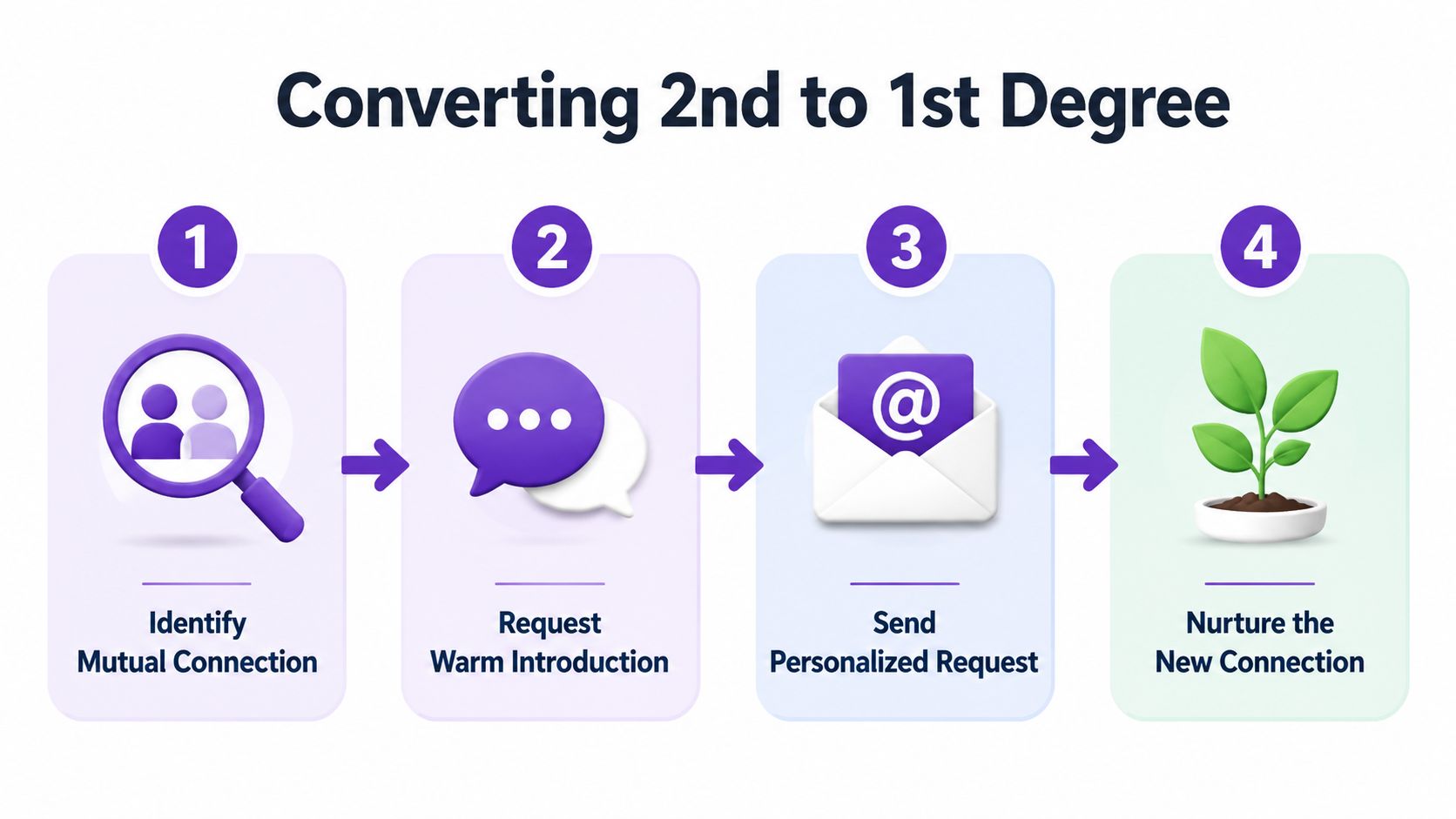
The sequence is simple: identify the mutual connection, request an introduction when appropriate, send a personalized request when needed, and nurture the relationship after acceptance. That's how you turn a badge into a conversation instead of treating the badge as the outcome.
When to Use InMail Versus Connection Requests
Use a connection request by default. It's the lower-friction option when the prospect fits your target profile, you can explain why you're reaching out, and the opportunity isn't unusually urgent.
A good request gives the recipient enough context to make a decision. Reference a mutual connection, a relevant post, a shared professional setting, or a problem that clearly relates to their role. Keep the message focused on relevance, not on forcing a meeting.
Use InMail selectively for prospects who justify the extra access. That might include a high-priority enterprise account, a decision-maker who's difficult to reach through your network, or an opportunity where timing matters. InMail can bypass the need to connect first, but it doesn't bypass the need to be interesting.
A simple decision test
Choose a connection request when:
The prospect is 2nd degree: You have a natural mutual-connection angle.
The account is important but not urgent: You can build familiarity before asking for time.
Your reason is still developing: A request lets you open a professional relationship without overcommitting.
Choose InMail when:
The prospect is strategically important: The account has enough potential value to warrant focused effort.
The timing is narrow: A current event, hiring move, product change, or public initiative makes relevance time-sensitive.
A connection request would create unnecessary delay: You have a strong message and a clear reason to contact them now.
The usual error is burning premium outreach on people who would have accepted a well-written request. Write the request first. Reserve InMail for cases where access matters more than convenience. If you automate any part of the workflow, read LinkedIn auto-message guidance and keep personalization under human control.

Privacy Settings and Search Filters That Affect Your Network
Connection badges show proximity, while privacy settings determine what that proximity reveals. A prospect may see less of your profile or network than another viewer, and your choices shape how easily buyers, referrals, and competitors can assess your relationships.
Start with visibility, not prospect volume. Review who can see your connections, how your identity appears when you visit a profile, and what non-connections can view on your public profile. Full network visibility can support warm introductions because shared relationships are easier to understand. It can also expose account coverage and valuable context to competitors, so set access according to your sales motion.
Audit the settings that shape outreach
Connection visibility: Choose whether other members can browse your connections list.
Profile viewing options: Decide how your identity appears when you visit prospects.
Public profile visibility: Check which profile details non-connections can access.
Activity visibility: Review what your posts, reactions, and follows reveal about your interests and priorities.
These settings affect both sides of the funnel. A protected connection list may reduce casual referral discovery, while an overly open profile can give prospects useful context before you contact them. For BDRs, the right setup makes relevant professional context clear without publishing the entire relationship map.
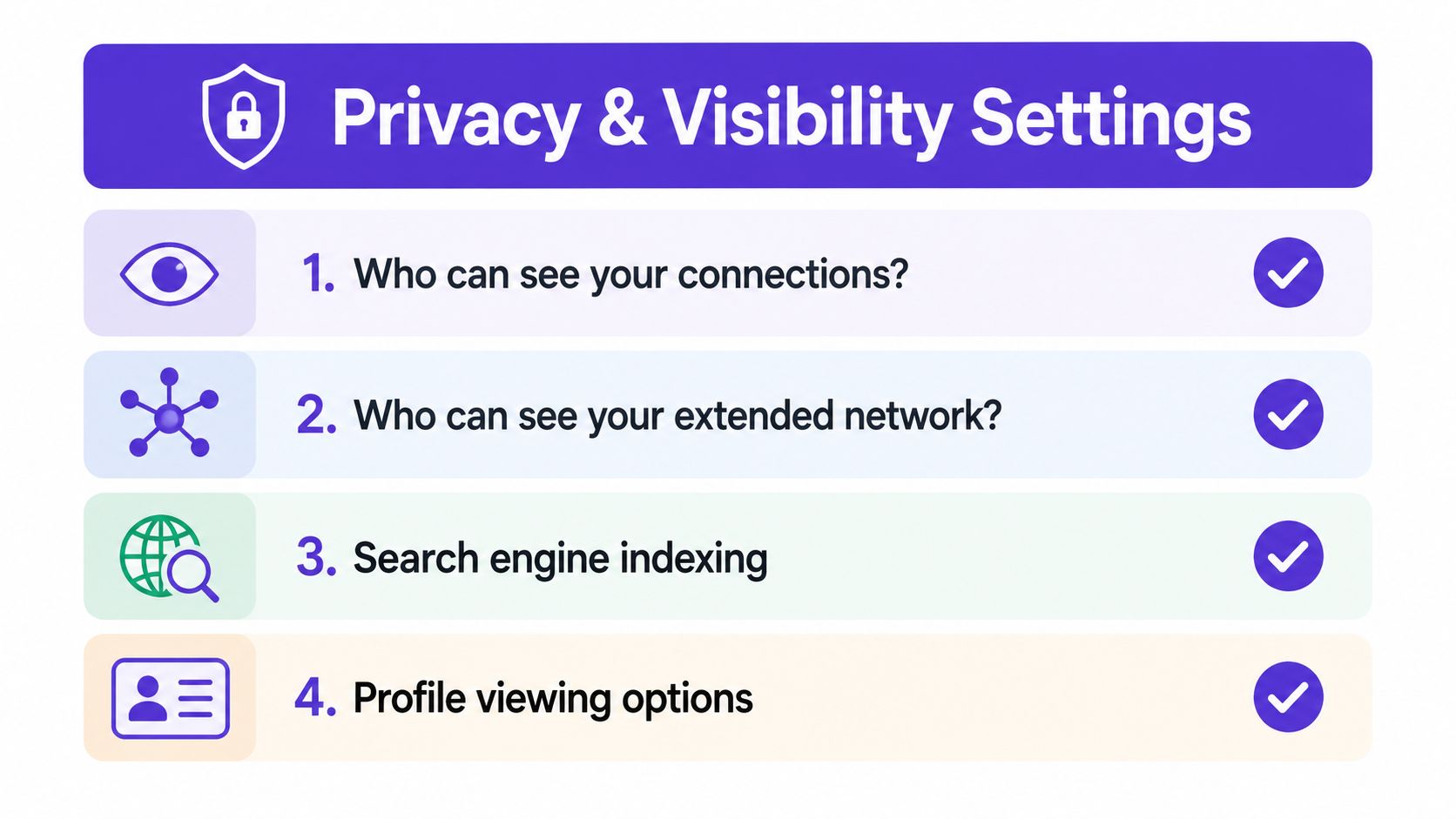
Use a simple rule: keep enough visibility to support credible outreach, then protect information that reveals account strategy. If your team depends on introductions, make your role, company, and relevant expertise easy to verify. If you restrict your network, compensate with stronger positioning and deliberate research before asking for access.
Using Intent Signals to Prioritize Your Connection Strategy
Connection degree answers one question: how close is this person to my network? It doesn't answer the more important sales question: why should I contact them now?
Layer intent signals over connection degree. A 2nd-degree prospect who comments on content about your category, discusses a problem your product addresses, or engages with competitor and expert posts deserves attention before a passive 1st-degree contact. The degree creates the route. The signal creates the reason.
Build a simple priority view:
Confirm the fit: Check role, company, market, and the problem your offer solves.
Look for activity: Review recent posts, comments, reactions, and discussions.
Identify the trigger: Note the specific issue, initiative, or question behind the activity.
Match the message: Write an opener connected to that observable context.
Choose the route: Ask for an introduction, send a request, or use InMail based on access and urgency.
This approach stops SDRs from confusing network size with buying interest. A large 1st-degree network is useful, but it's not a prioritized pipeline. Relevance wins the first response.
RoverLead AI is one option for this workflow. It monitors LinkedIn engagement signals and delivers a feed of potential leads matched to an ICP, with context and an AI-written opener tied to the activity that surfaced the lead. That's the practical value of intent data in prospecting: your team can decide who to contact based on behavior, then use connection degree to select the cleanest path in.
Frequently Asked Questions About LinkedIn Connection Degrees
Can I message a 2nd-degree connection directly?
Generally, you'll need to send a connection request first. Premium users may have InMail access.
Can I message a 3rd-degree connection without InMail?
Usually not through standard direct messaging. Try a connection request, shared group, or another channel.
Does 1st degree mean the person follows me?
No. It means you're directly connected because an invitation was accepted.
Does 2nd degree always mean we share one mutual connection?
It means the person is connected to your 1st-degree network. LinkedIn may show mutual connections when available.
Can I filter search results by connection degree?
Yes. LinkedIn provides 1st, 2nd, and 3rd+ options in the Connections filter.
Is a 2nd-degree prospect warmer than a 3rd-degree prospect?
Usually, because a 2nd-degree relationship gives you a closer network route. Intent and relevance still matter more than the badge alone.
Should I connect with every 2nd-degree prospect?
No. Connect with people who fit your ICP and have a credible reason to hear from you.
Does Sales Navigator change connection degrees?
No. Sales Navigator can improve search and prospecting workflows, but the underlying relationship labels remain LinkedIn connection degrees.
Can privacy settings affect what I see?
Yes. Members can control aspects of profile and connection visibility, so the available context can vary.
What should I do after a prospect accepts?
Thank them, engage naturally, and start a relevant conversation before making a sales request.
RoverLead AI turns LinkedIn engagement into a daily feed of high-intent leads matched to your ICP, with context and an AI-written opener for more relevant outreach. Visit RoverLead AI to prioritize the right 2nd-degree prospects and give your BDRs a clearer path from signal to conversation.