
LinkedIn Boolean Search: The 2026 Playbook That Books Calls

Monday morning. Coffee's half gone, your LinkedIn search bar has a Boolean string that looked smart at 8:07 a.m., and the results page is a landfill of founders, interns, ex-employees, and people who changed roles two years ago. That's usually the moment people blame the syntax.
The syntax usually isn't the problem. LinkedIn Boolean search works when it's treated like a scalpel, not a magic spell. LinkedIn's own Help Center says you can type a Boolean string straight into the main search bar, and it supports AND, NOT, OR, quotation marks, and parentheses in both general search and Recruiter, which means this is core search language, not some side quest or premium-only hack. LinkedIn Help Center on Boolean search
Table of Contents
The Monday Morning Search That Returns 4,000 Junk Profiles
The classic move is to paste a monster string into LinkedIn, hit enter, and watch it vomit back a mess. Your query might be technically correct, but if it was built as a one-shot guess instead of a repeatable system, it'll behave like one. The result is always the same, too much noise, too little confidence, and a list that feels busy but not useful.
That's why the most common failure mode in linkedin boolean search isn't operator syntax. It's query design. LinkedIn's Help Center makes clear that Boolean is built into the standard search experience and Recruiter, which means the primary job is learning how to express intent cleanly inside the search bar, not searching for a secret feature flag. LinkedIn Help Center on Boolean search
Think in blocks, not in vibes
A decent LinkedIn search usually has three parts, a role block, a context block, and a short exclusion block. That structure keeps you from stuffing every thought you've ever had about the ICP into one string and then acting surprised when it breaks. It also makes it easier to test one piece at a time, which is how working pros avoid the “why is this showing me students?” spiral.
Practical rule: if your first pass feels clever, it's probably too clever. If it feels boring and readable, you're closer to something that converts.
LinkedIn is flexible enough to combine title variants, exclusions, and grouping in one query, but that flexibility is exactly why people overbuild. The better habit is to start small, check what's returned, and let the query earn more complexity. A short string that finds the right people beats a polished-looking disaster every time. For a clean list-building mindset, this pairs well with a good prospect list-building workflow like this practical approach to building prospect lists.
The Five Essential Boolean Operators
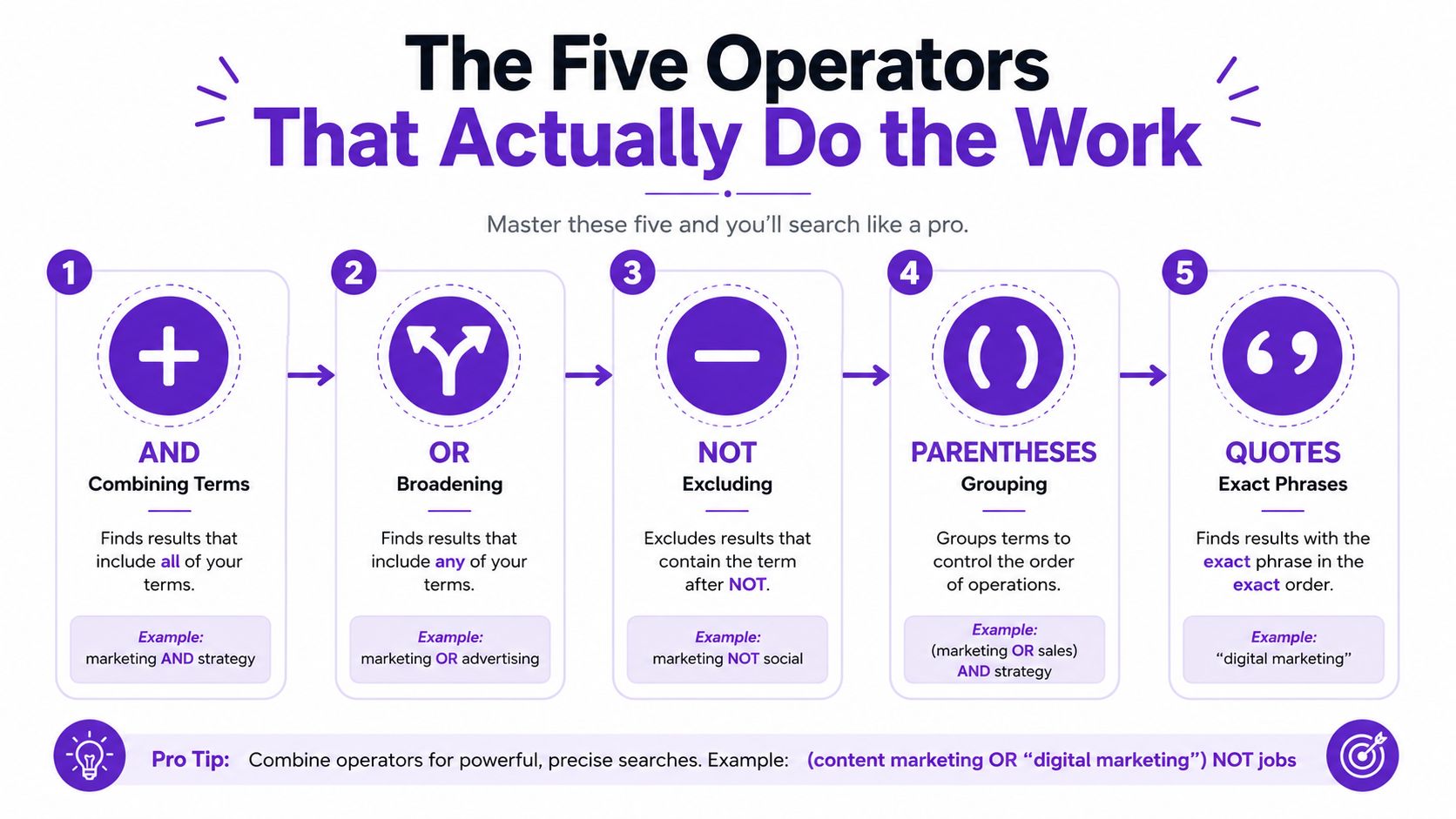
LinkedIn officially supports five building blocks, AND, OR, NOT, quotation marks, and parentheses. The catch is that LinkedIn requires the operators to be written in uppercase. If you type them in lowercase like a normal sentence, LinkedIn treats them as plain words, which is how a search goes sideways without any clear warning. LinkedIn Help on Boolean operators
The five operators with strings you can use
AND: Use it when both terms need to appear. Try
"VP Sales" AND SaaSto push the search toward people who fit both title and context.OR: Use it for title variants. Try
"VP Sales" OR "Head of Sales"to widen the net without turning the query into soup.NOT: Use it to remove junk. Try
Marketing NOT Internif your results keep drifting toward junior profiles.Quotation marks: Use them for exact phrases. Try
"Chief Revenue Officer"so LinkedIn looks for that exact multi-word title.Parentheses: Use them to group alternatives. Try
("VP Sales" OR "Head of Sales") AND SaaSso the logic stays readable.
The point is not collecting operators like trophies. The point is making them work together without creating a query that only you, on your best day, could decode. LinkedIn's official guidance says the same operator set works in the main search bar and Recruiter, so the syntax stays consistent across surfaces. That consistency matters because it means the skill transfers even when the tool gets fancier. LinkedIn Help Center on Boolean search
Useful habit: if a multi-word title matters, quote it. If alternatives matter, group them. If a term is trash, exclude it. That's the whole game, minus the theater.
Boolean helps you find people who fit the ICP. It does not tell you who is ready to buy right now. That is the blind spot a lot of tutorials skip, and it is why a clean search string still needs behavior-based signals on top. For a practical companion to that part of the workflow, see this guide to LinkedIn lead generation.
For a quick outside reference on how compact query patterns stay readable in practice, this LinkedIn Boolean search guide makes the same point about keeping one OR block, one hard requirement, and a short NOT block.
Basic Search vs Sales Navigator vs Recruiter
A Boolean string does the same core job on LinkedIn across surfaces. The difference is how much control you get around it, how much you can filter before and after the search, and whether the tool helps you keep that work organized instead of forcing you to start over every time. That is the split between a quick lookup and a repeatable sourcing system.
Capability | LinkedIn Basic | Sales Navigator | Recruiter |
|---|---|---|---|
Boolean syntax | AND, OR, NOT, quotes, parentheses | Same syntax | Same syntax |
Where the query runs | Whole profile search | Search fields with more control | Search fields with recruiter workflow |
Filters | Basic LinkedIn filters | More filters, saves, alerts | More sourcing controls and project-style workflow |
Best use | Quick lookups | Repeatable prospecting | Structured talent or sourcing work |
What Boolean can't replace | Deep filtering and saved tracking | Same, it still needs filters | Same, it still needs filters |
Basic LinkedIn search is fine for a fast lookup or a one-off check. It gives you less structure, which makes it easy to use and just as easy to outgrow.
Sales Navigator is the better fit when you run the same search over and over and want stronger filters plus saved workflows. Recruiter is built for sourcing discipline, so it suits work where you are tracking candidates or prospects in a more managed process instead of casually browsing names.
LinkedIn's own documentation is clear that the Boolean syntax stays the same, so the main difference is the workflow around the search, not the logic inside it. LinkedIn Recruiter help on Boolean search
What each surface is good at
Basic LinkedIn search works for quick checks and simple lookups. If you need speed and do not need much control, it gets the job done. The trade-off is that you will hit the ceiling fast once the results start drifting.
Sales Navigator gives Boolean more room to do useful work because you can pair the string with deeper filters and save the search for later. That matters when your ICP stays fairly stable and you want the same search logic to keep paying off without rebuilding it every week.
Recruiter uses the same core syntax but wraps it in a sourcing-first workflow. If the job is finding specific profiles, tracking progress, and keeping the process tidy, that matters more than whether the tab says Recruiter or Sales Nav.
One point gets missed in a lot of tutorials. The string transfers. Learn to write a clean search in one surface and you are not relearning a new language later, you are just adding more control around the same syntax. For the outbound side of the workflow, this LinkedIn lead generation walkthrough is a useful companion read.
Four ICP Templates You Can Steal Today
Templates beat theory because they show how the pieces fit in a live search. The useful pattern is simple, a role block for title synonyms, a context block for the market or category, and a NOT block to keep your results from turning into a zoo. That structure works whether you're selling software, services, or something technical enough to make everyone in the deal room squint.
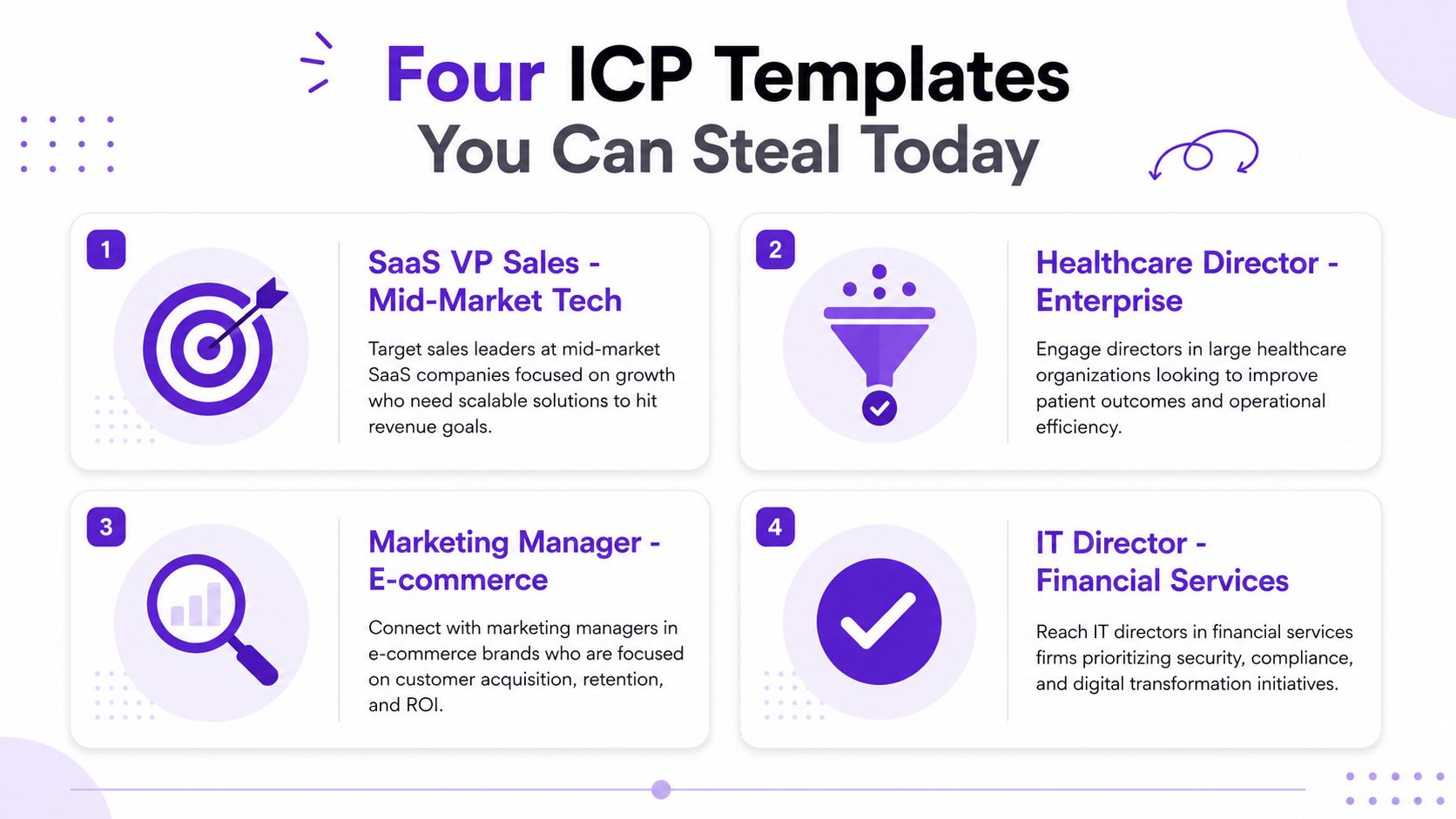
SaaS VP Sales targeting mid-market tech
Try ("VP Sales" OR "Head of Sales" OR "Sales Director") AND ("SaaS" OR "B2B Software") NOT (Recruiter OR Intern OR Agency).
The role block catches title drift. The context block keeps the search rooted in your market. The NOT block strips out the people who look adjacent but are not your buyer. That is the whole point of LinkedIn boolean search when the ICP is tight. If you want a plain-English definition of the target profile itself, this ICP explainer article on RoverLead AI is a clean reference.
Agency owner selling services to e-commerce brands
Try ("Founder" OR "Owner" OR "CEO") AND ("e-commerce" OR "Shopify" OR "DTC") NOT (Recruiter OR "Marketing Assistant").
This one works because agency founders often chase owners who use category language differently. You are not hunting perfection, you are hunting enough signal to start a conversation that does not feel random. Boolean helps you find the right kind of person, but it does not tell you who is ready to buy this week. That gap is why behavior-based tools still matter after the list is built.
RevOps leader at Series B SaaS
Try ("RevOps" OR "Revenue Operations" OR "Sales Operations") AND ("SaaS" OR "Software") NOT (Agency OR Consultant OR Intern).
Here the title block matters more than usual because RevOps titles vary wildly. A clean OR block keeps you from missing someone who uses the long version instead of the shorthand.
Technical buyer like an engineering manager
Try ("Engineering Manager" OR "Head of Engineering" OR "Software Engineering Manager") AND ("AWS" OR "Kubernetes" OR "DevOps") NOT (Recruiter OR Student).
Quote marks and grouping save you from accidental nonsense. Technical buyers are often buried under broad profile language, so the exact phrase and the context block do real work. The trade-off is simple. You get cleaner matching, but you still need intent signals on top if you want to separate a fit profile from an active one.
Testing and Tightening Until the Results Stop Lying
Boolean search is not a set-it-and-forget-it move. It's a hypothesis you keep poking until it stops pretending. The skill is reading the first page of results like a damaged detective, then trimming the query until the pattern becomes obvious.
Start with the first 20 to 30 results
Several practitioner guides recommend checking the initial result set and refining until relevance settles, and that advice tracks with how LinkedIn search behaves in practice. If the first wave includes too many off-target profiles, the query is usually too broad or too loosely grouped. If it returns nothing, the query is usually too tight, malformed, or missing a key variant. LinkedIn Boolean search cheat sheet
The usual failure points
Uppercase slip-ups:
and,or, andnotdon't behave like commands. LinkedIn wants AND, OR, NOT in caps.Missing quotes: Multi-word titles should be quoted. Without quotes, the words can float around separately and ruin the intent.
Comma trap:
VP Sales, Head of Salesis not the same as"VP Sales" OR "Head of Sales". Commas are just punctuation, not Boolean logic.Over-aggressive NOT blocks: Excluding too much can wipe out valid prospects who happen to use an overlapping term.
Ignoring native filters: Boolean should narrow the meaning. LinkedIn's location, industry, and experience filters should handle the rest.
Practical rule: use Boolean to describe identity, then use LinkedIn filters to finish the job. If both layers are doing the same work, your query is bloated.
A clean test loop looks like this. Run the query. Scan the results. Remove one source of noise. Run it again. That's boring, but boring is what scales when you're building lists that other humans have to touch later. The important part is not winning the search war on the first attempt, it's getting the list to stop lying to you.
Where Boolean Breaks and What Should Replace It
Boolean search tells you who fits the ICP on paper. It does not tell you who's ready to buy right now. That's the blind spot most guides politely ignore, probably because it's less tidy than keyword hunting and more annoying to explain.
Fit is not the same as readiness
A prospect can match the title, the industry, the company size, and still be completely cold. They might be busy, indifferent, or already overloaded with vendor noise. That's why a strong query gives you a valid universe, but not a valid moment.
The newer problem is freshness. LinkedIn search is great at matching static profile data, but buying intent lives in behavior. Someone commenting on a competitor's pricing post, resharing a comparison thread, or engaging with industry creators is telling you more than a job title ever will. That's the gap behavior-based tools are designed to cover. Why intent data matters for LinkedIn prospecting
What sits on top of Boolean
Boolean is the base layer. On top of that, you want behavior signals, things like comments, content interactions, and pricing or demo discussions. Those signals don't replace the ICP, they tell you when the ICP is warming up.
The best outreach doesn't just hit the right person, it hits the right person at the right time. Boolean gets you the person. Intent data gets you the timing. If you treat those as the same thing, your pipeline will stay noisier than it needs to be.
Troubleshooting and SDR FAQ
Why is my LinkedIn Boolean search returning zero results?
Start by checking parentheses and uppercase operators. One missing bracket or one overdone NOT block can wipe out the list faster than bad copy. If the query still returns nothing, remove the most specific term first and rebuild from the core title.
Does Boolean work the same in Recruiter and Sales Navigator?
Yes, the operator language is the same, and LinkedIn documents AND, OR, NOT, quotes, and parentheses across both. No, the surrounding workflow isn't identical, because Sales Navigator and Recruiter give you different filter depth and search controls. LinkedIn Recruiter help on Boolean search
Is using Boolean on LinkedIn against the rules?
No, the operators themselves are part of LinkedIn's documented search experience. The line you don't want to cross is abuse, like scraping or blasting platform actions at scale in ways that violate policy.
Do AI tools replace Boolean search?
No, they complement it. Boolean defines the ICP-shaped universe, and behavior-based tools help you prioritize the prospects who are signaling intent.
Can I use wildcards in LinkedIn Boolean search?
No. LinkedIn doesn't support wildcard syntax like *, so you need to spell out title variants with OR.
Should I use commas between title variants?
No. Commas don't behave like OR. Write ("VP Sales" OR "Head of Sales") instead.
How long should my Boolean string be?
Short enough that you can still read it without getting lost. If the string looks like a legal contract, it's probably doing too much.
What's the best first thing to test?
The title block. If that's wrong, the rest of the search is built on sand.
Should I pair Boolean with filters?
Yes. Boolean handles logic, while LinkedIn's filters handle geography, industry, seniority, and similar cleanup.
What's the fastest way to improve results?
Look at the first page, identify the junk pattern, and remove one source of noise at a time. That's how good lists get built instead of wished into existence.
If you want a cleaner way to turn LinkedIn engagement into live, high-intent leads, take a look at RoverLead AI. It's built for teams that want timing, relevance, and intent on top of an ICP-defined universe, not just another static list.