
10 LinkedIn Prospecting Tools for Smarter Outreach

The loudest prospecting stack usually isn't the smartest one. A crowded LinkedIn inbox, stale Sales Navigator lists, and automated sequences can create plenty of activity without creating a single useful conversation. More taps, invites, and follow-ups don't automatically mean more buyer intent. Sometimes they just mean your account is working overtime to annoy people.
LinkedIn prospecting tools help sales teams discover relevant people, capture contact data, research accounts, identify buying signals, and execute outreach. They fall into several practical categories: intent discovery, first-party LinkedIn research, data enrichment, multichannel execution, and automation. The right choice depends on what your team needs, not which platform has the longest feature page.
This comparison looks at intent signals, data quality, automation limits, compliance exposure, pricing structure, and ideal user. It includes options for SDRs, sales leaders, founders, growth teams, and agencies. LinkedIn remains a foundational B2B channel, with industry summaries reporting that roughly 75% to 85% of B2B social leads come from the platform, including one benchmark that puts the figure at 80%. LinkedIn industry statistics explain why the channel matters, but they don't answer the operational question: which tool helps you act on meaningful behavior without turning prospecting into a mechanical conveyor belt?
LinkedIn AI SDRs that book meetings 24/7 is a useful framing line for RoverLead AI. The better standard, however, is simple: find the right signal, preserve human judgment, and automate only what won't damage the relationship or the account.
Table of Contents
1. RoverLead AI
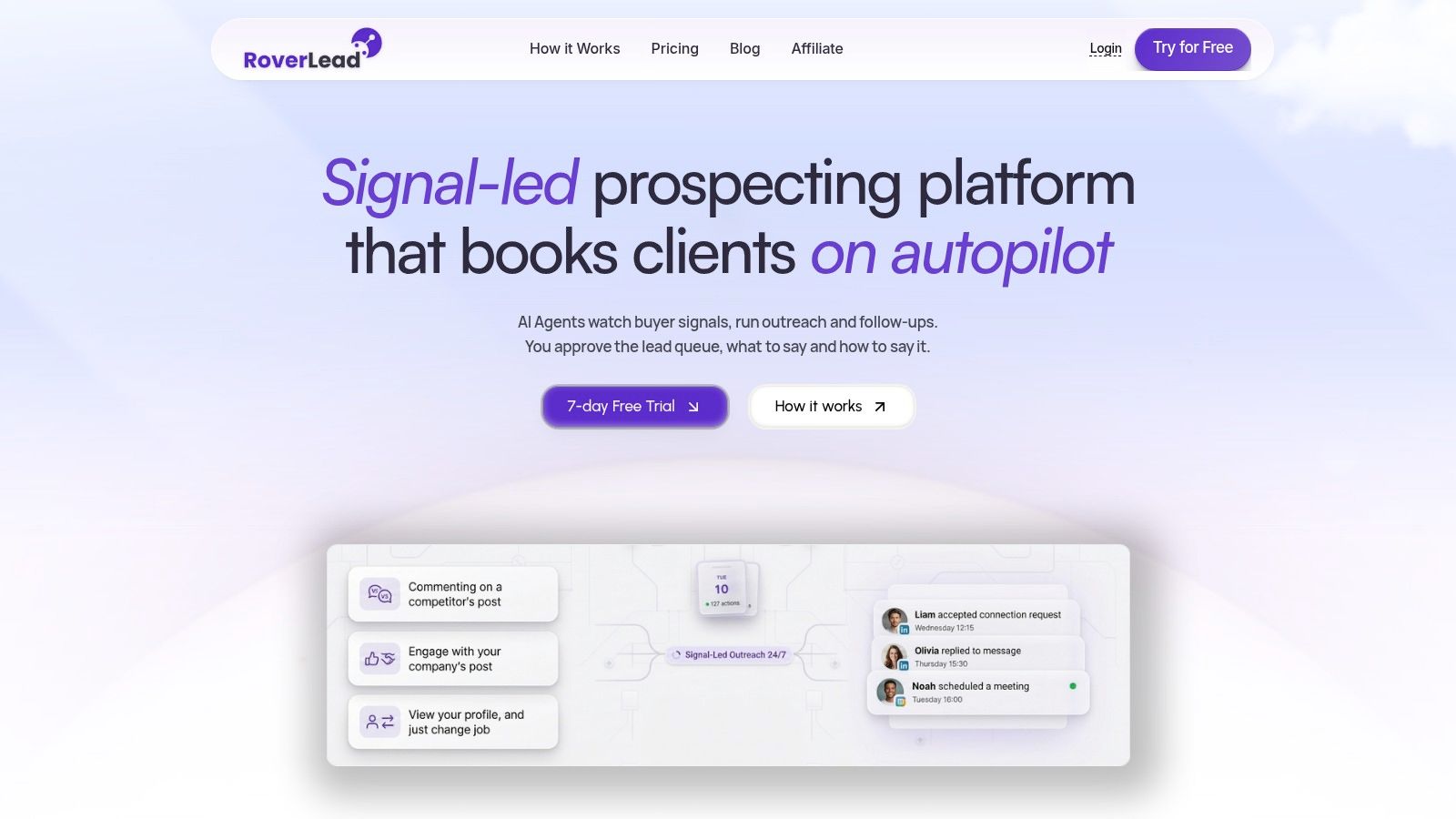
RoverLead AI starts with intent discovery, not a static list. It monitors LinkedIn activity from creators, competitors, niche experts, keywords, and topics, then surfaces people whose behavior suggests a timely reason to start a conversation.
Its Signal Agents track 10+ buying signals, including comments, content interactions, competitor engagement, and public pricing or demo discussions. Each lead includes the activity that triggered it and an AI-drafted opener connected to that context. A team member reviews and approves the message before it sends, keeping automation under human control rather than letting an unsupervised intern run the keyboard.
Why the workflow is different
RoverLead's main distinction is behavioral context. A Sales Navigator list can identify someone by title, industry, or account profile. RoverLead adds the reason that person may deserve attention today. That difference suits teams measuring prospecting by conversation quality rather than message volume.
Setup takes roughly 5 to 10 minutes. Define your ICP, competitors, and niche experts, then let the agents maintain the lead feed. You do not need to build a complex sequence before testing whether the signals are useful. Approval decisions also help the system reflect your team's preferred outreach style.
The lead inbox provides lightweight CRM functions, including follow-ups, tags, pins, auto-drafts, and auto-replies. Campaigns can stay current as new behavior appears, instead of relying on an export that goes stale.
Pricing and trade-offs
RoverLead offers a 7-day free trial. Starter costs $149 per month per user and includes two Signal Agents. Growth costs $449 per month per user, supports up to 10 agents, and adds multi-ICP support. Enterprise uses custom pricing for unlimited agents, routing, a dedicated customer success manager, service-level agreements, and security or audit features. The RoverLead AI site also lists founding-plan benefits, including priority support, roadmap input, and a locked lifetime rate for early adopters.
The strongest fit is a market where buyers actively post, comment, or engage on LinkedIn. Teams targeting quiet markets may get fewer useful signals. It also suits operators who want to combine intent discovery with human-approved outreach, while teams that only need to upload a cold list and send at scale may find the per-user cost harder to justify as headcount grows.
2. LinkedIn Sales Navigator
LinkedIn Sales Navigator remains the strongest foundation for compliant, LinkedIn-first research because it operates on LinkedIn's own professional graph. It gives SDRs and account executives advanced lead and account search, saved searches, alerts, relationship insights, TeamLink paths, InMail, list sharing, and team administration features. Higher tiers can add CRM writeback, while Advanced tiers include capabilities such as buyer intent cues and Message Assist AI.
Best use case
Use Sales Navigator when the job is account mapping and reliable LinkedIn research. It helps teams find the right people, watch job changes and account activity, identify shared relationships, and maintain lists that reflect changes on LinkedIn rather than an old export.
Independent software reviews list Sales Navigator with a 90 satisfaction score and 684 reviews, while 95% positive sentiment on cost relative to value indicates strong perceived value among enterprise buyers assessing prospecting workflows. SoftwareReviews' Sales Navigator profile provides that review context.
Practical rule: Sales Navigator is excellent at telling you who fits and what changed. It doesn't automatically turn every useful signal into a thoughtful conversation.
The trade-off is scope. Sales Navigator provides the research foundation, but outreach beyond InMail typically requires other tools, processes, or human work. Teams evaluating alternatives can also review this Sales Navigator alternative for intent-led prospecting.
3. Apollo.io
Apollo.io is the practical all-in-one option for teams that want contact data and outreach under one roof. Its Chrome extension can surface information on LinkedIn profiles, allowing reps to capture prospects without leaving the browsing workflow. From there, Apollo supports email and call sequences, A/B testing, meeting scheduling, a dialer, enrichment, APIs, and enterprise integrations.
Where Apollo earns its seat
Apollo works well when the team has a clear list-building problem and a separate intent layer isn't essential. An SDR can find a prospect on LinkedIn, add that person to Apollo, enrich the record, and place it into an email or call workflow. That reduces stack sprawl for small and mid-market teams.
Published free and paid tiers, trials, and a broad enablement ecosystem make it approachable for teams that want to test before committing. The platform's breadth is also its limitation. A large database and sequence builder can encourage teams to measure exported contacts and completed steps instead of the quality of the original buying signal.
Use Apollo when you need data capture plus multichannel execution. Don't expect its basic LinkedIn workflow to replace a behavioral-intent system or a careful approval process. For a deeper look at how it fits into a wider stack, see these prospect research tools.
4. ZoomInfo SalesOS and ReachOut
ZoomInfo SalesOS is aimed at enterprise revenue teams that need contact depth, direct dials, company intelligence, intent data, and governance. Its ReachOut Chrome extension brings that information into LinkedIn, so a rep can inspect a profile and see available emails, phone numbers, organization charts, technographics, and relevant company context without manually moving between systems.
Best for phone-heavy outbound
ZoomInfo makes the most sense when phone outreach, account mapping, and RevOps control matter as much as LinkedIn research. SalesOS can connect with CRM and sales engagement platforms, while enterprise administration, SSO, governance, and compliance features support larger deployments.
The workflow is straightforward. Find the person on LinkedIn, use ReachOut to identify contact paths, validate the account context, and route the record into the approved sales process. That “see on LinkedIn, call or email now” motion is efficient when the team already has strong qualification standards.
The downside is cost and process weight. Pricing is custom and often premium, so the platform's value depends on consistent adoption, high-quality operations, and enough activity to justify the investment. Smaller teams may pay for governance and coverage they won't use. For more context on the category, compare these sales intelligence tools.
5. Lusha
Lusha is a straightforward contact-data layer for reps who want to capture emails and phone numbers while browsing LinkedIn. Its browser extension keeps the workflow simple, and its credit-based model is easy to understand: reveal contact information when you need it, rather than paying for every record in a broad database.
A useful lightweight enrichment layer
Lusha suits founders, small teams, and SDRs who already know where their prospects are and don't need a large enterprise intelligence platform. Contact and company search, CRM integrations, APIs, and a free tier of monthly credits make it a low-friction starting point.
The main trade-off is credit consumption. Phone-heavy workflows can use credits quickly, and coverage may be narrower than enterprise databases in some segments. That makes Lusha better for selective enrichment than for indiscriminate list building.
A sensible workflow is to identify a smaller, relevant prospect set in Sales Navigator or through intent research, then use Lusha only when a verified contact path is necessary. This keeps data spend connected to a real sales action. Teams comparing extension-led workflows can also review this LinkedIn Chrome extension guide.
6. Expandi
Expandi is a cloud-hosted LinkedIn automation platform for connection requests, messages, follow-ups, and multi-account campaign management. Agencies and larger teams often choose it because campaigns can run without keeping a desktop session open, and the platform includes templates, inbox tools, smart limits, white-label options, and controls intended to manage activity.
The automation risk is still real
Cloud hosting doesn't remove LinkedIn account risk. Third-party automation can conflict with LinkedIn's terms, and no safety setting turns automated activity into first-party activity. Independent guidance commonly places practical safe ranges near 100 outbound messages per week for free accounts and 150 for Premium or Sales Navigator accounts, while also emphasizing behavior-based throttling rather than a fixed official quota. LinkedIn limit guidance provides that operational context.
Use Expandi when the priority is repeatable LinkedIn sequence execution, especially across agency workflows. Keep lists narrow, personalize messages, monitor account health, and make compliance review part of deployment rather than a postmortem exercise.
Expandi's strength is operational scale. Its weakness is that the sequence is still only as good as the targeting and message logic behind it. Automating a weak premise distributes the weakness more efficiently.
7. Skylead
Skylead combines LinkedIn automation and email outreach in a single platform. Its Smart Sequences can include invitations, messages, InMail, and email steps, while the unified inbox gives solo sellers and agencies one place to manage replies. A bundled finder and verifier help fill the data gap, with AI SDR and enrichment features available as add-ons.
When one package is enough
Skylead works for teams that don't want to assemble separate LinkedIn and email execution tools. The packaging is clear, and white-label or scaling options make it useful for agencies managing repeatable client campaigns.
The unified inbox is the practical win. Reps don't have to remember whether a prospect replied on LinkedIn or email before taking the next step. That said, convenience can hide duplication. If another platform already owns sequencing, enrichment, or CRM activity, adding Skylead may create competing records and overlapping sends.
LinkedIn automation still requires careful throttling. Before launch, decide which actions need approval, which channel owns the next touch, and when a reply removes a prospect from every other queue. Skylead is strongest as a multichannel execution layer, not as an intent-discovery engine.
8. La Growth Machine
La Growth Machine, often called LGM, is designed for LinkedIn-first multichannel orchestration. Its visual sequence builder supports conditional logic across channels, while Social Warming can automate likes and follows before direct outreach. Shared inbox functionality and integrations with CRM platforms such as HubSpot and Pipedrive make it suitable for teams standardizing coordinated touch patterns.
Good orchestration needs good inputs
LGM is useful when a team has a defined playbook and wants to route prospects based on behavior. A prospect can move through LinkedIn and email steps according to the workflow, while the team manages responses centrally.
The price of that flexibility is configuration. More branches mean more opportunities to create conflicting touches, duplicate follow-ups, or send a message after the prospect has already responded elsewhere. Build the workflow around clear exit conditions, not around every feature available in the builder.
LGM's frequent product updates and LinkedIn-centric focus appeal to teams that want an active execution platform. It remains a third-party automation tool, so safety practices still matter. Treat social warming as a supplement to relevance, not a substitute for a genuine reason to contact someone.
9. Waalaxy
Waalaxy is an entry-friendly option for solo sellers and small teams testing LinkedIn outreach. It offers Chrome-based sequences, optional email steps, preconfigured workflows, templates, finder and inbox features, team options, trials, and starter-friendly pricing tiers.
A sensible first automation experiment
Waalaxy's strongest quality is approachability. A non-expert can create a basic workflow without spending weeks learning a visual automation system. That makes it useful for testing message angles, audience definitions, and whether LinkedIn belongs in the team's outbound motion at all.
The Chrome-based model is also the key limitation. Some actions require a running browser session, and the automation still carries account-risk considerations. Enterprise controls and reporting are lighter than those in larger platforms, so teams should avoid treating a starter tool as a governance system.
LinkedIn's own Sales Navigator reporting can track the number of InMail messages sent during a selected period, defined by LinkedIn as the total InMail messages sent from Sales Navigator in that reporting window. LinkedIn's Sales Navigator InMail reporting documentation is useful when you need a first-party activity reference rather than relying only on a third-party dashboard.
10. MeetAlfred
MeetAlfred combines LinkedIn outreach, email and X steps, content scheduling, a unified inbox, calendar integration, and a basic pipeline. It targets solopreneurs and small teams that want content activity and prospecting in one affordable interface.
Best for the content-led operator
MeetAlfred makes sense when the same person publishes content, handles outreach, schedules meetings, and manages early pipeline stages. Templates help users launch quickly, while content scheduling keeps the profile active during prospecting campaigns.
The trade-off is depth. Some features are shallower than specialist platforms, and the automation needs strict safety settings to avoid account flags. It won't replace a serious CRM, a deep data provider, or a dedicated intent model.
Message length and attachments can also affect the workflow. Standard messages to first-degree connections have a common 8,000-character limit, while attachments are capped at 20 MB, according to LinkedIn messaging limit guidance. Shorter, signal-based messages are usually better anyway, but technical limits are worth checking before a team builds a collateral-heavy process.
Top 10 LinkedIn Prospecting Tools, Features & Pricing
Product | Core capability | UX / Quality (★) | Unique / Key features (✨) | Target audience (👥) | Pricing / Value (💰) |
|---|---|---|---|---|---|
🏆 RoverLead AI | Signal-led LinkedIn prospecting + human-in-the-loop outreach; lightweight CRM inbox | ★★★★★ | ✨ 10+ buying signals, curated context feed, auto-drafts/replies, fast 5–10min ICP | 👥 Founders, SDRs, teams focused on intent-based bookings | 💰 7‑day trial; Starter $149/mo; Growth $449/mo; Enterprise custom |
LinkedIn Sales Navigator | Official LinkedIn graph search, alerts, InMail, team features | ★★★★★ | ✨ Best-in-class data freshness, TeamLink, CRM writeback (advanced) | 👥 Sales teams & account execs needing LinkedIn-native data | 💰 Seat-based tiers; advanced tiers add CRM sync & InMail |
Apollo.io | B2B contact database + engagement (sequences, dialer, extension) | ★★★★☆ | ✨ Large contact DB, Chrome profile reveal, sequencing & API | 👥 SMB / mid-market SDRs wanting combined data + outreach | 💰 Free + paid tiers; credits/limits on features |
ZoomInfo SalesOS + ReachOut | Enterprise B2B intelligence with LinkedIn overlay (ReachOut) | ★★★★☆ | ✨ Deep direct-dial coverage, Scoops intent, org charts & governance | 👥 Enterprise RevOps, phone-heavy outbound teams | 💰 Custom / premium pricing; best at scale |
Lusha | Quick contact lookup via browser extension; credit-based model | ★★★☆☆ | ✨ Fast email/phone capture, clear credit model, free tier | 👥 Small teams & founders needing simple data on LinkedIn | 💰 Free tier + credit packs; transparent per-contact costs |
Expandi | Cloud-hosted LinkedIn automation and campaign sequencing | ★★★☆☆ | ✨ 24/7 cloud campaigns, multi-account, white-label options | 👥 Agencies & teams running volume LinkedIn sequences | 💰 Subscription-based; moderate price, account-risk note |
Skylead | Multichannel LinkedIn + email sequences with unified inbox | ★★★☆☆ | ✨ Built-in finder/verifier, unified inbox, AI/enrichment add‑ons | 👥 Agencies & solo sellers wanting bundled multichannel | 💰 Paid tiers; some features as paid add-ons |
La Growth Machine (LGM) | Visual multichannel sequence builder with conditional logic | ★★★★☆ | ✨ Social warming, intent-driven flows, shared inbox & integrations | 👥 Teams standardizing repeatable LinkedIn-first plays | 💰 Paid tiers for teams; focused on scale & playbooks |
Waalaxy | Entry-friendly LinkedIn automation with templates & optional email | ★★★☆☆ | ✨ Prebuilt campaigns, starter pricing, finder/inbox options | 👥 Solo sellers & small teams testing LinkedIn motions | 💰 Starter-friendly plans + free trial; Chrome session caveat |
MeetAlfred | LinkedIn outreach + content scheduling + unified inbox/calendar | ★★★★☆ | ✨ Content scheduling + multichannel outreach and calendar sync | 👥 Solopreneurs & small teams wanting content + outreach | 💰 Affordable tiers with trials; simple pricing |
Choose the Signal, Data, or Sequence You Actually Need
The best LinkedIn prospecting tools aren't interchangeable. They solve different jobs, and buying several platforms that perform the same job is how a tidy sales stack becomes an expensive junk drawer.
Choose Sales Navigator when your priority is compliant LinkedIn research, account mapping, saved searches, relationship paths, and first-party alerts. It should usually be the research foundation for a LinkedIn-first team. Choose RoverLead AI when the missing layer is behavioral intent, Signal Agents, approval-based AI openers, and living campaigns that respond to activity rather than sit on static lists.
Choose Apollo, ZoomInfo, or Lusha when contact data is the bottleneck. Apollo fits teams that want data and sequencing together. ZoomInfo fits enterprise teams that need deeper contact intelligence, phone coverage, governance, and integrations. Lusha is the lighter option for selective enrichment and straightforward credit usage.
Choose Expandi, Skylead, La Growth Machine, Waalaxy, or MeetAlfred when sequence automation or multichannel execution is the central requirement. These tools can reduce repetitive work, but third-party LinkedIn automation also increases account-risk considerations. LinkedIn doesn't publish a hard daily limit for first-degree messages, and independent 2026 guidance describes practical ranges near 100 weekly messages on free accounts and 150 on Premium or Sales Navigator accounts, with throttling influenced by behavior. Additional LinkedIn messaging guidance reinforces why teams shouldn't treat a published-looking number as a permission slip.
A practical selection checklist
ICP activity: Are your target buyers active on LinkedIn, posting, commenting, or engaging with relevant topics?
Desired channels: Do you need LinkedIn only, or LinkedIn plus email, calls, or other channels?
Team size: Will one founder use the tool, or will multiple SDRs need routing, permissions, and reporting?
Data needs: Do you need first-party research, emails, direct dials, enrichment, or only intent context?
Approval controls: Can a human review openers and messages before they send?
Automation tolerance: Is unattended activity acceptable for your account-risk policy?
Compliance review: Has RevOps or legal reviewed the workflow, data handling, and vendor terms?
Total cost: Have you included per-user seats, credits, add-ons, integrations, and duplicate functionality?
Test one complete workflow before adding another platform. For example, define an ICP, identify a signal, approve an opener, manage the reply, and record the outcome. Then explore related internal guidance on LinkedIn intent signals, Sales Navigator workflows, compliant LinkedIn outreach, and AI SDR implementation. The goal isn't to automate every action. It's to remove the work that adds no judgment while protecting the work that does.
Frequently asked questions
What are LinkedIn prospecting tools?
LinkedIn prospecting tools help teams find, research, qualify, enrich, and contact potential buyers through LinkedIn-related workflows. Some focus on first-party search, some on data capture, some on behavioral intent, and others on sequence execution.
Is Sales Navigator an automation tool?
No. Sales Navigator is primarily a LinkedIn research and account-mapping platform. It supports search, saved lists, alerts, relationship insights, InMail, and team features, but teams usually need another system for broader outreach execution.
What are intent signals on LinkedIn?
Intent signals are observable behaviors that may indicate relevance or buying interest. Examples include comments, content interactions, competitor engagement, pricing discussions, demo conversations, and activity around specific creators or topics. A signal isn't proof that someone is ready to buy, so human qualification still matters.
Is LinkedIn automation compliant?
Compliance depends on the workflow, vendor, and behavior. LinkedIn-compliant first-party tools such as Sales Navigator are the lower-risk foundation. Third-party automation can conflict with LinkedIn's terms, so teams should review vendor practices, minimize unnecessary activity, use human approval where possible, and monitor account health.
How do these tools charge?
Pricing models include per-user subscriptions, custom enterprise contracts, credit-based enrichment, add-ons, and usage limits. Review the complete cost, not just the advertised plan. A low subscription can become expensive if contact credits, extra seats, or duplicated sequencing tools accumulate.
Which tool is best for founders?
Founders usually need a simple workflow that connects relevant signals to personal outreach. RoverLead AI can surface behavior-based leads and draft contextual openers for approval, while Lusha can provide selective contact enrichment. MeetAlfred or Waalaxy may fit founders who specifically need lightweight sequence automation.
Which tool is best for agencies?
Agencies often need multi-account management, shared inboxes, white-label features, routing, and repeatable workflows. Expandi, Skylead, and La Growth Machine can support execution-heavy programs, while ZoomInfo or Apollo may provide the data layer. Agencies should evaluate account-risk controls and client-specific approval processes before scaling.
How accurate is prospecting data?
Accuracy varies by provider, market, contact type, and freshness. LinkedIn-native research is usually strongest for professional identity and activity on LinkedIn, while enrichment providers may offer emails or phone numbers that require validation. Treat every record as something to verify, not as an unquestionable fact.
Why use approval workflows?
Approval workflows keep humans responsible for relevance, tone, and timing. They let AI handle research and drafting without allowing a system to send an inappropriate message because a keyword matched. RoverLead AI uses approval before sending so teams can retain that judgment while reducing repetitive work.
What use cases fit RoverLead AI?
RoverLead AI fits teams that want to find high-intent prospects from LinkedIn activity, personalize outreach around the triggering behavior, and manage follow-ups in a lightweight inbox. It suits B2B sales leaders, SDRs, founders, growth teams, and agencies whose buyers are active in relevant LinkedIn communities.
Can tools be combined without duplicating work?
Yes, if each tool owns a distinct job. A sensible structure might use Sales Navigator for compliant research, RoverLead AI for behavioral intent and approved outreach, Apollo, ZoomInfo, or Lusha for contact data, and a CRM for pipeline records. Define a system of record and clear handoffs before connecting platforms, or the same prospect may receive competing messages from several queues.
LinkedIn AI SDRs that book meetings 24/7 finds high-intent prospects from real LinkedIn behavior, drafts personalized openers tied to the signal, and lets you approve every send. Visit RoverLead AI to test a living, intent-led workflow before adding another static list or sequence builder to your stack.