
LinkedIn Prospecting Best Practices: 10 Smart Tactics

Most LinkedIn prospecting advice starts with a larger list, more connection requests, and a cleverer template. That's backwards. If your SDRs or founders spend valuable hours messaging people who merely match a job-title filter, they're not prospecting. They're politely disturbing a spreadsheet.
LinkedIn prospecting is better understood as identifying, contextualizing, and engaging relevant prospects when their behavior suggests a problem is active. The practical system below moves from signal-led targeting to human-approved personalization, small campaigns, conversation management, staged CTAs, and disciplined measurement. It's built for SDRs, sales leaders, founders, agencies, and solo sellers who want fewer random touches and more useful conversations.
LinkedIn activity should be used respectfully. A relevant signal is context, not permission to behave like a surveillance van with a sales quota. Human approval should remain central, especially when AI helps identify prospects or draft outreach.
Table of Contents
1. Build Your ICP Around Buying Signals, Not Just Job Titles
2. Personalize Your Opener With Specific Context, Not Generic Compliments
3. Monitor Competitor Activity and Lost Deal Signals as Your Primary Lead Source
4. Use Multi-Signal Sequences to Reduce Noise and Improve Match Confidence
5. Approve or Reject Every Lead Upfront and Make AI Learn Your ICP Taste
6. Craft Micro-Campaigns Around Specific Buying Signals or Competitor Events
7. Tag, Segment, and Nurture Your Lead Inbox Like a Lightweight CRM
9. Test and Optimize Your Call to Action Based on Conversation Stage and Signal Type
10. Maintain Reply Benchmarks and Combine LinkedIn Signals With Business Events
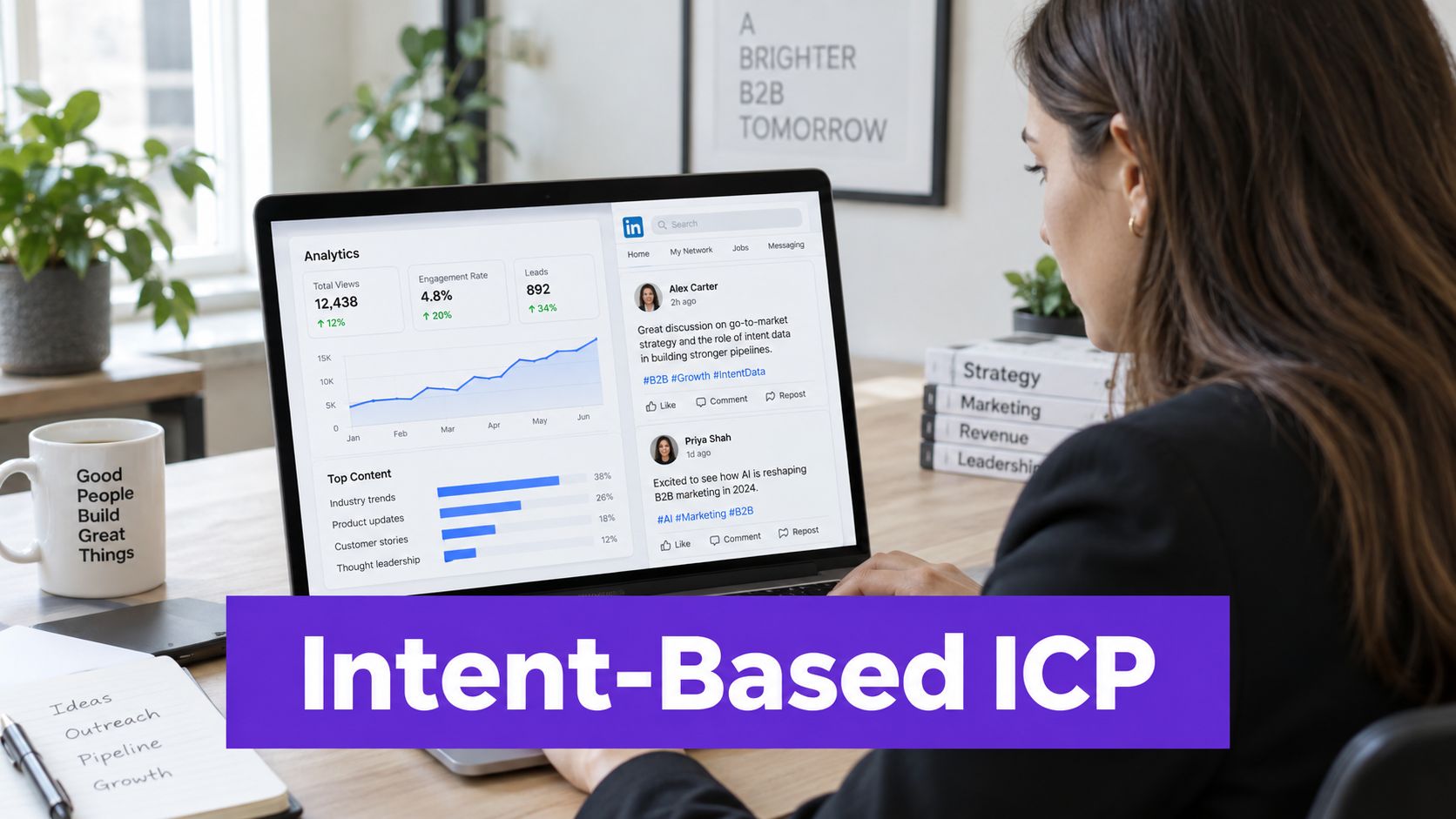
1. Build Your ICP Around Buying Signals, Not Just Job Titles
A job title tells you who someone is. It rarely tells you whether they're shopping. An effective ideal customer profile combines firmographic fit with evidence that a business problem is active, such as content engagement, pricing discussions, competitor activity, demo interest, a role change, or hiring connected to the problem you solve.
Start with a small signal library rather than an enormous taxonomy. Track job changes, relevant comments, content interactions, competitor follows, pricing mentions, hiring activity, and public discussions about operational pain. Then combine them. Someone who casually likes a post about pricing may be curious. Someone who comments on pricing friction while engaging with a competitor's content deserves more attention.
A useful ideal customer profile framework should document both the fit criteria and the reason a lead is timely. That distinction keeps your team from treating every matching profile as equally valuable.
Make approval data part of the ICP
RoverLead AI's Signal Agents can monitor creators, competitors, and niche topics for behaviors such as comments, content interactions, and pricing or demo talk. The point isn't to let software decide who deserves a pitch. The point is to surface the evidence before a seller decides.
Use a short decision rubric:
Company fit: Does the account resemble your best customers?
Buyer fit: Can this person influence the relevant problem?
Signal fit: Is the behavior connected to a real business issue?
Timing fit: Does the activity suggest a current conversation?
Review those decisions regularly. Your accepted leads will reveal which signals matter, while rejected leads expose the assumptions your original ICP got wrong.
2. Personalize Your Opener With Specific Context, Not Generic Compliments
“Love your content” says little about why you chose that person. A useful opener identifies the event or conversation that made the prospect relevant, then connects it to a business outcome. The goal is a reply, not a product brochure disguised as enthusiasm.
Start with one observable detail: a thoughtful comment, a post about a challenge, or a company announcement. For example, “I saw your take on AI in financial modeling” signals attention. Listing every interaction, followed company, or profile change makes the message feel monitored rather than relevant.
The signal should guide the message without becoming the subject.
RoverLead AI can analyze the behavior behind a recommendation and draft an opener from that context. Sellers still need to verify the detail, adjust the tone, and remove anything that feels too personal or uncertain. Automation can shorten research time, but judgment decides whether the message deserves to be sent.
A simple opener can follow this sequence:
Context: Identify the discussion or event.
Relevance: Connect it to the problem you solve.
Permission: Ask whether exploring a useful next step makes sense.
For example: “Saw your point in the recent discussion about finance teams reducing model rework. We help teams make that process easier to manage. Is that a priority for you this quarter?” The message uses a visible signal without pretending to understand the prospect's entire strategy.
Keep the reference brief and leave room for an answer. Strong conversation starters for LinkedIn open a conversation before asking for a meeting. If the prospect replies with a different concern, follow that thread instead of forcing the original pitch.

3. Monitor Competitor Activity and Lost Deal Signals as Your Primary Lead Source
Competitor activity often reveals an active buying conversation. A prospect following a competitor may be learning. A prospect discussing that competitor's pricing, limitations, implementation, or product launch is giving you more useful context. The difference is not subtle, but many teams treat both signals as equivalent.
Build a watchlist of your core competitors and adjacent tools your buyers already consider. Monitor official company activity, public comment threads, niche communities, and discussions where people describe the problem without naming a solution. Problem-space content can be just as valuable as competitor content because it shows that the buyer is framing the issue.
Your outreach should reflect the competitive context, not attack the competitor. If someone is discussing pricing complexity, lead with a clear comparison or a question about evaluation criteria. If they're criticizing a workflow your product improves, respond to the workflow problem rather than celebrating someone else's disappointment.
Create a competitive signal map
Tag leads by the conversation they're having. A person researching one competitor may need migration guidance. Someone comparing several tools may need evaluation criteria. Someone complaining about an existing system may need a diagnostic conversation before any demo.
A focused competitor activity monitoring process helps sellers spot these differences and tailor the next step. It also gives managers a useful measurement view, because reply quality can vary by competitive context even when the message framework stays similar.
Don't scrape every mention and call it intent. Qualify the signal by recency, depth, and relevance to the prospect's role.
4. Use Multi-Signal Sequences to Reduce Noise and Improve Match Confidence
One signal can lie by omission. Someone may comment on a pricing thread because they're interested in the topic, not because they're evaluating vendors. Someone may follow a competitor because a colleague recommended the page. Combining signals gives sellers more confidence without requiring a sprawling research project for every profile.
Start with two or three signals. For example, combine a competitor interaction with a relevant problem discussion and an account event such as hiring in the affected function. The exact combination depends on your market, but the principle is stable: require evidence of fit and evidence of timing.
Weight signals by strength. A thoughtful comment usually tells you more than a passive like. A recent role change may matter more than an old profile update. A pricing discussion connected to a specific operational challenge is stronger than general industry content.
Let the sequence reflect confidence
A lower-confidence lead might receive a connection request focused on shared context. A higher-confidence lead can receive a more direct question about the problem they're publicly exploring. This reduces unnecessary volume and protects the quality of your presence on LinkedIn.
RoverLead AI describes Signal Agents that monitor 10+ buying signals, allowing teams to chain evidence instead of relying on one noisy event. Its explanation of buying signals in sales is useful when you're designing rules for different personas.

Practical rule: If you can't explain why the prospect is relevant without mentioning their job title, the lead probably isn't ready for outreach.
5. Approve or Reject Every Lead Upfront and Make AI Learn Your ICP Taste
AI can surface activity, assemble context, and draft an opener. It still cannot judge every commercial nuance in your market. Let a seller inspect each lead before outreach, so obvious mismatches stay out of the sequence and useful decisions improve future recommendations.
Treat each approval as training data. Reject a lead when the account falls outside your service model, the role has little influence, the signal is weak, or the timing is poor. Log a specific reason. “Not a fit” teaches very little. “Right industry, wrong company stage” and “good account, no active problem signal” give the system something it can use.
Use a compact review card rather than another elaborate process. Check four questions:
Right account: Does the company fit the commercial model?
Right person: Is the prospect close to the problem or buying process?
Right evidence: Does the signal support a relevant conversation?
Right moment: Is there a reason to act now?
The seller should make a decision quickly, but quickly does not mean automatically. A lead with strong activity can still belong to the wrong segment, while a less obvious contact may have direct influence over the purchase.
RoverLead AI's human-in-the-loop workflow presents leads for approval or rejection before outreach. Its value depends on the quality of those decisions. The system can learn your preferences while you retain control over what sends. Review approval patterns with the team: strong customers may share a trait missing from the original ICP, while an attractive segment may repeatedly produce polite silence. That feedback turns prospecting into an intent-detection system, not a contact-scraping exercise.
6. Craft Micro-Campaigns Around Specific Buying Signals or Competitor Events
A signal deserves its own campaign only when it changes the conversation. Build around one trigger, a narrow audience, one message angle, and a defined stopping point. This keeps LinkedIn prospecting focused on intent detection rather than contact collection, while making results easier to interpret.
Start with the event, then shape the message. Useful triggers include a competitor pricing announcement, a relevant product launch, a hiring push, a role change, an industry event, or several posts about the same business problem. The same ICP may need different language after a competitor announcement than after a new executive hire.
Write a brief before anyone sends:
Trigger: What changed?
Audience: Who experienced or engaged with it?
Angle: Why does the change matter to them?
Next step: What response are you inviting?
For example, a competitor pricing update can open a discussion about whether evaluation criteria are changing. Hiring activity can support a message about reducing the operational burden of expansion. Both angles leave room for a conversation before introducing a hard pitch.
Keep the batch small enough for human review. RoverLead AI can help surface and organize leads around these signals, but the seller should approve the audience and opener. Run the campaign for a short window, then compare replies, meetings, and deal progression. If the signal attracts attention but produces no qualified conversations, change the angle or stop the campaign. A failed micro-campaign is useful feedback when its trigger, audience, and message were clear.
7. Tag, Segment, and Nurture Your Lead Inbox Like a Lightweight CRM
A reply is not a win. It's a new operating condition. Many teams celebrate the response, answer once, and then let the conversation disappear beneath newer notifications. Treat the LinkedIn inbox as a lightweight CRM and you'll preserve context after the initial exchange.
Keep tags limited and useful. Signal type, conversation stage, industry, deal size, and follow-up status may be enough. If tagging requires a training manual, the system has become a second CRM, which nobody asked for.
Organize around the next action
Pin the leads that need attention today. Tag prospects who are exploring, evaluating, or actively discussing timing. Draft follow-ups that add information rather than repeating the original pitch. A competitor-focused lead might receive a comparison point. A problem-focused lead might receive a diagnostic question. A quiet but relevant lead may belong in a nurture queue rather than another immediate sales message.
RoverLead AI positions its lead inbox as a place to tag, pin, nurture, follow up, and track conversations without switching tools. Its auto-draft and auto-reply features can reduce queue friction, but sellers should still review messages where the context is sensitive or ambiguous.
“A conversation without a next action is just a pleasant archive entry.”
Review your nurture tags regularly. New activity, a role change, or a fresh business event can move someone from passive nurture to active outreach. Track which tags produce meaningful progression, not merely friendly replies.
8. Create Warm Intros With Content Context
A warm introduction can start with shared context rather than a mutual connection. A prospect's thoughtful comment, article, or discussion gives you a specific reason to write, and it shows you are joining an existing professional conversation instead of dropping in with a generic pitch.
“Great post” carries no useful information. “Your point about avoiding vendor lock-in in the AI discussion was useful” identifies the idea that earned your attention. Add one sentence connecting that idea to your work, then ask a question the prospect can answer without preparing for a sales call.
Use content as the bridge, not the bait
A post provides context, not proof of purchase intent. A comment does not establish budget, authority, or an active buying process. State what you observed and ask whether the topic matters in the prospect's environment.
For a technology leader discussing consolidation, write: “Your point about avoiding lock-in in the vendor consolidation thread resonated. We're hearing similar concerns from teams comparing platforms. Is that an issue you're working through, or was it more of a general observation?” The wording preserves uncertainty while opening a useful conversation.
Content-aware outreach also creates a feedback signal. A specific reply, correction, or question tells you more than a connection acceptance, while no response suggests the context may be weak or the timing may be wrong. Record the signal and let it shape the next message, with human review before RoverLead AI drafts or sends follow-up copy.
Use detailed discussions and thoughtful comments selectively. One relevant reference can make a connection request feel like a continuation of dialogue, not a cold interruption. Frequency is a poor substitute for evidence.
9. Test and Optimize Your Call to Action Based on Conversation Stage and Signal Type
The first CTA shouldn't always be “Let's book a call.” Early-stage prospects may be willing to exchange information but not commit to a meeting. A low-friction next step can reveal interest without forcing a premature buying decision.
Use CTA tiers. Offer a relevant article, a short comparison, or a brief video when the signal is early. Ask for a short conversation when the prospect has replied and discussed fit. Move to a product walkthrough when they're talking about budget, timing, implementation, or internal stakeholders.
Match the ask to the evidence
A competitor-engaged prospect may respond well to an evaluation guide. A prospect discussing a concrete operational problem may accept a diagnostic call. A prospect who has already asked how your product works is a different situation from someone who merely liked a post.
Test CTA types separately and track what happens after acceptance. A low-commitment CTA can increase conversation volume, but it only creates value if your team has a clear follow-up path. “Sure, send it over” shouldn't become a dead end. Send the promised resource, ask one relevant question, and make the next step easy.
The message format also imposes practical limits. Standard LinkedIn messages can be up to 8,000 characters, while InMail subject lines are capped at 200 characters and InMail bodies at 2,000 characters, as summarized in LinkedIn message limits for 2026. Those are ceilings, not targets. Brevity still wins when the prospect's attention is scarce.
10. Maintain Reply Benchmarks and Combine LinkedIn Signals With Business Events
LinkedIn prospecting works as a feedback system. Measure each stage that exposes a weak point: connection acceptance, post-acceptance replies, qualified conversations, meetings, and opportunities. An accepted connection is only a filter. The next messages determine whether the signal becomes pipeline.
A 2026 benchmark study of 13.2 million LinkedIn connection requests reported a 28.5% acceptance rate, a 10.4% reply rate for post-connection messages, and a 3.0% response rate for notes attached to connection requests in Expandi's LinkedIn outreach benchmark. Use those figures as reference points, not promises. Compare them with results from your audience, offer, and message stage.
A separate study of 180,155 connection requests found that 27.1% were accepted, 27.6% of accepted connections produced a reply, and 2.0% of accepted connections produced a booked meeting within a 30-day maturation window, according to Reachium's 2026 research. The operational takeaway is simple: measure delayed responses and give follow-up enough time to produce evidence before changing the sequence.
Pair LinkedIn behavior with business context
LinkedIn activity becomes more useful when combined with job changes, funding announcements, and hiring activity. A recent role change plus competitor engagement provides stronger evidence than either event alone. Funding can signal new priorities, while hiring may show where a team is investing or experiencing pressure.
Set thresholds from your own baseline. Pause a campaign when replies, meetings, or opportunity progression deteriorate. Refresh it once with a different opener or CTA, then retire it if performance remains weak. A campaign that keeps running without new evidence is just expensive background noise.
Across a broader benchmark of 15.1 million or more outreach touchpoints, the overall reply rate was 7.2%, with the US at 6.0%, the UK at 6.1%, Canada at 7.1%, Australia at 6.4%, and the Netherlands at 10.5%, as reported by Reachium's 2026 outreach benchmarks. Compare markets and segments carefully. RoverLead AI can help surface patterns and organize feedback, while sales teams still decide which signals justify outreach and which belong in the discard pile.
10-Point LinkedIn Prospecting Best-Practices Comparison
Approach | Implementation Complexity 🔄 | Resource Requirements & Efficiency ⚡ | Expected Outcomes 📊 | Ideal Use Cases 💡 | Key Advantages ⭐ |
|---|---|---|---|---|---|
Build Your ICP Around Buying Signals, Not Just Job Titles | 🔄🔄🔄, Define signals + 1–2 week data build | Medium (data sources & monitoring) · ⚡⚡ | Higher reply/meeting rates (3–5x) 📊 | Intent-driven B2B SaaS and targeted ABM | Continuous ICP refinement; higher conversion; aligned sales/marketing ⭐⭐⭐⭐ |
Personalize Your Opener With Specific Context, Not Generic Compliments | 🔄🔄, template + context analysis | Low–Medium (AI + content parsing) · ⚡⚡⚡ | +15–30% reply rates typical 📊 | 1:1 outreach where credibility matters | Faster trust building; tone match; reduces multi-touch sequences ⭐⭐⭐ |
Monitor Competitor Activity and Lost Deal Signals as Primary Lead Source | 🔄🔄🔄, competitor tracking & filtering | Medium (competitor feeds & listening) · ⚡⚡ | Very high intent; 20–40% reply rates possible 📊 | Win-back, replacement, competitive displacement plays | Enter at buying moment; natural openers; predictable opportunities ⭐⭐⭐⭐ |
Use Multi-Signal Sequences to Reduce Noise and Improve Match Confidence | 🔄🔄🔄🔄, design AND/OR rules, scoring | Medium–High (signal engineering + testing) · ⚡⚡ | 3–5x better vs single-signal; much warmer pool 📊 | High-ACV deals, complex funnels, precision targeting | Reduces false positives; higher match confidence; fewer bad fits ⭐⭐⭐⭐ |
Approve or Reject Every Lead Upfront, Make AI Learn Your ICP Taste | 🔄🔄, human-in-loop approval workflow | Low (5–10 min/day review) · ⚡⚡⚡ | Rapid model improvement after 50–100 reviews 📊 | Teams needing tight brand control before automation | Human control + faster AI learning; prevents bad outreach ⭐⭐⭐ |
Craft Micro-Campaigns Around Specific Buying Signals or Competitor Events | 🔄🔄🔄, create many small, time-bound campaigns | Medium (continuous monitoring & setup) · ⚡⚡⚡ | High reply rates (examples 20–30%); steady pipeline 📊 | Time-sensitive events, launches, conference plays | High relevance; fast A/B testing; pipeline consistency ⭐⭐⭐ |
Tag, Segment, and Nurture Your Lead Inbox Like a Lightweight CRM | 🔄🔄, tagging + nurture automation | Low–Medium (discipline + templates) · ⚡⚡⚡ | Fewer lost leads; improved close rates (examples +10–x) 📊 | Long sales cycles, small teams without full CRM | Systematic follow-up; easier handoffs; insight by tag ⭐⭐⭐ |
Build Leverage Through Content-Aware Warm Intros: Reference Specific Articles, Posts, or Discussions | 🔄🔄🔄, content tracking + context extraction | Low (content visibility + reading time) · ⚡⚡ | Warmer replies; 20–30% reply rates common 📊 | Prospects active in content/discussion spaces | Creates instant common ground; safer opener than cold ⭐⭐⭐ |
Test and Optimize Your Call-to-Action Based on Conversation Stage and Signal Type | 🔄🔄🔄🔄, CTA library + routing + A/B tests | Medium (tracking & experimentation) · ⚡⚡⚡ | Higher CTA acceptance and better funnel progression 📊 | Multi-stage nurture, qualification workflows | Matches prospect readiness; measurable uplift in acceptances ⭐⭐⭐ |
Maintain Reply Rate Benchmarks, Pause Campaigns When Performance Drops, and Combine LinkedIn Signals with Job Changes, Funding, and Hiring Announcements | 🔄🔄🔄🔄, monitoring, integrations, pausing rules | High (data integrations + monitoring) · ⚡⚡ | Highest-intent pools; 30–40% reply rates achievable 📊 | Teams with data integrations seeking quality pipelines | Quality-over-volume discipline; timing + event-driven targeting; shorter cycles ⭐⭐⭐⭐ |
Turn These Tactics Into a Prospecting System
The ten tactics work best as one operating rhythm. Define the ICP, identify the signals that indicate fit and timing, combine evidence, approve leads, launch focused campaigns, write an opener from the trigger, and choose a CTA that matches the conversation stage. Then manage replies like active opportunities instead of leaving them to drown in the inbox.
The strongest LinkedIn prospecting best practices are not really about clever copy. They're about making better decisions before the copy exists. A seller who contacts fewer, better-qualified prospects with accurate context will usually learn more from each campaign than a seller who sends broadly and celebrates activity.
Use this weekly checklist:
Review ICP decisions: Look at approvals and rejections for recurring patterns.
Refresh signals: Add relevant competitors, creators, topics, hiring themes, and business events.
Launch focused campaigns: Give each campaign one trigger, audience, angle, and next action.
Audit openers: Remove generic compliments and verify every contextual reference.
Prioritize conversations: Pin active threads and assign a next step to every meaningful reply.
Measure the funnel: Track acceptance, replies, meetings, and deal progression separately.
Pause weak campaigns: Try one message or CTA refresh, then stop if the audience still doesn't respond.
For paid outreach, manage InMail deliberately. LinkedIn Sales Navigator Core, Advanced, and Advanced Plus each include 50 InMail credits per month, credits can accumulate up to 150 total, and unused credits roll over for up to 90 days, according to LinkedIn's InMail credit policy. A credit returns only when the recipient responds within 90 days of the send date. Recruiter users also face an official minimum response-rate requirement of 13%, measured over 100 or more InMail messages during each 14-day assessment period, as explained in LinkedIn's InMail response-rate policy.
RoverLead AI can support this system by monitoring LinkedIn activity, surfacing high-intent leads, drafting context-based openers, and keeping approval before outreach. Its positioning as LinkedIn AI SDRs that book meetings 24/7 makes sense for teams that want continuous signal monitoring without removing seller judgment. The useful division of labor is simple: software watches and organizes, humans decide whether the conversation is worth starting.
Frequently asked questions
What signals should define a LinkedIn ICP?
Use signals tied to active business problems, including relevant comments, competitor engagement, pricing discussions, role changes, hiring, and content interactions. Combine those signals with account and buyer fit rather than treating activity alone as intent.
How should I optimize my LinkedIn profile?
Lead with the problem you solve and the audience you help. Make your headline, summary, recommendations, and recent activity consistent with the conversations you want to start.
How long should a LinkedIn prospecting message be?
Use the shortest message that establishes context, relevance, and a clear next step. LinkedIn allows generous character limits, but the platform's technical maximum is not a recommendation to write a small essay.
Should I include a note with every connection request?
Include a note when you have a genuine reason to connect, such as a relevant post, discussion, shared professional context, or business event. Don't force personalization when you have no useful context.
When should I follow up?
Follow up when you can add context, answer a question, share something relevant, or acknowledge a new signal. Avoid sending empty “just checking in” messages that ask the prospect to do all the work.
What makes personalization credible?
Specificity and restraint. Reference one accurate observation, explain why it connects to the business problem, and avoid implying knowledge you don't have.
How do competitor signals help prospecting?
They reveal what alternatives or evaluation questions may be present. Use them to tailor your conversation, not to criticize a competitor or assume the prospect is ready to switch.
Is LinkedIn automation safe?
Automation should support research, organization, drafting, and reminders while keeping human approval over outreach. Respect LinkedIn's policies, avoid blind bulk sending, and review every workflow for relevance and account safety.
Which metrics matter most?
Track connection acceptance, post-connection replies, booked meetings, qualified opportunities, and deal progression. Acceptance shows credibility, while replies and downstream outcomes show whether your message and targeting work.
When should I use RoverLead AI?
Use it when your team needs help monitoring LinkedIn signals, curating ICP leads, drafting personalized openers, and managing follow-up without sending outreach blindly. It's most useful when sellers want less manual searching but still want approval to remain in human hands.
RoverLead AI helps teams find high-intent ICP leads from real LinkedIn activity, review personalized openers, and manage follow-up in a lightweight lead inbox. Visit RoverLead AI to see how a signal-led workflow can replace broad list building with human-approved prospecting.