
How to Identify Web Visitors and Turn Them Into Leads

Your pricing page is doing the right kind of mischief again. Marketing sees a target account come back three times, sales wants the name yesterday, and ops is left cleaning up a queue of vague alerts that all look urgent until a rep opens them.
That's the game with website visitor identification. It's not a magic “who visited?” button, it's a routing layer that turns anonymous traffic into records you can qualify, enrich, and act on before the lead goes cold. The best systems do that without pretending every matched visit is sales-ready, because they usually aren't.
Table of Contents
The Moment You Notice a Target Account on the Pricing Page
A marketing manager checks GA4 on a Tuesday and spots a familiar company name in the mix, at least familiar enough from the target list to make the coffee taste better. The pricing page has gotten attention, the demo page has a second look, and the instinct is immediate, “We found them.”
That instinct is understandable, and it's also where teams start confusing intent with lead status. Modern traffic measurement became standardized after Google Analytics launched in 2005, and identification sits on top of that foundation, first counting visits, then trying to map anonymous sessions to companies or people through IP intelligence, cookies, and behavioral signals Yoast. The useful output isn't just a name, it's a data trail that says who seems interested, what they looked at, and whether a rep should do anything about it.
What the first useful response looks like
Practical rule: If a visit doesn't reach a rep, a CRM, or a score within a minute or so, it's just dashboard décor.
That's why the job is not “find the visitor,” it's “decide what happens next.” In B2B, web visitor identification is usually company-level, because the system is matching a visitor's IP to a business network and then enriching that match with firmographic and engagement data Leadfeeder. The output should be a routing-ready record, not a trivia answer.
The old mindset is counting pageviews. The better one is turning anonymous traffic into actionable account data, then sending only the right accounts into sales motion. If your stack can't distinguish a curious intern from a genuine buying committee, it's not helping, it's creating expensive noise.
Why raw visitor data underperforms
Anonymous traffic usually looks promising before it's filtered. A company-level match can still be low value if the account is outside your ICP, the session came from a low-intent page, or the contact data is stale. That gap between “matched” and “worth calling” is where most visitor ID tools consistently underdeliver.
The practical shift is simple. Stop asking, “Who was it?” first. Ask, “Is this enough of a signal to route now?” That's the only question that matters in the first minute.
How the Identification Pipeline Actually Works
The mechanics are boring in the best possible way. A visitor lands on a page, the browser fires a pixel, the system tries to resolve identity, and the resulting record gets sorted before anyone in sales sees it. If that sounds less glamorous than vendor copy, good. It's supposed to.
The six-step flow
A workable B2B pipeline is identify, qualify, prioritize, enrich, route, and act. In practice, the visit is first resolved, then filtered against ICP criteria like company size, industry, geography, tech stack, and job title, then scored on intent signals such as pricing or demo-page activity. A solid operational benchmark is to route a qualified visit to a rep in under 60 seconds, and a 10,000-visitor sample with a 30–40% match rate would typically yield about 3,000–4,000 identified records, with only 200–400 of those being ICP-fit after filtering LeadPipe.
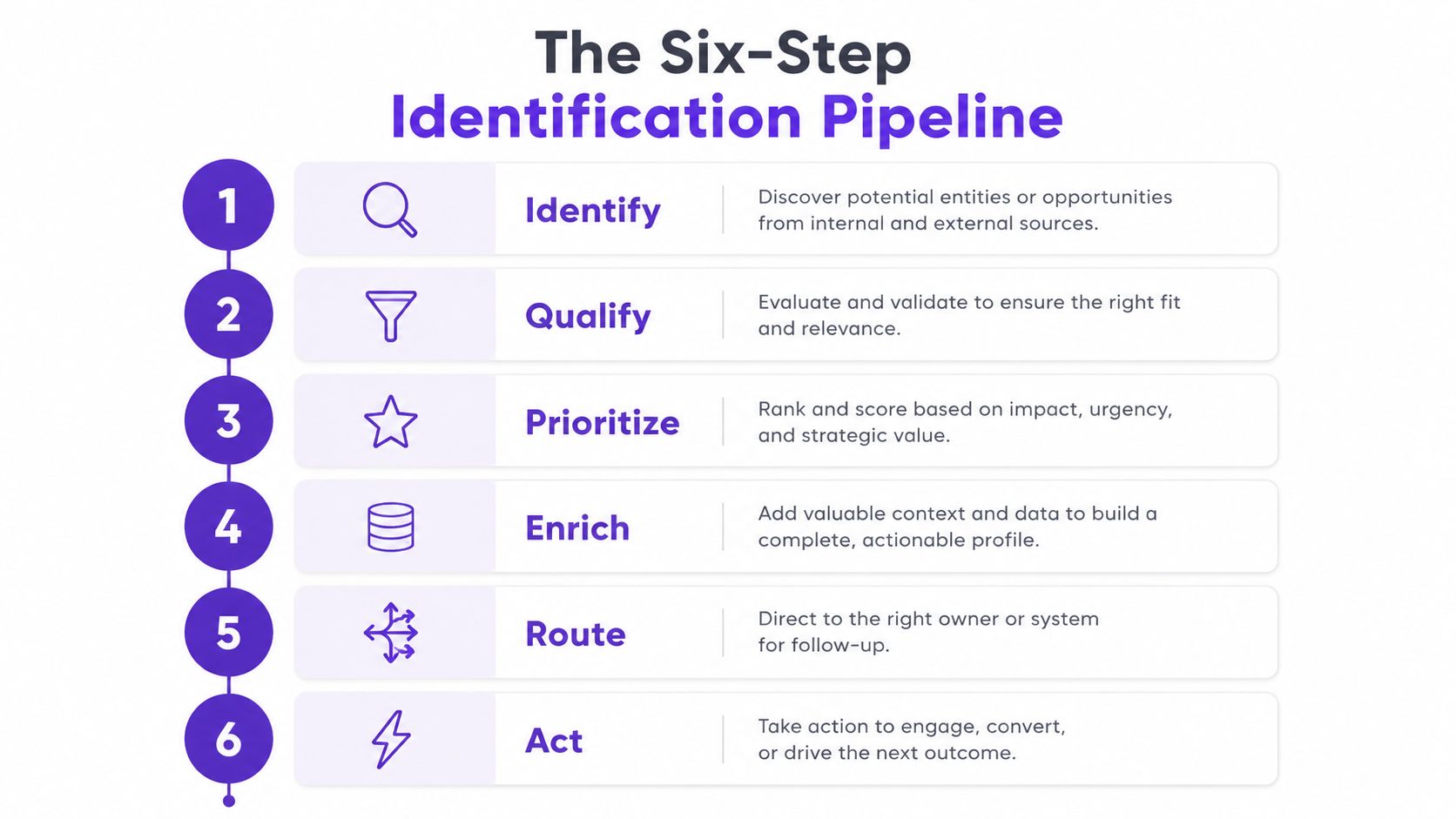
The point of that sequence is discipline. Identification alone doesn't create pipeline, it creates candidates. Qualification removes the obvious junk, prioritization keeps the hot stuff at the top, and routing makes sure a human sees the right record while the session is still fresh.
What the handoff should capture
A good workflow doesn't just log a company name. It should preserve pages viewed, repeat visits, content consumed, and the context that tells sales whether the account is warm, curious, or just browsing. Technical guides describe this as combining browser scripts, cookies, reverse IP, fingerprinting, server-side logs, and third-party data, then normalizing the result against CRM or enrichment systems UpCell.
A rep doesn't need every possible match. A rep needs the right match, with enough context to write a sensible first sentence.
That's the mechanism to keep in mind. Visitor ID is a scored, workflow-ready data layer, not a reveal button.
Comparing the Core Identification Methods
Different methods solve different problems, and vendor demos often blur that on purpose. If you only remember one thing here, remember this. Method choice should follow the use case, not the slide deck.
Method | Typical Match Rate | Best For | EU-Friendly |
|---|---|---|---|
Reverse IP lookup | Company-level matches on office networks | Account-level identification and routing | Sometimes, but weak for residential traffic |
Cookies and device fingerprints | Broader behavioral continuity | Repeat-visit tracking and session stitching | Risky without consent |
First-party JavaScript tag | Behavior capture on owned site | On-site engagement and page-level intent | Better, if consent is handled correctly |
Identity-graph waterfall | Blending multiple signals for coverage | Higher coverage across traffic types | Depends on data sources and consent |
CRM-match approach | Existing known records | Linking web behavior to known contacts | Safer when data is already consented |
Reverse IP is still the most intuitive entry point for B2B account identification, because it maps a visitor to a company network. That's useful when the buyer is sitting in an office and the traffic is clean. It's weaker when the visit comes from a home office, a coffee shop, or a mobile connection, which is exactly why some modern systems stack a first-party tag and an identity waterfall on top of it Unify GTM.
Cookies and fingerprinting can extend recognition, but they're the methods that make privacy folks reach for the button under the desk. For a quick adjacent read on intent framing, see this intent data overview.
The practical recommendation
Use reverse IP for company-level lift, first-party tags for behavioral detail, and CRM matching when you already know the account. Avoid pretending fingerprinting is a free pass for EU traffic. It isn't.
If you want one more layer of realism, keep the limits in view. Mobile traffic, VPNs, residential IPs, ad blockers, and EU traffic without consent all reduce match quality Unify GTM. That's not a bug report, it's the environment.
Running a 30-Day Blind Test on Your Own Traffic
Vendor demos are where bad math goes to get a haircut and a fake beard. A prettier dashboard in a sales call tells you almost nothing about what the tool does on your traffic, with your ICP, under your consent rules.
A simple test that doesn't lie
Run 2 to 3 tools in parallel on your own traffic for 30 days, then compare identified visitors against known CRM accounts and calculate the match rate as identified visitors divided by total unique B2B sessions MarketBetter. The steps are plain, even if the vendors aren't.
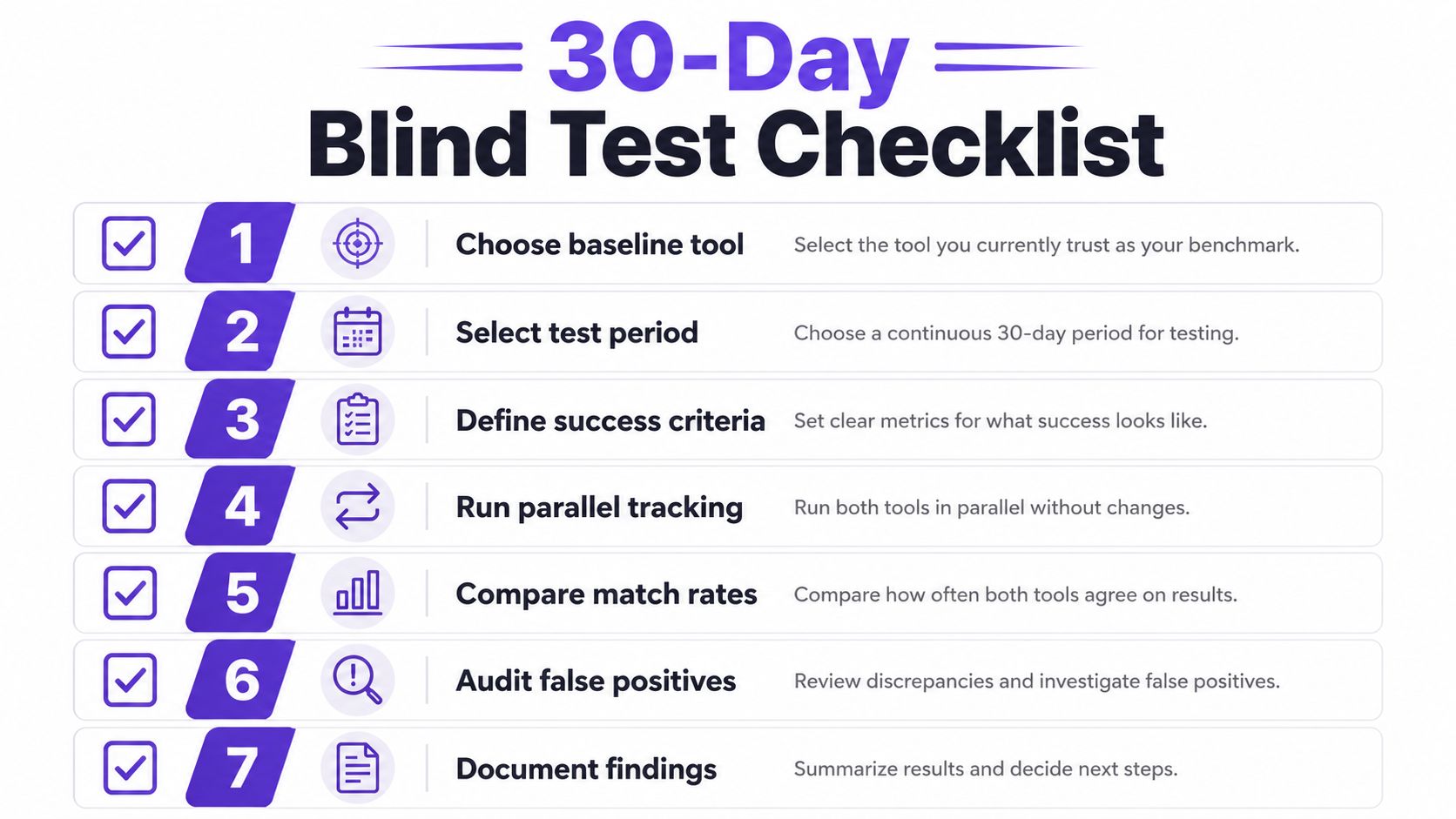
Choose a baseline tool. Pick the current system or no-tool baseline so you can see the delta.
Select the test period. Keep the window fixed so traffic mix doesn't muddy the result.
Define success criteria. Decide whether you care most about account coverage, ICP fit, or meetings booked.
Run parallel tracking. Install the scripts at the same time so every tool sees the same traffic.
Compare match rates. Measure volume, but don't stop there.
Audit false positives. Watch for weird matches, stale IP data, and low-quality records.
Document findings. Write down what the tool did, not what the rep promised.
What to watch for during the test
The most common demo trick is inflated matching against ISPs, universities, or stale IP blocks. Blind testing on live traffic exposes that fast, because the tool has to perform without a polished slide deck. Connect the CRM, measure identification volume and relevance, then track downstream outcomes such as meetings booked MarketBetter.
For a cleaner attribution backbone while you test, this revenue attribution model guide is worth keeping nearby. The point isn't to crown the tool with the biggest number. The point is to pick the one that creates usable motion.
Privacy, Consent, and What You Can Legally Do
This is the section that gets skipped right up until a complaint lands in the inbox. The hard line is simple. Company-level identification and person-level lookup are not the same thing, and the legal exposure changes a lot when you cross that boundary.
Company-level is not person-level
Most websites can see that someone visited, what they viewed, and roughly where they were located, but they usually can't see a name, home address, or contact details unless the visitor logs in, submits a form, or otherwise identifies themselves Who Visits My Website. That distinction matters because anonymous analytics sits in a different bucket from identity resolution.
Neutral guidance on anonymous visitor identification notes that the practice commonly uses IP addresses, cookies, behavioral signals, and contact databases, which is exactly why compliance risk shows up fast if teams skip disclosure or lawful basis checks Default. The practical takeaway is not “don't use the tool,” it's “don't pretend the data is harmless just because the UI is friendly.”
What needs a closer look
The legal questions are the ones sales ops hears after legal gets involved. Company-level account matching is usually easier to defend than person-level lookups, but only when the website disclosure, lawful basis, retention policy, and regional handling are all aligned. If the tool is using fingerprinting or third-party identity graphs, the burden gets heavier, especially for EU residents.
If your consent banner says one thing and your visitor ID stack does another, legal will notice before sales does.
A sensible checklist includes clear cookie language, documented lawful basis, limited retention windows, and exclusion rules for jurisdictions or traffic types where person-level identification is too risky. The important thing is to be honest about what the stack can and can't justify. A compliant stack is usually a narrower stack.
Connecting Identified Visits to Sales Workflows
A matched visit that sits in a dashboard is just expensive wallpaper. The useful version pushes into the systems reps already live in, then hands them enough context to do something sane with it.
Where the signal should go
The cleanest setup sends identified visits into a CRM, a Slack channel, or a Sales Navigator sequence, then enriches the record so prioritization is automatic. A target account that hits the pricing page twice can be tagged differently from a casual blog reader, especially if the account also shows hiring signals or repeats visits across multiple sessions RoverLead CRM enrichment.
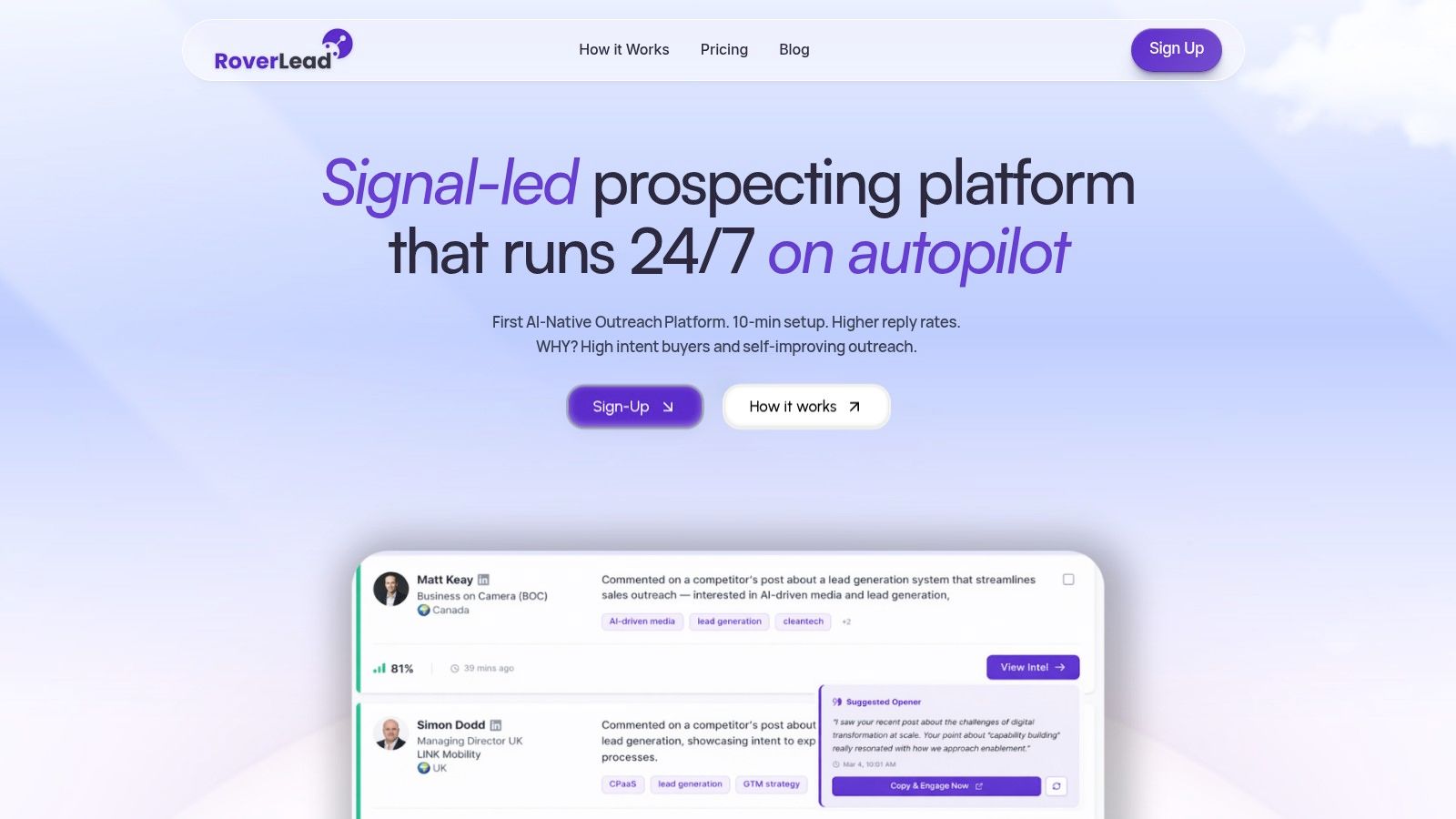
That's where timing starts to matter more than volume. If the data can tell you an account is active and relevant, a personalized LinkedIn note makes more sense than a generic cold email blast. One practical route is to combine website behavior with LinkedIn engagement signals so the opener reflects what the prospect already cared about, not what the SDR hoped they cared about.
A workflow that actually gets used
I've seen teams improve the quality of follow-up by making the signal specific. A pricing-page repeat can trigger a rep task. A demo-page visit from an ICP-fit company can trigger a sequence. A broad blog reader can stay in nurture until the account shows stronger intent.
If you want to connect that behavior to LinkedIn-style intent workflows, RoverLead AI turns LinkedIn engagement into daily, ICP-matched leads and uses Signal Agents to watch for real behavior like comments, content interactions, and demo discussions. It also offers a one-line website tracking setup for capturing site activity, which makes it one option in a broader routing stack rather than a replacement for your CRM.
The key is not channel sprawl. It's making sure the same identified visit can drive the next best action in the same day, while the account is still warm enough to matter.
The Filter Most Teams Skip and Why It Matters
The default move is to send every matched visitor to sales. That sounds efficient until the alerts pile up, the good signals get buried, and reps start treating visitor ID like another noisy bot feed.
Why the filter matters more than the match
A 30–40% match rate on a 10,000-visitor sample can sound impressive, but after ICP filtering you may only have 200–400 records that are worth rep time LeadPipe. That's the whole point of the filter. Matching is not the finish line, it's the sorting hat.
The core rule is straightforward. ICP-fit plus a high-intent page plus a repeat visit equals route now. Everything else can be scored, enriched, or left alone until the account earns attention. Sending all matched traffic to sales just burns trust and trains reps to ignore the good stuff.
The practical scoring lens
An ICP-and-intent filter should ask a few questions before anyone gets pinged:
Is the company in target? If not, don't waste a rep's morning on it.
Did the visitor hit a buying page? Pricing and demo pages matter more than generic blog traffic.
Is this a repeat visit? Single looks are interesting, repeated looks are actionable.
Is the data clean enough to trust? Low-quality IP matching and stale records should stay out of the queue.
For a clean definition of ICP framing, this ICP guide helps anchor the filter in business terms rather than platform jargon.
The contrarian truth is that better filtering usually creates better sales adoption than bigger match counts. Reps trust the stack when it sends them fewer, sharper leads. That's how identification stops being a vanity metric and starts acting like revenue infrastructure.
If you're ready to stop treating anonymous traffic like a pile of random pageviews, visit RoverLead AI. It helps turn LinkedIn engagement and site activity into routed, ICP-matched leads with the context reps use. That's a cleaner way to identify web visitors, score them, and put the right accounts in front of sales before the window closes.