
CRM Data Enrichment: A Guide to Smarter B2B Selling

A rep clicks into a “hot” account in the CRM and finds this: a generic company name, a title from two jobs ago, no direct path to the buyer, and a note that says “follow up next quarter” from someone who left the company. Then the rep opens LinkedIn, starts digging, and spends the next chunk of the morning doing research your systems were supposed to handle already.
That's the daily tax of bad CRM hygiene. It doesn't feel dramatic, so teams tolerate it. They shouldn't. Bad records slow routing, wreck personalization, and make lead scoring look smarter than it is.
CRM data enrichment matters because it fixes the part many overlook. Not “more data.” Better data, delivered when it's useful. If your reps still have to play detective before every message, your CRM isn't a revenue system. It's storage.
Table of Contents
Your CRM is a Graveyard and You Know It
Let's stop pretending the average CRM is a clean operating system. It's usually a pile of half-built records, duplicate accounts, dead contacts, and stale notes nobody trusts. Sales reps know it, so they work around it. Marketing knows it, so they over-segment and hope for the best. RevOps knows it, so they spend their week patching symptoms.
That's the mistake. Teams treat dirty CRM data like an admin problem when it's really a selling problem.
If reps spend more time researching than messaging, the system is broken. If routing fails because titles are wrong or company data is incomplete, the system is broken. If your team can't tell who fits your ICP without opening six tabs, the system is broken. A tighter process for qualifying sales leads helps, but qualification is still downstream of record quality.
Your reps don't need more records. They need records they can use without apologizing to themselves first.
Good enrichment turns the CRM from a dusty archive into a working sales asset. But only if you use it to improve relevance and timing, not just to make contact cards look fuller.
What Is CRM Data Enrichment Really
CRM data enrichment is the process of taking incomplete internal records and improving them with additional verified context so teams can sell, route, and prioritize with less guesswork. It's like assigning a competent researcher to every lead and account, except the useful version scales.
It's not a bigger database
Many believe enrichment means appending a few missing fields and calling it progress. That's lazy. Real enrichment starts with cleanup, then adds information that helps people make decisions.
A widely cited benchmark says 44% of companies lose over 10% of annual revenue due to poor-quality CRM data, which is why enrichment should be treated as revenue protection, not database cosmetics, according to Data Ladder's data enrichment guide.
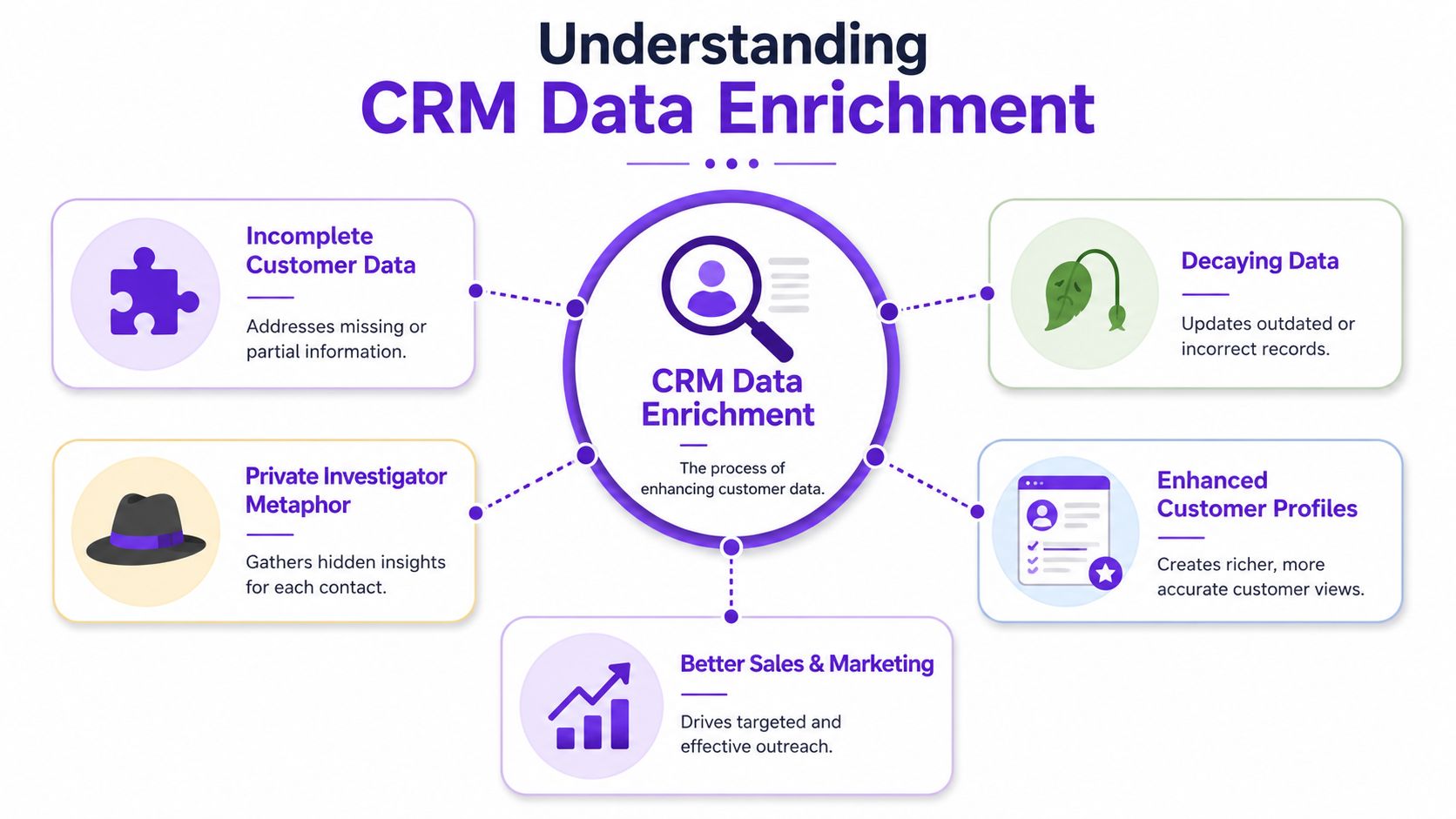
The useful mental model is simple. Your CRM record needs three layers of context, much like a house needs structure, systems, and a signal at the door.
The three jobs enrichment should do
Type | What it does | Why it matters |
|---|---|---|
Foundational context | Adds basic company and contact details | Helps reps know who they're talking to |
Operational context | Improves routing, scoring, segmentation, and ownership rules | Keeps workflows from breaking |
Decision context | Surfaces signals that help a rep act now | Drives prioritization and timing |
That last one is where most stacks fall short. They enrich for completeness, not action.
If you're comparing sales intelligence tools for modern prospecting teams, don't ask which tool adds the most fields. Ask which fields your reps use, which ones support routing and scoring, and which ones help your team contact the right person at the right time. A giant contact record that nobody trusts is just clutter with a user interface.
The Three Flavors of Enrichment Data
Not all enriched data earns its keep. Some fields help you qualify. Some help you position. Some tell you when a buyer is worth your attention right now. You need all three, but they are not equally valuable in every workflow.
Types of CRM Enrichment Data
Data Type | What It Answers | Example | Primary Use Case |
|---|---|---|---|
Firmographics and demographics | Who is this company and person | Industry, company size, function, seniority, title | ICP fit, segmentation, territory assignment |
Technographics | How do they operate | CRM, marketing automation, data stack, sales tools | Competitive positioning, partner alignment, use-case relevance |
Intent and behavioral data | Why now | Topic engagement, content interaction, competitor activity, active research behavior | Prioritization, timing, personalized outreach |
Firmographics and demographics are the basics. They tell you whether the account looks like a fit and whether the contact likely has influence or authority. Useful, yes. Exciting, no.
Technographics add another layer. If you sell software, this matters a lot. Knowing what tools a prospect already uses can shape messaging, objections, and integration conversations.
Then there's intent and behavioral data. That's the difference between “this account could buy someday” and “this account is showing signs worth acting on now.” If your team is serious about finding high-intent leads instead of list-shaped distractions, this is the category that deserves more budget and more operational thought.
Why intent beats trivia
A CRM full of trivia is still a bad system. You do not win because you know a company's employee range and generic industry tag. You win because your rep reaches out when the buyer is actively paying attention, with a reason that feels relevant.
Practical rule: Enrich the fields that trigger action. Ignore the fields that only make dashboards look busy.
A healthy workflow usually looks like this:
Start with fit: Add role, seniority, account type, and company basics.
Layer in environment: Add the tech stack or operating context that changes your pitch.
Prioritize by behavior: Use engagement and intent signals to determine who gets attention first.
That turns a static contact card into a living record. It also keeps your team from doing the classic sales ops move of buying a mountain of data nobody uses.
A Practical Enrichment Workflow That Works
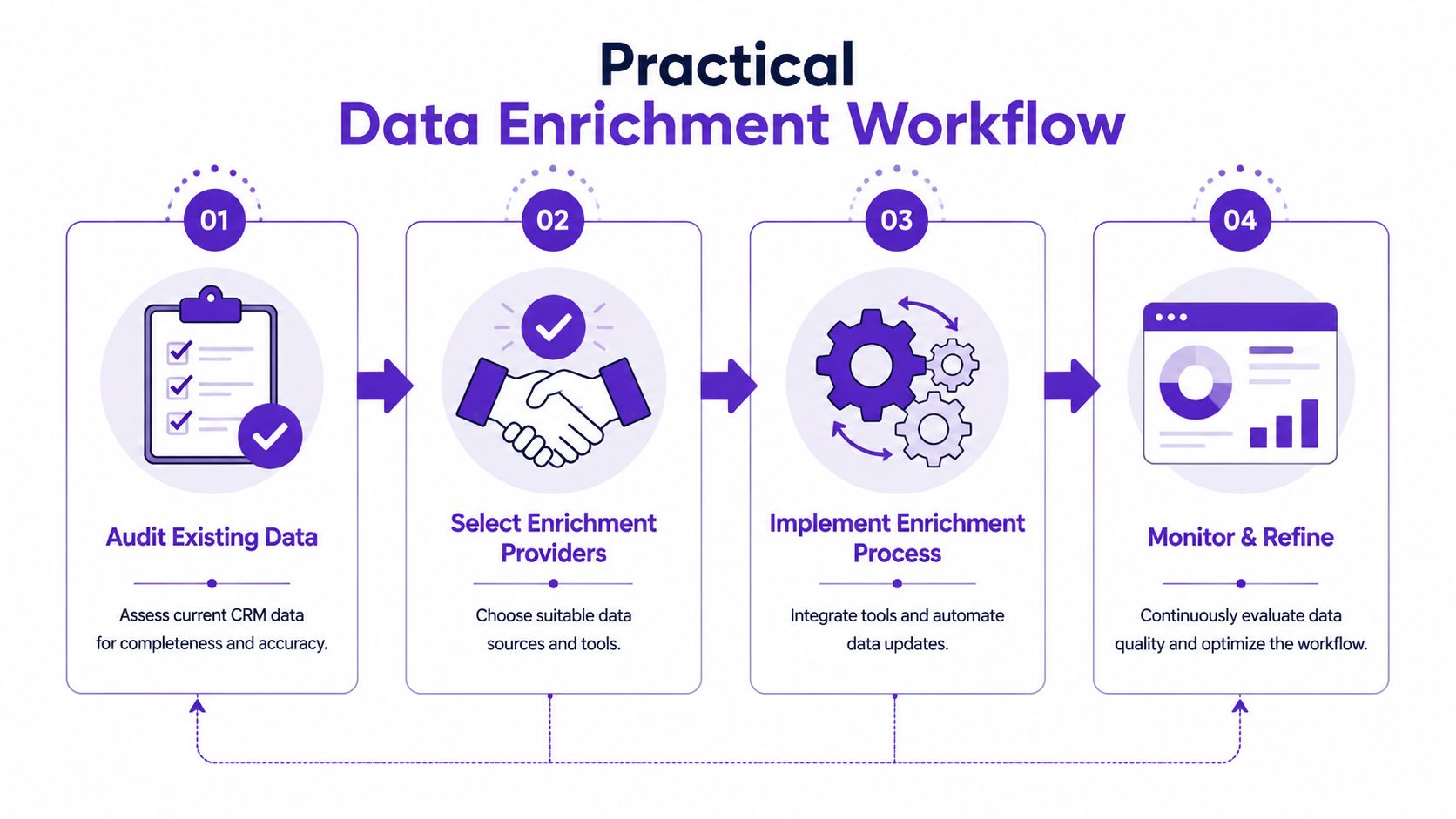
Most enrichment projects fail because teams buy data before they fix the process. That's backwards. If your CRM is messy, enrichment just gives you a bigger mess with nicer labels.
Start by fixing the swamp
Clean first. Always.
That means deduping accounts and contacts, standardizing key fields, and deciding which fields are mission-critical. If account names, owner logic, and basic role data are inconsistent, every automation downstream gets shakier.
Then define what “good enough to enrich” means. Not every record deserves the same treatment.
Inbound leads: Enrich quickly so routing and first-touch outreach don't stall.
Target accounts: Go deeper on role mapping, company context, and activity signals.
Deadweight records: Archive or suppress them instead of paying to enrich junk forever.
Build the sync rules before you buy more data
From a technical standpoint, a quality process relies on append, verify, and refresh, according to Lonescale's explanation of data enrichment in sales.
Here's what that means in plain English:
Append what's missing
Fill in incomplete fields like title, phone, social profile, and company attributes. Don't start by overwriting. Start by filling gaps.Verify before you trust
Cross-check against trusted inputs. A field that looks complete but is wrong is worse than an empty field because people act on it.Refresh on purpose
Records decay. Refreshing titles, employment status, and company attributes on a schedule keeps automations from running on stale assumptions.
The operational detail often overlooked is mapping. You need field-level rules before sync starts. Which source owns job title? Which source owns industry? Which fields can automation update, and which must be reviewed first?
Weak overwrite logic can quietly wreck a CRM. One bad sync job can undo months of human cleanup.
Use confidence thresholds. Mark source provenance. Let reps preserve valuable account notes and relationship context. Enrichment should support the human layer, not bulldoze it.
From Static Lists to Live Buying Signals
The old model of enrichment was simple. Buy a list, append some firmographics, verify contact info, hand it to SDRs, and tell everyone to smile through the pain.
That model is aging badly.
Static records tell you who
Static enrichment is still useful. You need to know the account, the role, the likely fit, and enough context to avoid sending a message that sounds copied from a bad template library.
But static data has a ceiling. It tells you who might buy. It rarely tells you when the conversation deserves to happen.
That's where behavior changes the game. Buyers leave clues all over the place, especially in social and professional channels. They comment on expert posts. They engage with competitor content. They react to topic-specific conversations. They ask public questions that reveal timing, frustration, or active evaluation.
Live signals tell you when to act
Industry research cited by Altrata says 75% of organizations plan to adopt real-time data enrichment to improve decision-making, signaling a shift from periodic cleanup to continuous CRM updates, as noted in Altrata's article on smarter business development.
That shift makes sense. Sales teams don't need a prettier spreadsheet. They need records that respond to reality.
Behavioral intent enrichment changes the job of the CRM:
It improves timing by surfacing activity close to the moment of interest.
It improves relevance because outreach can reference what the buyer engaged with.
It improves prioritization because reps can focus on people showing motion instead of people who merely match a static profile.
Many teams still enrich like librarians. File the record, fill the fields, move on. Winning teams enrich like operators. They ask which signals should trigger routing, scoring, and rep action.
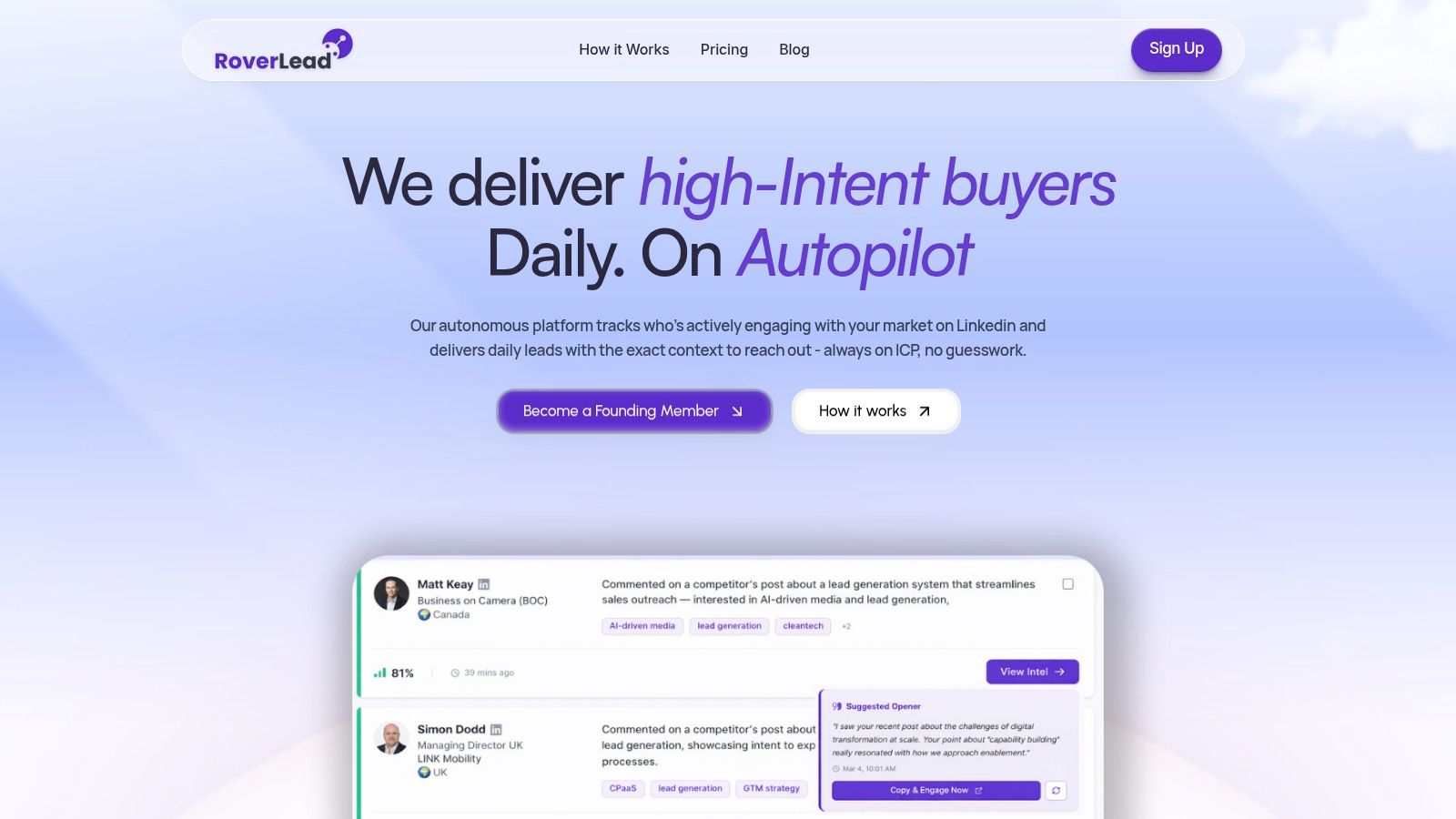
A quick demo makes that difference easier to visualize:
A complete record is nice. A timely record is revenue.
If your current setup only tells reps who someone is, you're halfway there at best. If it tells them what changed, what the buyer engaged with, and why now is different from last week, that's when enrichment starts acting like an advantage.
How to Measure ROI and Avoid Common Pitfalls
If you measure enrichment by “records completed,” you're grading the wrong homework. The point is not field volume. The point is whether sales moves faster and with less friction.
Measure action, not field counts
The emerging trend is workflow-linked enrichment, where teams identify the specific fields that drive lead scoring, routing, and rep actions instead of enriching for completeness, according to ZoomInfo's guidance on CRM data enrichment.
Track outcomes your operators can feel:
Lead-to-meeting speed: Does better context help reps respond with less research delay?
Routing quality: Are the right records getting to the right owners with less manual cleanup?
Rep workload: Are SDRs spending less time patching records and more time contacting buyers?
Message relevance: Do reps have enough timely context to avoid generic outreach?
Governance is where good enrichment goes to die
Organizations frequently underestimate governance. They enrich the CRM, everyone feels productive for a week, then field conflicts pile up and trust drops again.
The ugly questions matter:
Who owns field-level truth
Which fields can auto-update
How often each field should refresh
When low-confidence data must never overwrite better existing data
Keep compliance in the room too. If you're enriching personal or professional data, legal and ops need clear rules for handling, retention, and permitted use. Good enrichment makes selling cleaner. Sloppy enrichment creates risk and confusion at the same time. That's an impressively bad combo.
Frequently Asked Questions About Data Enrichment
Question | Answer |
|---|---|
What is CRM data enrichment in simple terms? | It's the process of improving CRM records with additional verified context so sales and marketing can act on them faster. |
Is enrichment the same as data cleansing? | No. Cleansing fixes what's already in your system. Enrichment adds useful context from outside or adjacent sources. |
Should every record be enriched the same way? | No. Inbound leads, target accounts, and old database leftovers should not get identical treatment. |
What fields matter most? | The ones your reps use, your routing depends on, and your scoring models actually need. |
Is firmographic data enough? | Not anymore. It helps with fit, but it doesn't tell you when to engage. |
Why does technographic data matter? | It helps reps position better, qualify faster, and avoid generic messaging. |
What makes behavioral enrichment different? | It adds timing and relevance. That's what turns a static record into a priority. |
How often should data refresh? | Based on the field. Titles, employment, and active signals usually need more frequent refresh than slow-changing account attributes. |
What's the biggest implementation mistake? | Letting enrichment overwrite trusted data without field ownership and confidence rules. |
How do I know enrichment is working? | Reps do less manual research, routing gets cleaner, and outreach becomes more relevant and faster to execute. |
If your team is tired of static lists and wants enrichment that helps reps act on real buying behavior, take a look at RoverLead AI. It turns LinkedIn engagement into daily, high-intent leads matched to your ICP, so your reps spend less time digging and more time starting relevant conversations while the signal is still fresh.