Reverse Lookup for Email Address: A B2B Prospecting Guide

An email lands in your CRM from a webinar signup, demo request, or a vague “curious to learn more” form. No title. No company field. Sometimes not even a real name. Just jane.doe@something.com or, worse, operations.team247@gmail.com.
That's where most reps make a bad decision fast. They either blast a generic sequence and hope for the best, or they spend twenty minutes playing amateur detective with no system. Both are sloppy.
A reverse lookup for an email address is useful, but not because it scratches your curiosity. It matters because a single email can become a compact intelligence brief. If you use it right, you can decide whether this person deserves outreach, what angle to use, and whether they're even worth your calendar in the first place. Good sales teams don't just identify contacts. They qualify intent, context, and credibility.
Old-school advice treats reverse email lookup like a party trick. Type in an email, get a name, call it a day. That's kindergarten stuff. In B2B sales, the actual move is turning one email artifact into enough verified context to start a relevant conversation.
Table of Contents
That Mystery Email in Your Inbox
You know the lead. They filled out a form with a work email and one line of context that says almost nothing. Or they replied to an outbound email with “timing might be better next quarter.” That's not a lead record. That's a cold case.
The reps who win here don't start pitching. They start investigating. Not in a creepy way. In a disciplined, commercial way. They want to know whether that address belongs to a buyer, a student, a consultant, a burner account, or someone forwarding internal research on behalf of a boss.

A modern reverse email lookup can do far more than attach a name. According to PeopleSmart's email lookup overview, it can return an owner's full name, current city, employer, schools attended, and linked social profiles when that information is available. That matters because you're not just identifying a sender. You're rebuilding a public identity graph from one small clue.
Why that changes the sales playbook
That shift is bigger than it sounds. Reverse lookup used to feel like a niche OSINT move, the kind of thing a recruiter or fraud analyst might use in a pinch. Now it sits inside everyday prospecting and enrichment workflows.
What separates pros from dabblers is what they do with the result:
They verify fit first. If the email maps to the wrong company type, wrong function, or a personal inbox with no business signal, they stop.
They look for commercial context. Employer, role, public profile, and recent activity beat a guessed title every time.
They treat lookup as triage. The point isn't “I found them.” The point is “Should I spend effort here?”
Practical rule: Don't ask, “Who owns this email?” Ask, “Does this email lead to a sales conversation worth having?”
That's the accurate frame. Reverse lookup isn't data scraping. It's front-end deal qualification.
Your Digital Detective Toolkit Manual vs Paid
There are two ways to run a reverse lookup for email address work. One is manual OSINT. The other is paid enrichment. One feels like a scrappy rep with browser tabs everywhere. The other feels like hiring a research team that never sleeps.
Neither is universally better. They solve different problems.
Manual lookup is fine when the lead matters, the volume is low, and you want to sanity-check what the internet already exposes. Paid tools are what you use when you've got a queue, a team, and no interest in turning SDRs into full-time interns for Google.
Reverse Email Lookup Methods Compared
Method | Cost | Speed | Accuracy | Best For |
|---|---|---|---|---|
Manual OSINT | Free to low | Slow | Varies by public footprint | One-off lead research, verification, tricky edge cases |
Paid enrichment tools | Paid | Fast | Stronger on established business emails | Bulk processing, CRM workflows, routing, outbound ops |
Hybrid workflow | Mixed | Moderate | Strongest when verified | Teams that want scale without blind trust |
The mistake I see most is choosing by budget instead of by workflow. If you're handling one strategic account, manual is often enough. If you're handling inbound volume, event lists, or stale CRM records, manual research becomes theater.
How to choose without overthinking it
Use manual when you need judgment. Use paid when you need throughput. Use both when accuracy matters enough to justify a second pass.
If your CRM is full of half-baked records, start by reading this guide to CRM data enrichment. It'll save you from pretending bad source data becomes good just because you imported it into a nicer dashboard.
Paid tools are not magic. They're just faster at doing the boring parts humans shouldn't be doing at scale.
That's the honest comparison. The core issue isn't manual versus paid. It's whether your team is spending rep time on detective work that should already be handled upstream.
Manual Reconnaissance The OSINT Field Guide
Manual lookup still works. It just needs a method. Random searching doesn't count as research.
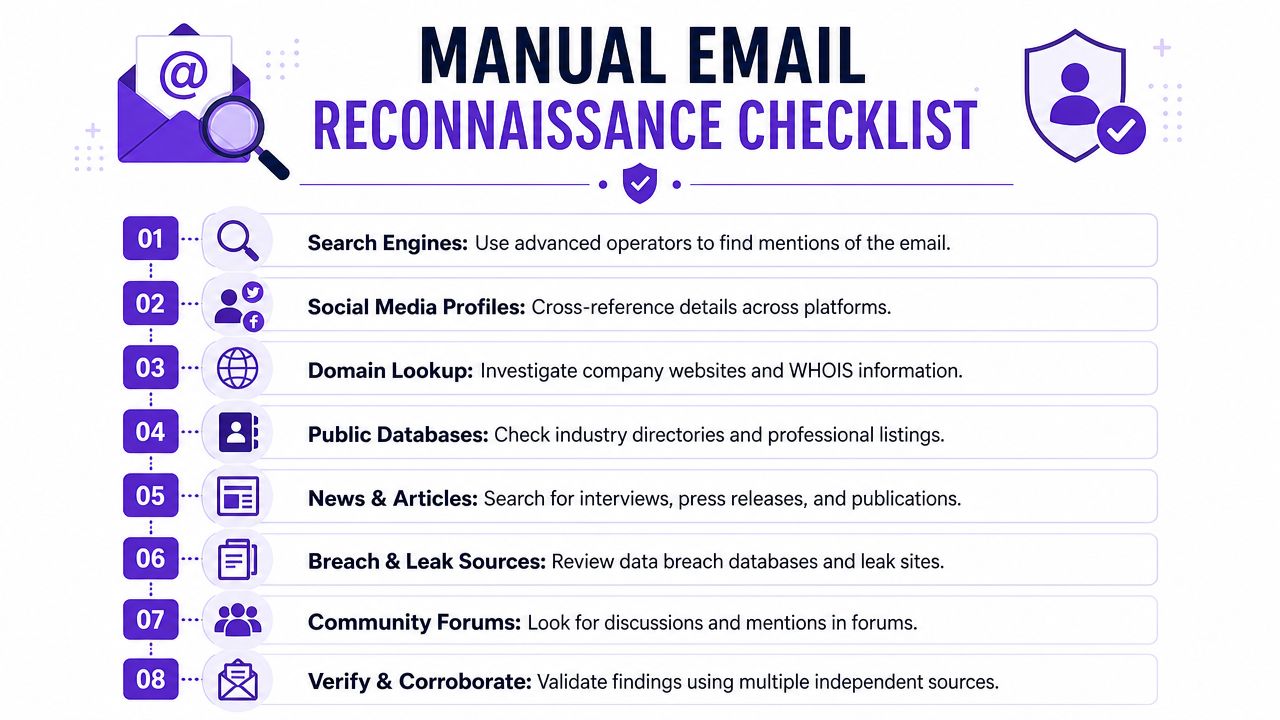
The fastest useful move is also the least glamorous. Search the exact email address in quotes. That remains the best first step, and Overloop's reverse email lookup guide explicitly recommends exact-string search of the full email in quotes before anything else. If that address has ever been published on a company page, speaker bio, GitHub profile, or cached web artifact, you may get an answer immediately.
Start with the obvious clues
Don't skip the email itself. The local part often gives away more than reps realize.
A few useful reads:
Full-name formats:
firstname.lastname@company.comis common enough to matter. Overloop notes that about 46% of businesses use that pattern in vendor analysis, which makes it a strong starting point for educated guesses when you're mapping a company's format.Initial-based formats:
jdoe@company.comorjane.d@company.comoften point to a known naming convention inside the business.Role-based addresses:
sales@,ops@,info@, and similar aliases usually tell you you're not dealing with a person-level identity yet.
If the domain is corporate, check the company website and LinkedIn for employee naming patterns. You're not trying to impress anyone. You're trying to see whether the format aligns with a real person at a real company.
Cross-check like a grown-up
One source is a clue. Two sources start to look like evidence.
Here's the field-tested workflow I'd use:
Quoted search first: Search the exact address in quotes. Then search variations of the likely full name with the company name.
Company page second: Look for team pages, author bios, press releases, and event pages. Marketing teams accidentally publish half your prospecting data for free.
LinkedIn third: Match company, role family, and likely name. If the domain and name structure line up, confidence improves.
Public profile crumbs: GitHub, speaker pages, portfolio sites, association directories, and cached pages can fill in missing pieces.
Pattern confirmation: If several employees share the same structure, your guessed identity is less of a guess.
If the email was ever made public, free checks can surface it. If it wasn't, manual lookup gets much harder fast.
Where reps usually mess this up
They trust the first match. Or they search too narrowly. Or they fail to normalize obvious variants.
Watch for these problems:
Alias noise: Plus tags and formatting quirks can hide useful matches.
Literal reading: A guessed name from the username can be wrong, especially with nicknames and abbreviations.
Single-source confidence: One tool says “found.” Fine. Prove it.
Manual recon is best for nuance. It's lousy for scale. Keep it for high-value accounts, messy records, and the leads your automation can't confidently resolve.
Calling in the Pros Paid Tools and APIs
Once your team is looking up dozens or hundreds of emails, manual work stops being resourceful and starts being expensive. In such scenarios, paid tools earn their keep.
Professional enrichment platforms can process business emails far faster than any rep with ten tabs open and a coffee going cold. Significantly, they can fit into your CRM, routing logic, and outbound stack instead of living in someone's bookmarks bar.
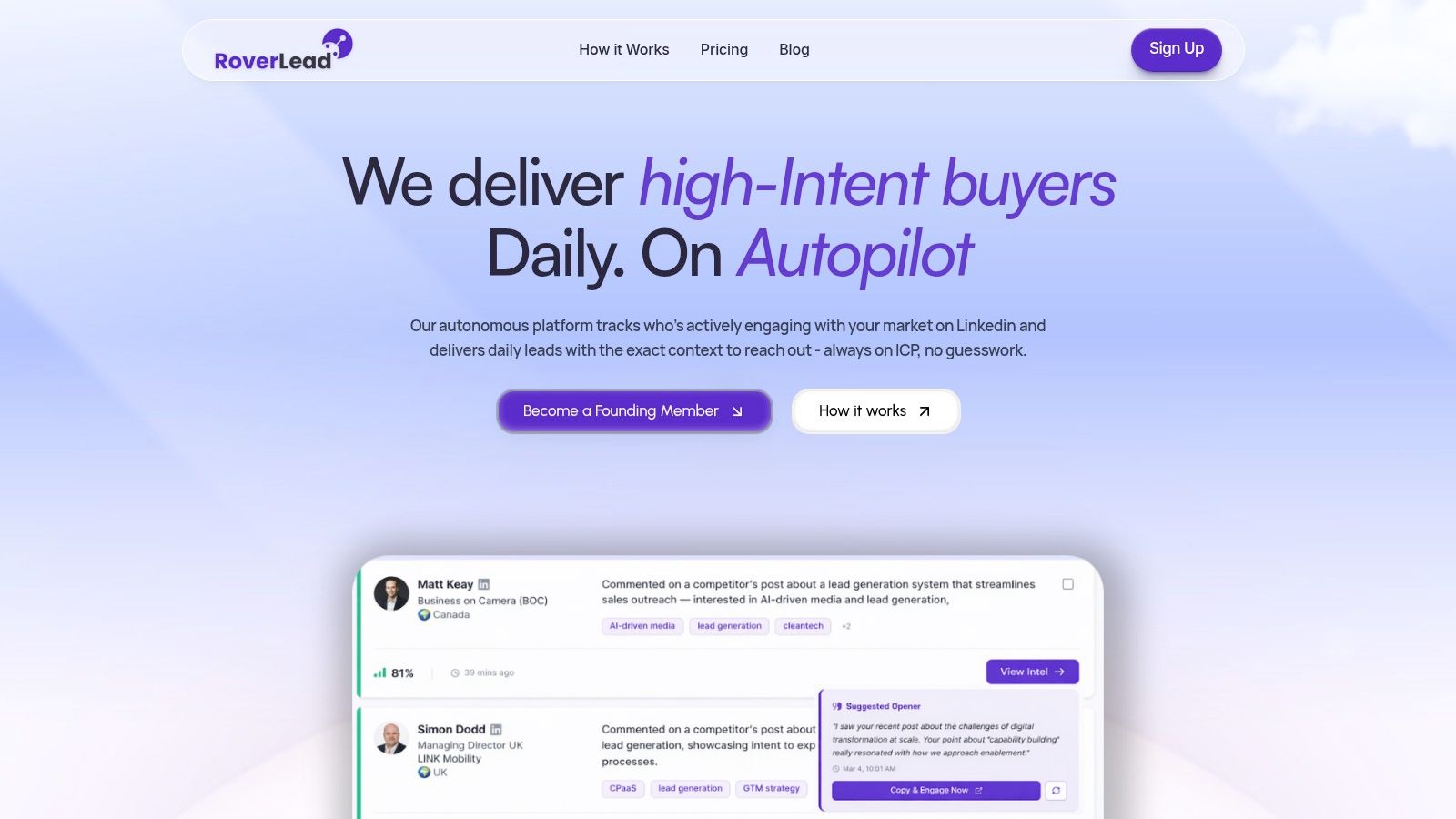
According to Enrich's reverse email lookup guide, paid tools can achieve 85%–95% match rates for business email addresses at established companies. That's strong enough to justify automation. But don't get drunk on vendor promises. The same source also cites an evaluated setup with a 16% error rate, which is your reminder that enrichment is still a confidence game, not divine revelation.
What paid tools are actually good at
They're best when your input is a business email tied to an established company. Corporate domains create structure. Structure creates matchability.
Good providers typically follow a workflow like this:
Normalize the email
Identify the domain type
Map the domain to a company
Resolve identity across multiple sources
Score confidence before returning a result
That pipeline is why paid enrichment beats random browser sleuthing at scale. If you want a broader view of the category, this roundup of sales intelligence tools is a useful place to compare where reverse lookup fits in the stack.
Why APIs matter more than dashboards
A dashboard is nice for a rep. An API is what makes the process operational.
If you enrich inbound form fills, stale contacts, or list uploads automatically, your team stops debating who to research and starts acting on verified context. That's a serious improvement in how pipeline gets built.
Here's a quick product walkthrough to see how this kind of system thinking shows up in practice:
Buy data if it removes rep labor and improves decision quality. Don't buy data just to feel sophisticated.
That's the line. Paid lookup isn't worth it because it's fancy. It's worth it if it reliably turns raw emails into better routing, better prioritization, and better outreach inputs.
From Data Point to Conversation Starter
A lot of reps get weird here.
They find a name, employer, maybe a city, maybe a LinkedIn profile, and then they write an opener that sounds like a stranger reading from a surveillance report. That's not personalization. That's how you make a prospect close the tab.
The point of reverse lookup isn't to show your homework. It's to use just enough context to sound relevant.
Use relevance, not trivia
If lookup reveals the person works at a target account, don't open with “I found your profile.” Open with something tied to their role, company situation, or likely problem set. If the company is clearly in your ICP, speak to the business. If the role is clearly adjacent but not the buyer, ask for direction with respect.
Good outreach uses looked-up data discreetly:
Role alignment: Tailor the problem statement to the job, not the ego.
Company context: Reference something public and business-relevant, not personal.
Signal fit: Prioritize reasons they might care now, not reasons you successfully found them online.
If you need examples of how to turn context into an opener without sounding robotic, study a few strong cold email templates for sales outreach. Then strip out the fluff and write like a human.
Bad data destroys credibility
You also need restraint. One analysis noted in Icypeas' roundup of reverse email lookup tools says a manual method using email parsing plus LinkedIn search works in only about 70% of cases. That's decent, not dependable. It means a lot of confident-looking research can still be wrong.
So before you hit send:
Confirm employer: Don't assume the domain tells the whole story if the company uses multiple brands or subsidiaries.
Check role freshness: Public profiles lag. Promotions and exits happen.
Avoid overpersonalization: If the fact wouldn't feel normal in a first business email, leave it out.
The best opener never announces the lookup. It simply benefits from it.
That's the standard. Data should sharpen your message, not become the message.
The Prospector's Code Ethics and Compliance
Sales teams love to talk about efficiency. Fewer like talking about restraint. They should. If you're using reverse lookup for email address workflows, you're handling personal and professional data. That comes with rules, and not just legal ones.
The clean standard is simple. Have a legitimate business purpose. Use only what you need. Verify before acting. Don't behave like a spammer with better software.
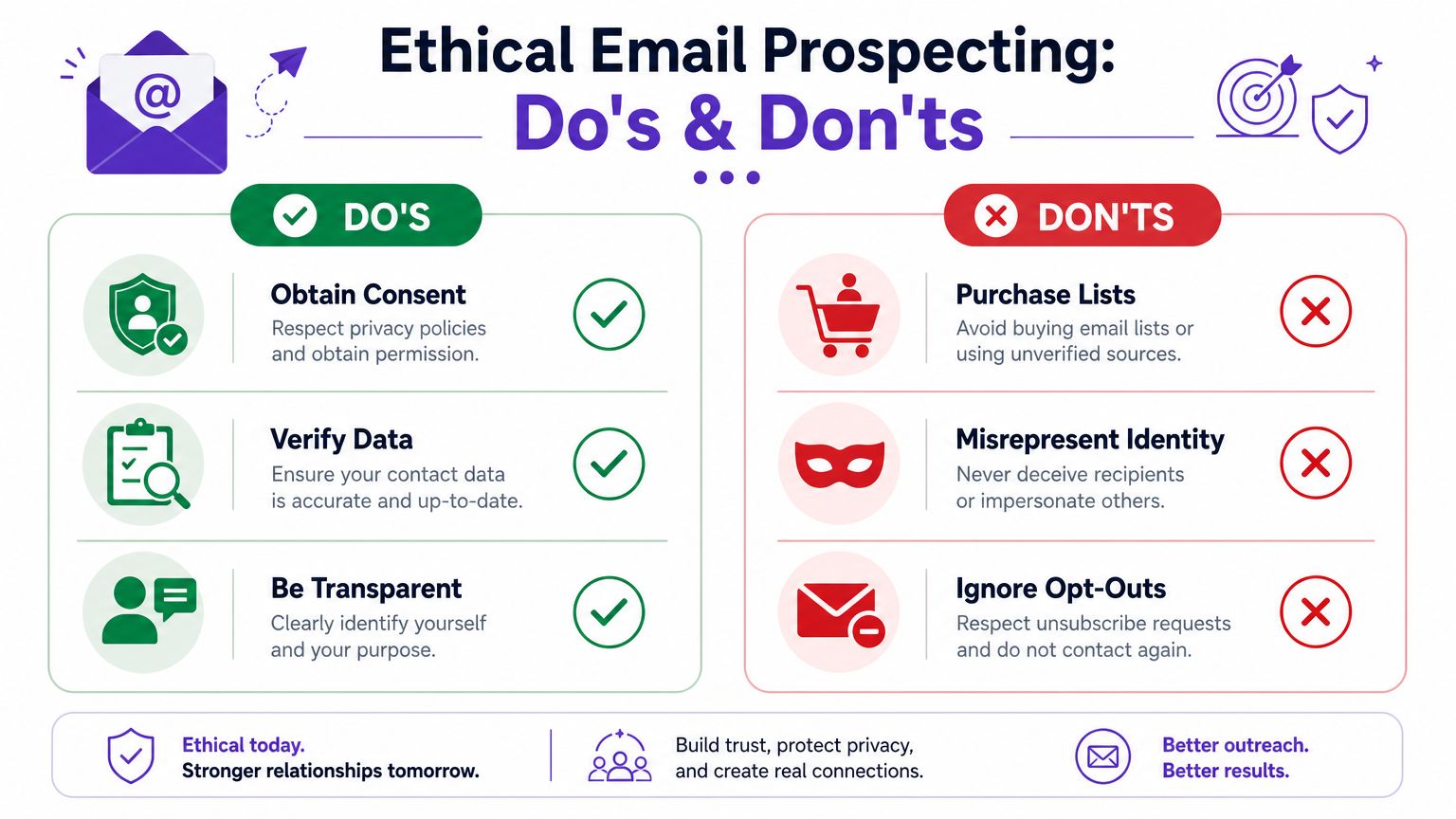
According to OSINT Industries' reverse email lookup ethics handbook, legitimate purpose, responsible data use, and cross-verification are paramount. That framing is better than the usual chest-beating about “finding anyone.” The smarter question is whether the contact is trustworthy enough to engage and whether your outreach is appropriate.
The professional standard
You don't need a law degree to follow decent operating rules:
Use business relevance: Contact people for job-relevant reasons, not because you technically found them.
Respect internal policy: If your company has rules around enrichment, follow them. Rogue prospecting always creates cleanup later.
Honor opt-outs and objections: If someone doesn't want contact, that decision outranks your sequence logic.
Cross-check sensitive details: Phone numbers, personal inboxes, and social accounts deserve extra caution.
What separates pros from list blasters
Professionals know that compliance isn't red tape. It's what keeps your brand out of the gutter.
A rep who uses public data carefully and sends relevant outreach looks competent. A rep who weaponizes every scrap of found information looks desperate. Buyers can tell the difference immediately.
Reverse Email Lookup FAQ
Is reverse lookup for an email address legal for B2B sales?
It can be, if you use publicly available information responsibly and for a legitimate business purpose. Legal review still matters, especially if your team works across regions or stores enriched personal data.
Does reverse email lookup work better for work emails or personal emails?
Work emails. Corporate domains give you company context and naming patterns. Personal inboxes are much harder because they often lack public business signals.
What's the best first move if I only have one email?
Run an exact-string search of the full address in quotes, then cross-check any match against the company site and LinkedIn. That's the fastest low-cost sanity check.
Are free reverse lookup tools enough?
For one-off research, sometimes. For team workflows, no. Free tools are fine for clues, not for operating a pipeline.
What if the email is role-based, like sales@ or info@?
Treat it as an account clue, not a person record. You may learn the company and function, but you still need to identify the right individual before meaningful outreach.
How do I know whether a match is trustworthy?
Look for agreement across multiple public sources. One result can be wrong. Consistency across company pages, professional profiles, and domain patterns is far more convincing.
Should SDRs do this manually for every inbound lead?
No. That's a waste of rep time. Reserve manual research for high-value leads, messy records, and accounts where nuance matters.
What should I do if lookup data conflicts across tools?
Slow down and verify. Different providers pull from different sources, so conflicting results aren't rare. Default to the freshest business-relevant source you can validate.
How personal should my outreach get after a lookup?
Less personal than you think. Use context to make the email relevant, not intimate. Stick to role, company, and business pain.
Is reverse lookup enough to qualify a lead?
No. It's a starting point, not a verdict. Identity data helps you decide whether to pursue the lead, but high-intent signals are still better than static profile data alone.
If you're tired of turning random email addresses into low-confidence guesses, RoverLead AI gives you a better angle. Instead of relying only on static reverse lookup data, it helps you find prospects based on live buying signals and LinkedIn engagement, so you're reaching out when there's actual intent behind the contact. That's a much better way to book meetings than playing email detective all day.