
Outbound Sales Automation: Triple Reply Rates 2026

Your team probably did this recently. Pulled a list, loaded a sequence, sent a pile of connection requests, and waited for pipeline magic. Then the replies dripped in slowly, awkwardly, or not at all. One person booked a meeting. They ghosted. Someone on your team said outbound is dead. Someone else said you just need more volume.
No. You need better timing.
The old playbook treats outbound like a loudspeaker. Modern outbound sales automation works more like a radar system. It watches for signs that a buyer is paying attention, then helps you show up while the topic is still warm. That's the difference between being annoying and being useful.
Table of Contents
Your Sales Outreach Is Broken Not Dead
A familiar scene. Your SDR sends a hundred LinkedIn connection requests, a few cold emails, maybe a follow-up call task for good measure. The campaign gets “activity.” It even gets a couple of polite replies. But nothing serious moves. The problem isn't that buyers hate outreach. Buyers hate irrelevant outreach.

Many sales teams still run outbound like it's 2018. They build static lists from firmographics, write one sequence, and hope persistence does the heavy lifting. It won't. If the prospect isn't in-market, your “just bumping this up” email is just digital litter.
What actually changed
The channel didn't fail. The context did.
Buyers leave clues before they buy. They comment on a creator's post about a painful workflow. They hire for a role tied to your use case. They engage with competitor content. Good outbound sales automation catches those moments and turns them into action.
Practical rule: Don't automate more noise. Automate better timing.
That's the reset many sales organizations need. Stop asking, “How do we send more?” Start asking, “What signal tells us this account might care right now?” Once you do that, automation becomes useful again.
What Outbound Sales Automation Really Means
Traditional outbound is like fishing with one line and hoping something bites. Modern outbound sales automation is more like setting smart nets in the right spots, only when the fish are there.
That's why this category keeps growing. The global sales automation market doubled from $7.8 billion in 2019 to $16 billion in 2025, with projections to reach $17.94 billion by 2030, which shows it's mainstream, not a niche tactic, according to this sales automation market breakdown.
The three parts that matter
Data is the who. Not just company size and title, but whether the contact fits your ideal customer profile.
Triggers are the when. A job change, content engagement, funding news, competitor mention, or pricing-related discussion. Timing is frequently where sales efforts falter.
Sequencing is the how. The message, channel, cadence, and handoff logic after the first touch.
What it is not
Outbound sales automation is not “schedule seven emails and pray.”
It's a system that listens first, qualifies second, and reaches out third. In a decent setup, the workflow notices a relevant event, enriches the lead, chooses the right path, and gets a rep involved when human judgment matters.
The best automation behaves like a sharp SDR manager. It doesn't tell reps to spray and pray. It tells them who to contact now and why.
That's the mental model worth keeping. If your tool only sends messages on a timer, you don't have an automation engine. You have a calendar with delusions of grandeur.
The Two Worlds of Automation Volume vs Signals
There are really two versions of outbound sales automation on the market. One is just a spam cannon with better UX. The other is a relevance engine.
The first camp buys lists, writes generic messaging, and congratulates itself for “scale.” The second camp watches for buyer behavior and enters the conversation when there's a reason to. Only one of those deserves budget.
Average cold email reply rates have fallen to 3.43% because teams keep scaling activity instead of relevance, as noted in this analysis of outbound sales automation failures. That number should end the debate.
Automation Approach Comparison Volume vs Signal
Attribute | Traditional (Volume-Based) | Modern (Signal-Based) |
|---|---|---|
Lead source | Static lists and old filters | Live activity and buying cues |
Timing | Calendar-based | Trigger-based |
Messaging | Generic personalization | Context from real behavior |
Rep effort | Manual chasing after weak interest | Focused follow-up on warm intent |
Main risk | Burning domains and patience | Missing a signal if workflows are sloppy |
Best use case | Almost none, unless you enjoy low-quality pipeline | B2B teams selling into active markets |
Why signal-based wins
Signal-based targeting converts at 2–4x the rate of traditional cold outreach that relies on static firmographics, according to this guide to signal-based outbound systems. That makes sense. If someone just engaged with a relevant topic, your outreach lands in context instead of out of nowhere.
If your team is still debating what counts as intent, read this primer on intent data in B2B sales. It's the missing layer in most failed outbound programs.
What counts as a useful signal
Not every signal deserves a sequence. Some are fluff. Some are gold.
Content engagement: Comments, thoughtful reactions, or repeated interaction with niche creators in your space.
Role movement: A new leader often reviews tools, vendors, and process gaps quickly.
Company events: Funding, hiring, or a new initiative can create urgency.
Competitor adjacency: If a prospect discusses alternatives or related problems publicly, pay attention.
If your workflow can't explain why this prospect should hear from you today, don't enroll them.
Volume-based automation optimizes output. Signal-based automation optimizes relevance. Pick the one that doesn't make your brand look lazy.
Anatomy of a High-Converting Automated Workflow
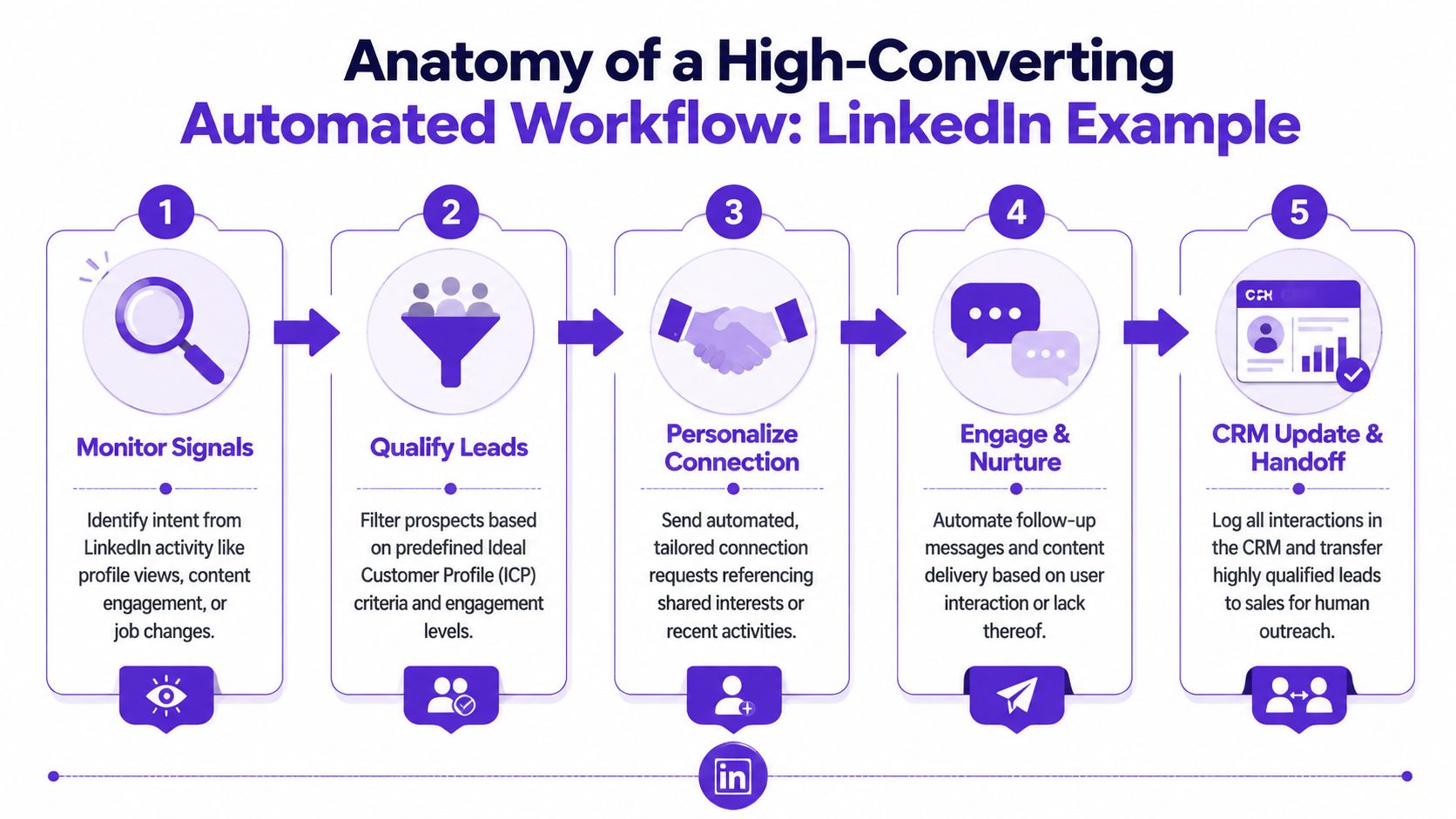
Here's what a practical workflow looks like on LinkedIn, where a lot of real buying intent shows up before anyone fills out a form.
The workflow in plain English
Monitor signals from creators, competitors, and niche topics your buyers follow.
Catch a relevant prospect when they comment, engage, or show visible interest tied to your offer.
Enrich the lead with role, company, LinkedIn profile, and account context before any message goes out.
Trigger a short multi-touch sequence that references the exact signal.
Hand off to sales when the prospect responds or crosses a qualification threshold.
A first message might sound like this: “Hey Sarah, saw your comment on James's post about outbound attribution. Your point on lead quality was spot on. Curious if your team is also dealing with stale prospect lists?”
That works because it's anchored in a real event, not fake familiarity. If you need help tightening that kind of outreach, study a few better cold email templates for real conversations.
What to measure
Don't obsess over vanity metrics first. Track the workflow like an operator.
Signal-to-lead rate: How many signals produce qualified contacts
Positive reply rate: Whether the context is strong enough to start a conversation
Meeting booked rate: Whether the handoff and offer are compelling
CRM handoff quality: Whether reps get enough context to continue naturally
A strong signal-based system can convert at 2–4x the rate of traditional cold targeting, based on the source cited earlier. That's why this workflow matters. It narrows the list, improves context, and makes every message feel less like interruption and more like timing.
Your Roadmap to Implementing Smart Automation
You don't need a giant rev ops project to get started. You need one clean workflow, one clear signal, and a rule for where automation stops.
Start with signals, not software
Many organizations acquire tools prematurely. Backward move.
First, define what buyer behavior matters for your business. On LinkedIn, that could be repeated engagement with a competitor, creator comments around your problem space, or activity around a new role. Keep it tight. One or two signals are enough to build version one.
AI-driven lead scoring that combines behavioral signals can free up about 60% of a rep's time previously spent on manual research, and that correlates with a 2–3x increase in positive reply rates plus a 30–50% rise in meeting volume, according to this breakdown of scaling outbound with automation tools.
Build the first workflow
Then choose a stack. Some teams want an all-in-one platform. Others piece together enrichment, sequencing, and CRM sync. Either can work if the signal is clear and the handoff is clean. If you're comparing options, this guide to sales automation tools for modern teams is a good place to start.
Use a simple workflow like this:
Trigger: Prospect comments on a relevant LinkedIn post
Filter: Must match ICP by role, company type, or use case
Enrich: Pull company and contact context
Sequence: Send a relevant connection request or message
Handoff: Route replies or strong engagement to a human rep
Here's a quick walkthrough to make the setup less abstract.
Set guardrails before you scale
This part matters more than most vendors admit.
Don't automate negotiation. Don't automate post-meeting nuance. Don't let AI freestyle on sensitive objections without review. Automation should tee up conversations, not impersonate your best closer.
Operator's note: Automate detection, enrichment, and first-touch timing. Keep judgment-heavy steps with humans.
Then review performance weekly. Not because dashboards are fun, but because messaging drifts, signals weaken, and markets shift. Smart automation is maintained. It isn't installed like office furniture.
Common Automation Pitfalls That Tank Your Pipeline
Automation gets blamed for sins that sloppy operators commit.
The first trap is set it and forget it. You launch a workflow, walk away, and assume software will save bad messaging. It won't. Review signal quality, message relevance, and handoff friction constantly.
Four ways teams wreck a good system
Bad data in: If the lead record is wrong, the sequence gets weird fast. Automation tools need lead validation before sequencing, or low-quality leads will drag down reply quality, as explained in this outbound automation guide on data validation and oversight.
Robot copy out: If every opener sounds generated, prospects can smell it.
Automating too deep: After the meeting, human nuance matters. Especially in follow-ups where context and tone decide whether momentum continues.
No ownership: If nobody owns workflow tuning, your pipeline fills with half-qualified noise.
The fix is boring and effective
Use enriched data. Review copy. Define handoff points. Assign one person to own workflow performance.
Clean data first. Automation second. Human judgment always.
That's not anti-automation. That's how you keep automation from making a bad process worse.
Your Outbound Automation Questions Answered
1. How many touchpoints should an automated sequence have?
A practical signal-based sequence often runs 6–8 touches over 14–21 days across email, LinkedIn, and phone, based on the verified guidance in the earlier signal-based source. More than that usually means your offer or timing needs work.
2. How fast should we contact a lead after a signal?
Fast. Sales teams that reach leads within 5 minutes are 9x more likely to convert, according to these sales automation statistics.
3. Does this replace cold calling?
No. It makes cold calling less cold. A call after a visible signal is far stronger than a call based on a stale list.
4. Is this only for big teams?
No. Small teams often benefit more because they can't afford wasted effort. A founder with one sharp workflow will beat a bigger team blasting junk.
5. Should SDRs or AEs own it?
SDRs can run it day to day. Sales leadership or rev ops should own signal definitions, routing rules, and quality control.
6. What's the difference between automation and an AI SDR?
Automation follows workflows you define. An AI SDR tries to operate more autonomously. In practice, organizations often need controlled workflows before they need a robotic rep with confidence issues.
7. How does this connect to CRM?
The right setup writes activity, context, and status back into the CRM automatically. If reps have to manually reconstruct what happened, the workflow isn't finished.
8. How long until we see ROI?
Not every team sees value at the same speed, but automation tools are widely adopted because they improve productivity. Sales teams using automation are 14.5% more productive on average, based on the same Nebor sales automation data.
9. Is LinkedIn-based automation compliant?
It depends on the tool and how it behaves. Favor tools designed around compliant workflows and human-led selling, not fake engagement or reckless scraping.
10. How do I train the team to use this well?
Teach reps to interpret signals, not just click tasks. They need to know why the prospect surfaced, what happened, and how to continue the conversation like a human who pays attention.
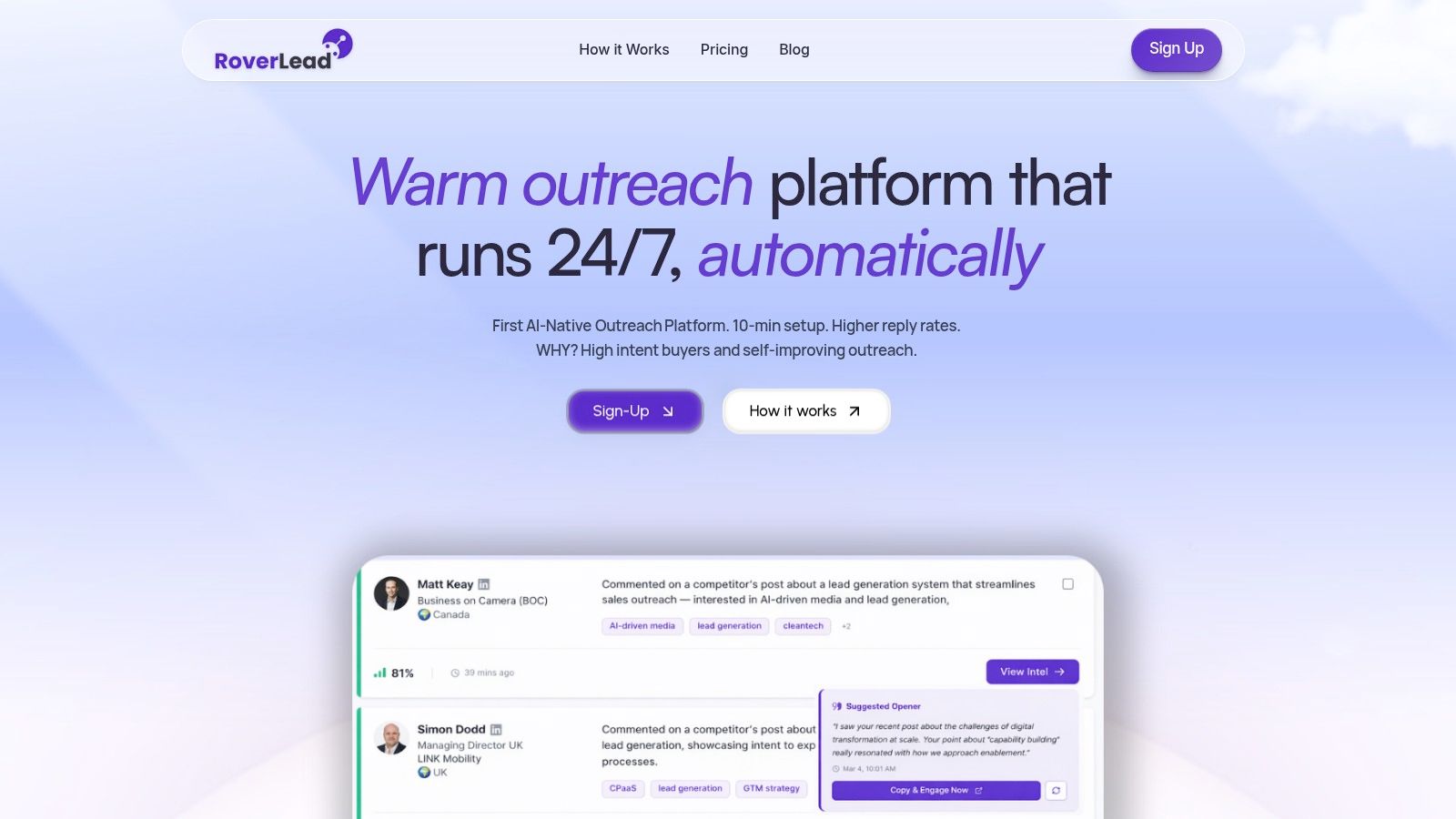
If you want outbound that acts on real LinkedIn buying signals instead of static lists, take a look at RoverLead AI. It helps teams spot high-intent prospects from live engagement, match them to ICP, and show up with relevant context while the conversation is still warm.