How to See if an Email Was Read: A 2026 Guide

You sent a thoughtful email. Subject line is sharp. First line is personalized. CTA is clean. Then you do what almost every seller has done at some point: stare at your sent folder like it owes you money.
You want to know if they saw it. Fair. However, those asking how to see if an email was read are chasing the wrong outcome. The main question isn't whether an email technically opened. It's whether the buyer gave you any real attention, and whether that attention means anything.
That distinction matters more now because email tracking was never perfect, and modern privacy controls have made it even shakier. You can still use the old methods. You just shouldn't build your sales motion around them.
Table of Contents
The Agony of the Sent Folder and Why You're Asking the Wrong Question
A rep sends a big outbound email to a dream account on Tuesday morning. By lunch, they've checked the thread six times. By Wednesday, they're translating silence into stories. Maybe it hit spam. Maybe the prospect hates the pitch. Maybe legal intercepted it. Maybe Mercury is in retrograde.
I've seen this movie too many times.
The obsession starts because salespeople want control. If you can confirm the email was read, you feel less blind. You can justify a follow-up, close the tab, and move on with your day. That's the fantasy, anyway.
The problem is that "read" in email has never meant what people think it means. A loaded image isn't the same as attention. A receipt request isn't a verdict. No signal from the inbox tells you whether the buyer understood your point, cared about the problem, or plans to act.
Practical rule: Treat email opens like weather reports. Useful for context, lousy for certainty.
That doesn't mean the technical methods are worthless. It means they belong in the "maybe helpful" drawer, not the "sales truth" drawer.
If you're trying to answer how to see if an email was read, there are really two classic options. Ask politely with a read receipt, or track opens with a pixel. Both can help. Both can also waste your time if you mistake activity for intent.
The Classic Methods for Tracking Email Opens

Email read tracking has been around for decades, but the methods are limited. Microsoft explicitly says you can't force a recipient to send a read receipt, and pixel tracking only works when the email client loads external content, which modern programs often block, as explained in Boomerang's breakdown of email read tracking limits.
The polite ask
Read receipts are the native, old-school option. Gmail and Outlook both support them in certain setups.
In Gmail, read receipts are available only in supported Workspace environments. You request one from the compose window. In Outlook, you can request a receipt before sending. Sounds tidy. It isn't.
Three things break this method fast:
Recipient choice: The recipient may approve or decline the request.
Client support: Some email software won't send anything back.
Company policy: Some organizations disable or suppress these features.
So yes, request a receipt if the message is important and you're in an environment that supports it. Just don't sit there waiting for it like it's a court ruling.
The sneaky spy
The more common method is the tracking pixel. Tools like Mailtrack, HubSpot, and others place a tiny remote image in the email. When the email client loads that image, the tool logs an open event.
That made sense when inboxes were simpler. Today, it's messy.
A pixel can tell you that something loaded remote content. It cannot tell you who paid attention, for how long, or whether the message landed with the right person. Some clients block external images. Some privacy features interfere. Some security layers interact with email content in ways that muddy the signal.
If you use tracking software, use it as a lightweight clue inside a broader stack. It belongs with sequencing, CRM hygiene, and follow-up rules. If you're evaluating options, this roundup of sales automation tools is a better place to think about workflow than obsessing over one notification.
Read receipts ask for consent. Pixels assume access. Neither gives you a clean answer to the question salespeople actually care about.
Read Receipts vs Tracking Tools Which Lie Is Better
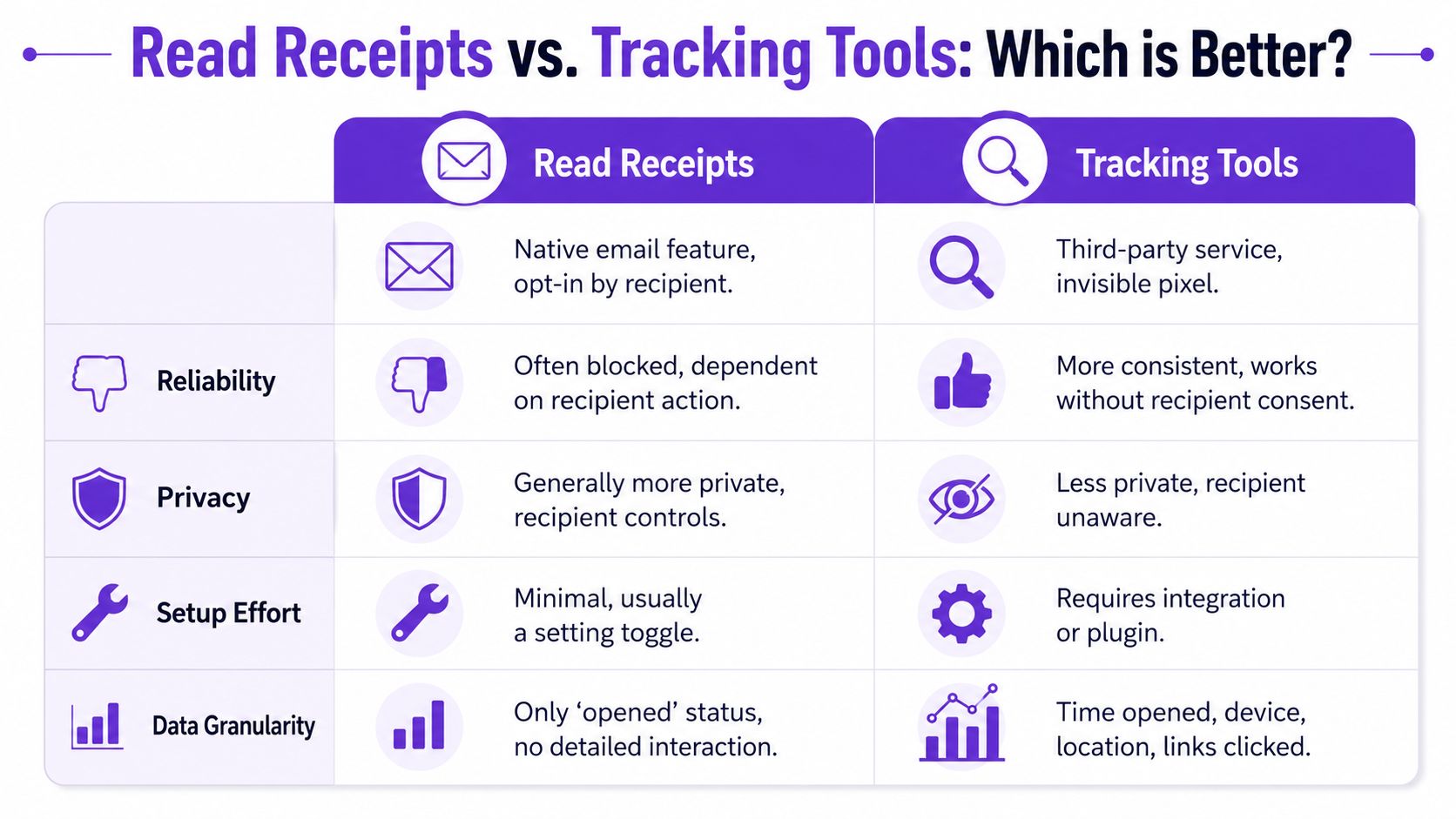
If you're choosing between read receipts and tracking tools, you're not choosing between truth and fiction. You're choosing between two imperfect proxies.
Email Tracking Methods Compared
Method | How It Works | Reliability | Privacy Friendliness |
|---|---|---|---|
Read receipts | Requests confirmation from the recipient's email system | Low to inconsistent, because the recipient can decline or the client may ignore it | Higher, because the recipient has control |
Tracking tools | Loads a remote image or tracked asset when the email is opened | Inconsistent, because image loading and privacy protections distort the signal | Lower, because tracking can happen without clear recipient awareness |
A blunt assessment:
Read receipts are more honest. The recipient knows what's being asked. The downside is obvious. They can ignore you.
Tracking tools are easier to scale. They feel slick in a sales dashboard. The downside is also obvious. The signal looks more precise than it really is.
Neither method proves reading. One is opt-in and fragile. The other is invisible and noisy.
For internal coordination, a read receipt can be fine. For broad outbound, pixels are usually more practical. But practical doesn't mean reliable enough to run your pipeline decisions on.
The smarter move is to stop asking which tool is better at telling a small lie and start asking which behaviors correlate with buying interest.
Why Opened Does Not Mean Read or Interested
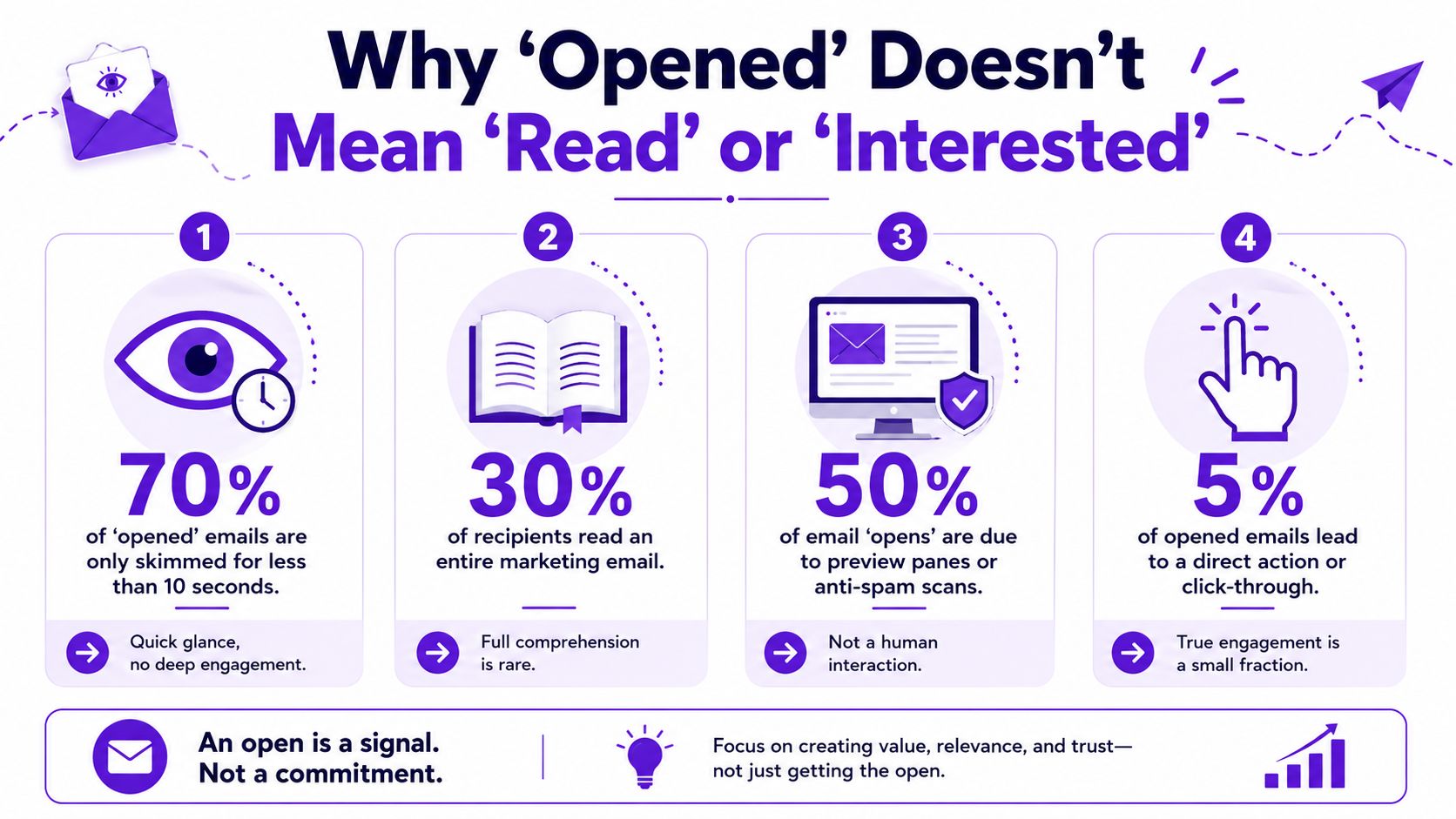
An open notification feels satisfying for about nine seconds. Then reality kicks in.
An open is a proxy, not proof
The big issue isn't that tracking exists. The issue is that sales teams keep treating opened as if it means read, and treating read as if it means interested. That's a bad chain of assumptions.
Independent guidance has been saying the quiet part out loud. Hidden-image tracking and receipts are often blocked, and modern email programs may suppress those signals, as noted in Ask Leo's explanation of why email read tracking is failing.
Here's the clean version:
Delivery means the message reached a mail system.
Open usually means a trackable asset fired.
Read is a human behavior you often cannot verify.
Interest is a business outcome, not an inbox event.
That's why high open rates with weak replies are so common. The metric sounds concrete. It isn't.
A quick visual makes the point.
The metric problem sales teams create for themselves
When reps chase opens, bad habits follow.
One rep sends more "just bubbling this up" emails because a tracker showed multiple opens. Another delays a follow-up because there was no open at all. Both are making the same mistake. They're letting a weak signal steer the play.
That usually leads to sloppy qualification too. If your team needs a better standard for deciding who deserves effort, start with a tighter process for qualifying sales leads.
A buyer who replies with a short question is worth more than a dozen mysterious opens.
If you remember one thing from this section, make it this: an open can be interesting context, but it is not evidence of comprehension, buying urgency, or fit.
From Email Opens to Buying Signals A Better Way to Sell
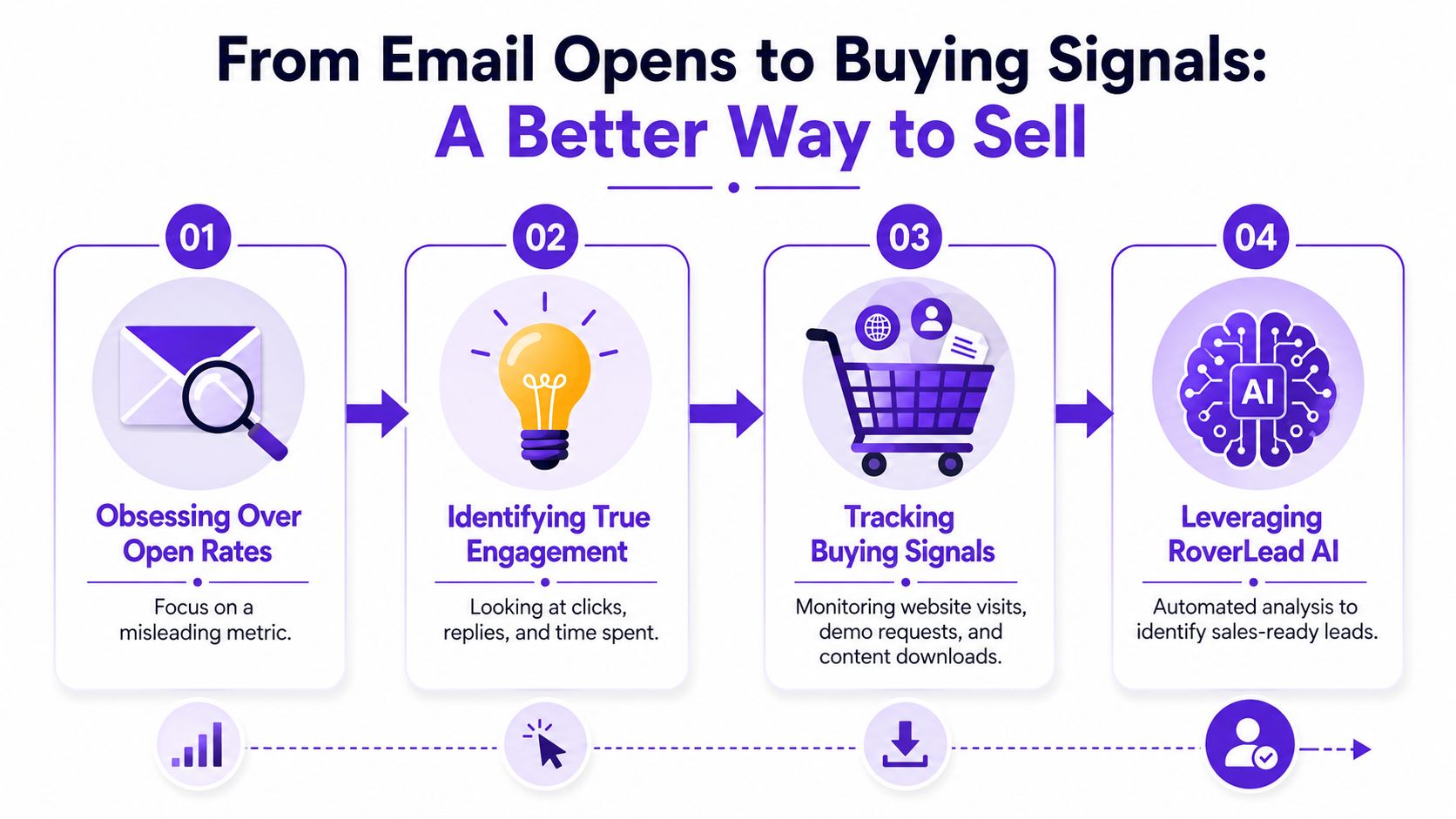
A rep sends a sharp outbound email on Tuesday, sees three opens by Wednesday, and starts celebrating. By Friday, there is still no reply, no meeting, and no deal movement. That is the trap. Open data feels actionable, so reps treat it like buyer intent. It is not.
By 2026, email opens are a weak clue at best. Privacy protections, image preloading, forwarded messages, shared inboxes, and automated scans have turned the metric into noise. If your team is still treating opens like a buying signal, you're coaching them to chase ghosts.
What to track instead
Track actions that cost the buyer something. Time, attention, or reputation. Those signals mean more because they require a choice.
Examples:
Replies: A two-line response beats ten open notifications.
Meeting movement: Bookings, reschedules, attendee adds, and forwarded invites show real progress.
High-intent content behavior: Interest in pricing, implementation, security, or comparisons tells you where the conversation is headed.
Public buying signals: Posts, comments, hiring activity, and problem-focused discussions often reveal active evaluation before an inbox ever does.
Modern prospecting works better when reps watch for those signals first, then use email to start a relevant conversation. Some platforms support that shift. For example, RoverLead AI tracks LinkedIn engagement around ICPs, competitors, keywords, and niche topics so reps can spot visible buying behavior instead of staring at open logs.
A better outbound workflow
If you're still pulling cold lists and hoping an open pixel gives you direction, you're running an outdated playbook.
Use this one instead:
Start with accounts showing intent. People already talking about the problem are easier to engage than strangers with the right job title.
Use email after you have context. Write a short message tied to something the buyer did or said.
Score follow-up by action, not activity theater. Replies, relevant clicks, multi-thread engagement, and meetings deserve attention. Mystery opens do not.
Use AI for research and prioritization. Good tools help reps find patterns, time outreach, and focus on accounts already warming up. If you're updating your process, this guide on how to use AI in sales is a practical place to start.
The reps winning now are not the ones babysitting open notifications. They are the ones spotting intent early, showing up with context, and contacting buyers when the problem is already live.
Your Email Tracking Questions Answered
The most under-covered part of this topic is what to do when read receipts never come back. Gmail and Outlook both say recipients can decline them, so no receipt is often ambiguous, not proof of non-reading. The most reliable confirmation is still a reply or another downstream action, as explained in Google's read receipt help documentation.
Frequently Asked Questions
Question | Answer |
|---|---|
Can I really see if someone read my email? | Sometimes you can get a clue. You usually can't get certainty. |
Are Gmail read receipts available to everyone? | No. They exist only in supported Workspace contexts, not as a universal Gmail feature. |
Can Outlook force someone to send a read receipt? | No. The recipient can decline, and some clients won't support it. |
Are tracking pixels the same as proof of reading? | No. They only show that tracked content loaded. |
If I get no receipt back, did they ignore me? | Not necessarily. No receipt is ambiguous. The request may have been declined, unsupported, or suppressed. |
What's the most reliable confirmation that someone saw my message? | A reply, a booked meeting, or another clear action tied to your email. |
Is there any method that gives deterministic evidence of access? | Yes, but it isn't normal inbox tracking. A controlled message workflow that hosts content on a server you control can log authenticated access events. |
Should SDRs use open notifications for follow-up timing? | Only as minor context. Follow-up should be driven by your cadence and stronger engagement signals. |
Do mobile email apps make tracking less reliable? | Often, yes. Client behavior varies, which adds more noise to the signal. |
What's the better question than "how to see if an email was read"? | Ask who is showing real buying intent, then use email to advance the conversation. |
A few direct answers sales teams need to hear:
Don't call out a prospect's open behavior. Saying "I saw you opened this" is a fast way to sound creepy.
Don't pause follow-up because the tracker stayed quiet. Silence from a tracker isn't a business signal.
Don't celebrate opens without action. If nobody replies, books, asks, or clicks with purpose, the open doesn't matter.
Do tighten your CTA. Clear asks beat clever prose.
Do build around real engagement. That's where momentum comes from.
The inbox is a lousy place to hunt for certainty. Use it to start conversations, not to measure mindshare.
RoverLead AI helps B2B teams shift from weak email-open signals to real intent signals by tracking LinkedIn engagement around your ICP, competitors, keywords, and niche topics. If you want a prospecting workflow built around visible buyer behavior instead of inbox guesswork, take a look at RoverLead AI.