
LinkedIn Salesforce Integration: The Setup Guide

Your rep finishes a promising LinkedIn conversation, opens Salesforce, searches for the right record, checks Slack for context, and then gets pulled into another meeting. The note never makes it into the CRM. A week later, nobody remembers whether the prospect asked about pricing, mentioned a competitor, or liked a post.
That's how revenue teams accumulate operational debt. The problem isn't a lack of activity. It's the gap between where buyer signals appear and where opportunity ownership, history, and forecasting live. A well-designed LinkedIn Salesforce integration closes that gap, but only if you treat it as a governed data workflow rather than a shiny profile widget.
Table of Contents
Why You Should Stop Manually Copying Profiles
A rep copies a LinkedIn profile into Salesforce, pastes a note into the wrong contact, and moves on to the next call. Repeat that process across a sales team and the CRM fills with mismatched names, duplicate contacts, missing context, and activity that is not tied to an opportunity. Salesforce becomes an incomplete record of the sales process rather than a dependable operating system.
LinkedIn and Salesforce support a broader workflow than prospect lookup. Salesforce's Sales Navigator integration can bring the accounts, contacts, and leads representatives are actively working on into their workflow. The AgentExchange connection can write Sales Navigator activity, including InMail messages and notes, back to Salesforce as logged activity. A CRM widget can appear inside Salesforce lead and contact records, allowing representatives to review relevant LinkedIn information without opening another tab. Salesforce's overview of the LinkedIn integration covers the connection across prospect discovery, CRM context, outreach, and activity capture.
The operational split that matters
LinkedIn supplies professional identity and buying-context signals. Salesforce remains responsible for opportunity ownership, record management, and sales-history reporting. Keeping those responsibilities clear reduces accidental overwrites and makes reporting easier to interpret.
Sales Navigator can send associated account and contact records from active opportunities into its workflow. Assigned Salesforce leads can also map to corresponding user accounts. LinkedIn then combines synced CRM information with its own data and algorithms to surface suggested leads. That is more useful than storing profile URLs in a spreadsheet, provided the Salesforce records are clean enough for reliable matching.
Practical rule: Automate the handoff of approved context, not every observable action.
Before an integration writes to production, settle three questions:
Who is this person? Match on a durable external identity, not a similar name.
Why does this activity matter? Separate buying evidence from background noise.
Who owns the next action? Give every task a Salesforce owner and timestamp.
The integration is available across multiple Salesforce tiers, including Professional, Enterprise, Unlimited, Developer, and Performance editions. That availability does not remove the design work. It means more teams will encounter field-mapping and duplicate-matching problems earlier, so treat the design pass as a prerequisite rather than a follow-up.
The Prerequisites for a Secure Handshake
Authentication is the foundation, not a box to tick after someone has installed a package. A reliable LinkedIn Salesforce integration uses OAuth 2.0, explicit scopes, controlled field access, and a tested path for token refresh and revocation.
Start with the LinkedIn application and Salesforce configuration:
Create the LinkedIn developer application. Record the client ID and client secret in an approved secrets-management process.
Create a Salesforce Auth Provider. Use the LinkedIn credentials to establish the authorization connection.
Register the callback URL. Salesforce generates the callback address. Copy it into LinkedIn's OAuth 2.0 redirect configuration without improvising a replacement.
Request only necessary scopes. A token proves that authorization occurred. It doesn't guarantee access to every field or endpoint.
Test the lifecycle. Confirm initial authorization, token refresh, denied consent, expiration, and revocation before enabling production writes.
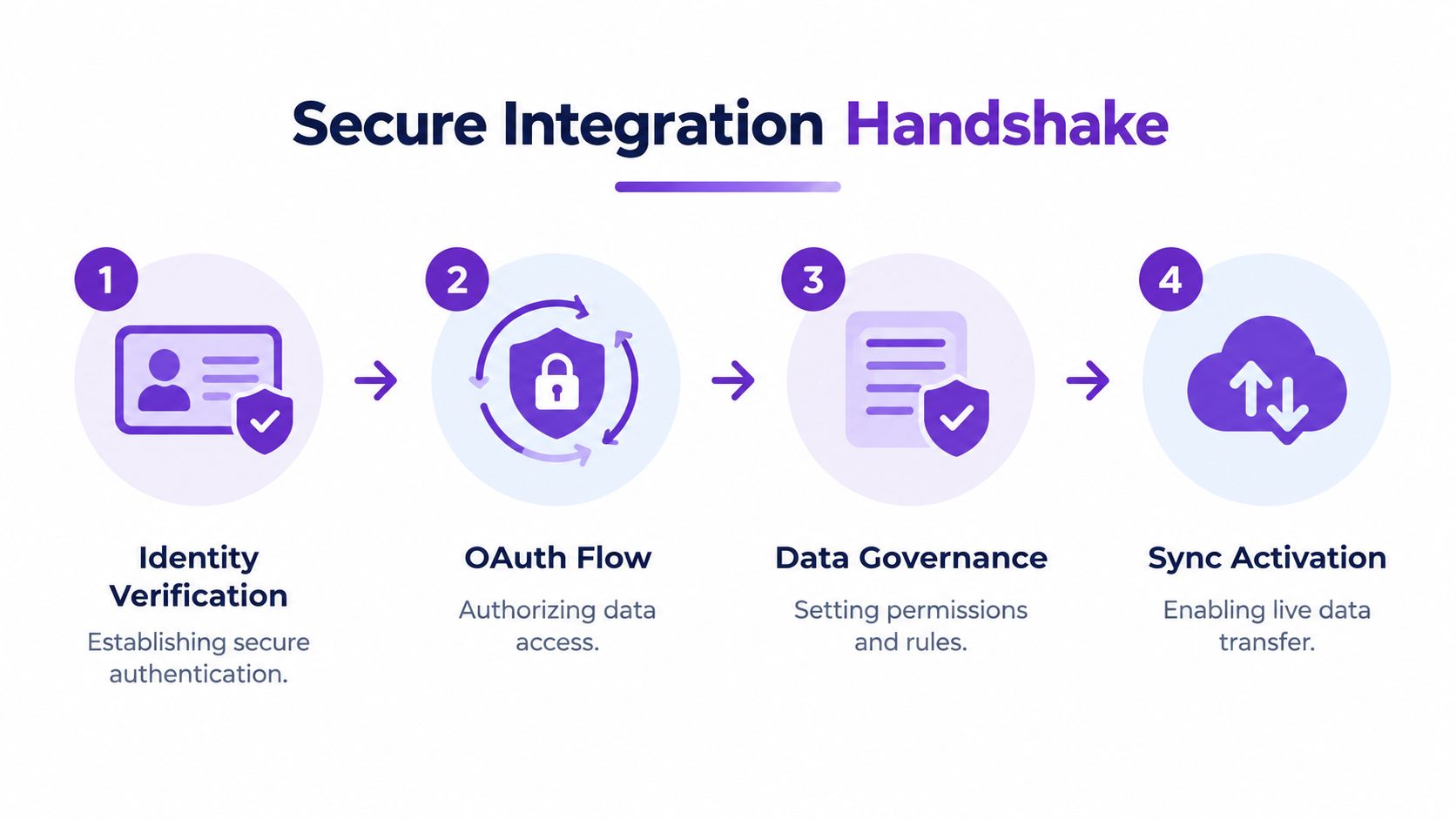
Governance belongs in the first deployment
LinkedIn's documentation states that CRM Sync uses OAuth so members remain in control of their data. Communications between LinkedIn and Salesforce use TLS encryption, and LinkedIn says the integration undergoes an annual security review as a certified Salesforce partner. Those controls support a responsible deployment, but they don't define your internal permissions, retention rules, or approval process. LinkedIn's security and privacy documentation provides the technical context.
For teams using RoverLead AI or another signal layer, map immutable external IDs to Salesforce Lead or Contact records. Names and email addresses can help with matching, but they shouldn't be the sole identity key. Store the source timestamp and consent status, and send uncertain matches to review instead of creating a new record automatically.
A valid OAuth token also doesn't mean that every requested field is available. Your integration should handle denied scopes explicitly, log the reason for a failed write, and make revocation easy for administrators and members.
Native Widget Versus Advanced CRM Sync
The native Sales Navigator integration and advanced CRM Sync solve different problems. The first puts LinkedIn context and outreach actions into Salesforce. The second supports deeper synchronization and additional CRM-oriented capabilities, subject to stricter licensing and API requirements.
Salesforce's native integration is available in Professional, Enterprise, and Unlimited editions, while the LinkedIn side requires a Sales Navigator Team or Enterprise license, as documented in Salesforce's setup guidance.
Integration Tier Comparison
Feature | Native Sales Navigator | CRM Sync (Advanced) |
|---|---|---|
Salesforce page components | Lead, contact, opportunity, person-account, and business-account layouts | Supports deeper CRM-connected workflows |
Outreach actions | InMail and connection-request actions can appear on layouts | Supports CRM-connected activity and workflow capabilities |
Account and contact context | Shows relevant LinkedIn information within Salesforce | Adds broader synchronization functions where licensed and enabled |
Licensing | Salesforce Professional, Enterprise, or Unlimited, plus Sales Navigator Team or Enterprise | Sales Navigator Advanced Plus and one connected Salesforce instance per contract |
API access | Depends on Salesforce edition and configuration | Salesforce API access is a prerequisite |
Best fit | Teams that need contextual prospecting inside the CRM | Teams that need controlled write-back, badges, auto-save, or ROI-oriented CRM workflows |
Administrators must enable the native integration in Salesforce Setup and add the components to the relevant Lightning page layouts. Salesforce automatically adds some actions to default layouts, but customized layouts may require manual placement. That's a common reason users report that the integration is “enabled” while seeing absolutely nothing useful.
CRM Sync is available only to Sales Navigator Advanced Plus users, and LinkedIn's documentation requires an administrator to connect one Salesforce instance per Sales Navigator contract. Salesforce editions with API access by default include Enterprise, Unlimited, Developer, and Performance. Professional may require an additional Salesforce charge for API access. LinkedIn's CRM Sync prerequisites should be checked before promising a rollout.
For a practical view of the broader architecture, compare this setup with RoverLead's LinkedIn CRM integration, especially if your team needs signal review before CRM creation.
Mapping Data Fields and Governance Rules
A two-way connection still needs strict boundaries. Salesforce says Sales Navigator uses LinkedIn's Sales Navigator Application Platform APIs to match a CRM record with its corresponding LinkedIn record. Salesforce retains identifiers such as crmRecordId and crmOrgId for the life of the associated Sales Navigator customer contract, allowing later lookups. Salesforce's data exchange documentation also covers API request logging and usage controls. Review those controls before scheduling enrichment at scale.
Map fields by purpose
Account matching should start with the Salesforce account identifier, normalized company name, website, and ownership fields. Contacts and leads need the Salesforce record identifier, permitted LinkedIn profile identity, role, account relationship, lifecycle stage, and consent status. A field map that ignores ownership or consent will eventually create records nobody trusts.
Keep authority explicit:
Salesforce owns: record ID, opportunity stage, account ownership, lifecycle status, and forecast data.
LinkedIn contributes: professional identity, relevant profile context, and permitted activity signals.
The integration records: source system, event timestamp, match confidence, and write-back status.
This separation prevents a profile update from overwriting pipeline truth. It also gives administrators a clear answer when two systems disagree, which is more useful than another field in a crowded layout.
The connector requires a client ID, client secret, callback URL, and API version. Salesforce documents 202308 as the default API version and lists 202502 as an available option in its configuration guidance. Use The LinkedIn connector setup documentation as the implementation reference. API settings affect behavior, so they are not decorative labels.
Don't let quotas become a surprise outage
Salesforce reports a maximum of 1,000 searches per user per 24 hours and identifies per-user rate limiting. Its documentation also says data parameters may remain in API request logs or tracking datasets for potentially up to two years. Record these limits in the data-retention review and integration runbook, using the same Salesforce data-handling documentation cited above.
Build queues that pause or back off when limits are reached. Cache approved matches where policy permits, skip searches for unchanged records, and alert operations when activity is dropped. For field selection, CRM data enrichment guidance helps teams separate useful context from indiscriminate data accumulation.
Turning Signals into Actionable Tasks
A LinkedIn interaction shouldn't automatically become a Salesforce task. That approach fills the CRM with activity while making important activity harder to find. Sales teams need a signal taxonomy that reflects intent, context, and the level of human judgment required.

Use an evidence threshold
Passive impressions should remain analytics. They may help explain account awareness, but they rarely justify a seller task.
Repeated engagement from an ICP account can become a monitored buying signal. Store the account, people involved, content context, owner, and observation time. Don't create a new contact just because a person interacted with content.
Explicit commercial language deserves more attention. A demo request, pricing discussion, competitor comparison, or direct reply can justify a Salesforce task, provided the person and account match confidently.
Human approval should sit between observation and CRM creation. The approver can reject irrelevant activity, merge a likely duplicate, or add the context that makes the signal useful to the assigned seller.
Neutral integration guidance identifies recurring problems including duplicate records, nonmatching field formats, and difficulty linking LinkedIn engagement to pipeline and closed-won revenue. Tray's LinkedIn and Salesforce integration overview is useful here because it frames the problem as more than connectivity.
The destination also matters. A passive signal belongs in analytics. A reviewed buying signal may belong in a custom event or account activity stream. An explicit request may become a Salesforce task. A campaign response should be reserved for activity that genuinely fits the campaign's attribution rules.
That prevents a seller from receiving ten nearly identical alerts while missing the one message that mentions a pricing deadline.
Here's a useful test: if a rep can't understand who acted, what they did, why it matters, and what to do next, the integration hasn't produced an actionable record.
For teams building a broader B2B sales automation workflow, keep the same approval boundary. Automation can monitor and draft. A person should decide when a signal becomes a customer-facing action.
Troubleshooting Stale Data and Duplicates
The most dangerous integration failure is partial success. A completely failed connection gets fixed. A connection that writes activity to the wrong duplicate can look healthy in a dashboard while damaging seller trust.
LinkedIn's official technical guide says CRM Sync selects a single best-match record when Salesforce contains duplicate Leads or Contacts, and synchronization occurs daily rather than continuously. The CRM Sync technical guide also makes clear that basic identity information and consent-dependent details don't form a complete buyer-intelligence source.
Build a maintenance routine
Start with duplicate prevention in Salesforce. Review matching rules for Leads and Contacts, normalize company and role fields, and make converted-record behavior explicit. If a lead is converted, reassigned, or merged, document which record remains authoritative and how related activity should be handled.
Then check freshness. A rep may act on ownership or lifecycle information that changed after the last synchronization cycle. Display the source timestamp alongside the signal, and distinguish “observed on LinkedIn” from “current in Salesforce.” Those labels prevent yesterday's context from masquerading as live opportunity truth.
When the integration finds multiple plausible matches, route the record to review. Don't let a shared name become permission to attach activity to whichever record happens to win the match algorithm.
Test the awkward cases
Use records that are converted, reassigned, merged, missing a phone number, and linked to multiple accounts. Confirm whether the integration updates the intended record, rejects the write safely, or creates an exception for an administrator.
This is also where teams confuse daily synchronization with real-time data. An explanation of real-time data helps frame the distinction, but your operating procedure should state it plainly: the integration may be useful without being immediate.
“Fresh enough for reporting” and “fresh enough for outreach” are different requirements.
Best Practices for Long-Term Success
More synchronization isn't automatically better. Every extra field, task, and inferred match creates another opportunity for stale ownership, duplicate records, weak attribution, or seller fatigue.
The durable operating model is selective:
Define ownership first. Salesforce should remain authoritative for opportunity state, account ownership, and forecasting.
Label observations clearly. Preserve the source, timestamp, and confidence of LinkedIn activity.
Require review for ambiguity. A low-confidence match should enter a queue, not become a permanent CRM fact.
Use a signal taxonomy. Keep passive engagement in analytics and reserve tasks for activity with commercial relevance.
Monitor the integration itself. Track failed writes, revoked authorization, rate-limit responses, stale records, and duplicate exceptions.
Review layouts and permissions. A technically enabled integration is useless if the right users can't see the components or actions.
Audit attribution separately. LinkedIn engagement can influence a buying process without being a conventional conversion. Decide how it appears on account and opportunity records before reporting begins.
The teams that get value from a LinkedIn Salesforce integration don't chase maximum data flow. They create trusted, actionable records that help sellers decide what to do next. That requires fewer automatic writes, better identity matching, clear timestamps, and enough human judgment to stop weak signals from becoming permanent clutter.
A practical rollout starts with one team, a small set of approved signal types, and a documented exception queue. Once the records are accurate and sellers trust the workflow, expand the coverage. Otherwise, you're just automating the production of CRM problems, which is still production, technically.
RoverLead AI provides a LinkedIn signal layer that monitors buying behavior, surfaces context, and lets your team approve personalized outreach before anything is sent, while working alongside Salesforce workflows. Visit RoverLead AI to set up an intent-focused process that turns reviewed LinkedIn activity into cleaner, more actionable sales follow-up.