
Clay Pricing Explained: Is It Worth It in 2026?

You're probably in the same spot as every sales leader who's looked at Clay seriously. The demo looks sharp. The workflows look magical. Your reps start imagining lead lists that enrich themselves while they sleep.
Then pricing shows up and suddenly you're doing math instead of pipeline.
That's Clay pricing problem. It isn't that the platform is overpriced. It's that the sticker price doesn't tell you what your team will spend when you start enriching leads, routing records, and layering in AI steps. If you're building a modern outbound stack, that's not a minor detail. It's the budget.
Table of Contents
Is Clay Pricing a Puzzle or a Playbook
A VP of Sales I know did the classic move. He saw Clay, got excited, handed it to an ops-minded SDR manager, and said, “Great, figure out what this costs per lead.” Two days later, the manager came back with a half-finished spreadsheet and a headache.
That's normal.
Clay pricing makes sense once you stop treating it like a software subscription and start treating it like a workflow budget. The plan fee is just admission. Your actual cost depends on what your team asks Clay to do over and over again.
If your reps only need light enrichment and simple prospect research, the model can be pretty efficient. If they build sprawling workflows with heavy enrichment, AI prompts, and constant refreshes, the meter runs faster. That's why a one-line monthly price doesn't answer the question most sales teams care about.
The better question is this: what does one usable lead cost in your motion?
That's the frame that matters when you're evaluating your stack, especially if you're already comparing orchestration tools, databases, and prospecting layers in your GTM tech stack.
Clay pricing looks confusing only when you buy the plan first and think about the workflow second.
Treat it like a playbook. Price the motion, not the logo.
Clay Pricing Tiers at a Glance
Clay's paid tiers give sales teams two practical starting points: Launch and Growth. Launch includes 2,500 credits and 15,000 actions, while Growth includes 6,000 credits and 40,000 actions. Annual billing typically saves 13% compared with monthly billing, according to Clay's plans and billing documentation.
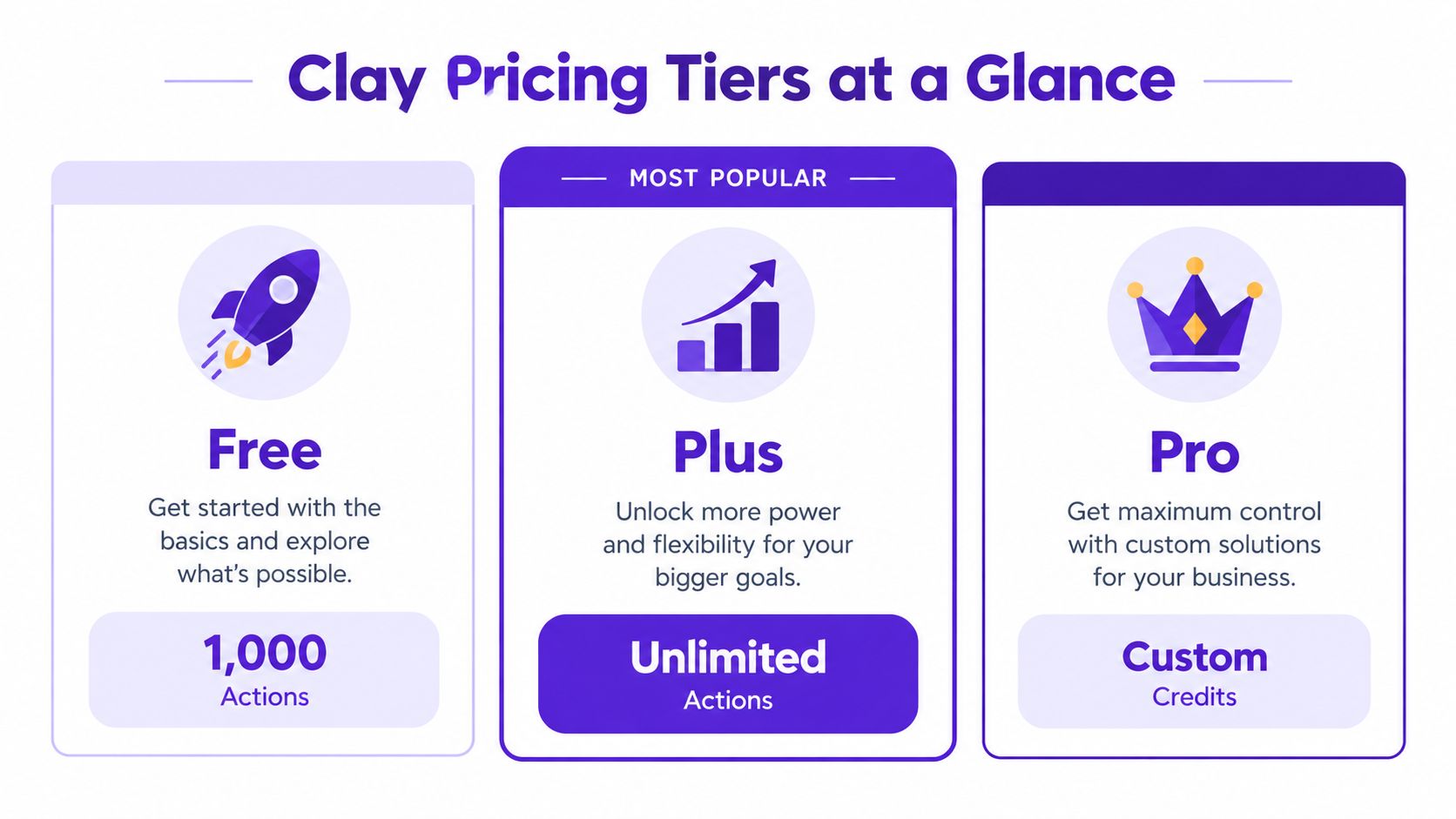
Clay Plan Comparison 2026
Feature | Free | Starter | Growth | Pro |
|---|---|---|---|---|
Best for | Testing the interface | Solo users and small teams | SDR teams with ongoing workflows | Large teams with custom needs |
Pricing model | Free entry tier | Paid self-serve tier | Paid self-serve tier | Custom pricing |
Credits included | Limited | 2,500 credits | 6,000 credits | Custom credits |
Actions included | Limited | 15,000 actions | 40,000 actions | Custom usage |
Billing savings | None | Annual billing saves compared with monthly | Annual billing saves compared with monthly | Custom contract terms |
Budget fit | Experimentation | Predictable starter budget | Better for multi-user production use | Only worth it if you've outgrown self-serve |
The table needs a sales-operations reading, not a feature-tour reading:
Free is for testing. Use it to learn the interface and run a few workflows. Do not build a production prospecting motion around it.
Starter is the proving ground. It suits one seller or a founder validating whether Clay can produce meetings, rather than just attractive tables.
Growth is the practical team tier. Choose it when sales ops, SDRs, and CRM workflows must run together on a recurring basis.
Pro requires a specific business case. Custom usage and contract terms make sense after self-serve limits restrict a proven workflow. Uncertainty is a reason to stay lower, not a reason to upgrade.
What the plan page hides
Headline pricing does not reveal the cost of a qualified lead. Your team may pay for a plan that looks affordable, then consume credits quickly through premium enrichment, repeated refreshes, or inefficient workflow design.
Budget the plan against completed workflows. Estimate the credits required to produce one usable lead, multiply that by the number of leads your team needs, and then compare the result with the included allowance. A lower tier wins only when it supports the workflow without frequent top-ups or wasted enrichment.
Credits vs. Actions: Where Your Budget Actually Goes
Clay separates pricing into Data Credits and Actions because workflow operations carry different costs. For sales teams, the useful question is not which label sounds cheaper. It is how many credits and actions your process consumes before producing one usable lead.
According to Clay's March 2026 pricing update, data costs were reduced by 50% to 90%, data credits start at $0.05 each, and Clay says 90% of customers will never hit their monthly actions limit. Those figures point budget attention toward enrichment and research choices, while actions generally function as workflow overhead.

Credits are fuel, actions are overhead
Credits pay for data work, such as premium enrichment, contact verification, or additional research. Actions cover the operations that move, format, and process records through a workflow. The distinction matters because a workflow can run many supporting actions while a single expensive enrichment step determines its cost per lead.
Build a cost-per-lead estimate
Use four steps before approving a Clay workflow:
Define the usable lead. Decide whether the output requires only a verified work email or also a title, company details, phone number, and AI-written personalization.
Count the required workflow steps. List every enrichment, validation, refresh, and research action. Remove steps that do not change the rep's decision to contact the account.
Separate credit-heavy work. Mark premium data and repeated lookups first. Those steps deserve the closest budget review because they can raise the cost of each completed lead.
Apply the monthly target. Estimate credits per usable lead, multiply by the number of leads the team needs, and compare the result with the plan's included allowance. Add room for failed matches and reruns before deciding whether the tier fits.
Workflow type | Likely cost pattern | Sales-operations takeaway |
|---|---|---|
Basic list cleanup | Low credit use, more actions | Suitable for broad preparation |
Email and contact enrichment | Moderate to high credit use | Measure cost before scaling volume |
Multi-step waterfall enrichment | Credit-heavy | Reserve for accounts where extra data can change outreach |
AI research layered onto enrichment | Variable usage | Use for high-value accounts, not every record |
The plan fee is only the starting point. A list that needs one verification has a different unit cost from a list that passes through several providers, refreshes missing fields, and receives account research. Finance should see the workflow's completed-lead cost, not just the subscription line.
Practical rule: If you cannot explain the workflow in one sentence, remove steps until you can.
A short walkthrough helps if your team still finds the model difficult to read:
Budget by lead, not by excitement
Ask four operating questions:
How many records will we enrich monthly?
What data does a rep need before contacting someone?
Which accounts justify premium enrichment?
Which steps should run only when intent is strong?
That process turns Clay pricing into a forecastable cost-per-lead model. Keep basic workflows for volume, and reserve expensive research for accounts where better information can improve conversion.
Which Clay Plan Is Right for Your Sales Team
Here's the short version. You should start smaller than your ambition and upgrade only when workflow volume proves the case.
If you're a solo founder or one-person outbound operator, Starter is usually enough. You need room to test messaging, enrich targeted lists, and learn where credits disappear. You do not need a sprawling setup just because Clay can support one.
If you run a small SDR team with consistent outbound and shared process, Growth is the safer bet. Not because it feels more “enterprise,” but because team workflows break when you underbuy capacity and force everyone to ration usage. That's where tools become resented instead of adopted.
Quick fit guide
Solo founder: Start on Starter. Keep workflows narrow. Focus on leads you'd contact this week.
Small SDR pod: Pick Growth if multiple reps need repeatable enrichment and cleaner handoffs.
Scaling sales org: Move beyond self-serve only when usage is proven and ops complexity becomes the constraint.
The smartest buying move is usually boring. Pick the lowest plan that supports the motion you already run well, not the one that flatters your future org chart.
When to upgrade
Upgrade when one of these starts happening regularly:
Your reps avoid using the tool: That usually means limits feel tight or workflows are too fiddly.
Ops keeps trimming workflows to save credits: If you're constantly cutting useful steps, the plan is too small.
You're comparing top-ups against a higher tier: Once that becomes a recurring conversation, stop pretending it's temporary.
If your team is also reviewing other tools in the category, this is the same buying logic I'd use for any sales prospecting tool. Match the plan to actual rep behavior, not vendor hype.
Buy for the motion you can sustain every week, not the workflow your RevOps person built on a heroic Thursday night.
How Clay Pricing Compares to Alternatives
Clay's pricing philosophy is different from tools like Apollo.io or ZoomInfo because it leans harder into usage than seats.
That's good news if your team has uneven demand. Maybe one month you're running targeted account research and another month you're quiet. A consumption model can fit that reality better than rigid seat pricing.
It's worse news if your CFO wants a perfectly flat number every month. Usage-based pricing always asks for more discipline from the operator.
Seat-based versus workflow-based
Model | Best for | Main downside |
|---|---|---|
Seat-based tools like Apollo.io or ZoomInfo | Teams that want predictable budgeting | You often pay for unused capacity |
Workflow-based pricing like Clay | Teams that want flexible, custom enrichment | Costs can drift if workflows get sloppy |
This is why Clay isn't automatically “better.” It's better for teams that know how they prospect and can govern usage.
If your reps just need a searchable contact database and straightforward outreach, Clay may be overkill. If your team wants to orchestrate lead research, enrichment, segmentation, and personalized outbound in one motion, Clay starts to earn its keep.
There's a broader strategic tradeoff too. Seat-based tools are easier to explain in budget meetings. Clay is easier to justify in pipeline meetings, assuming someone on your team owns workflow quality.
If you're weighing that tradeoff directly, review a few Clay alternatives before you commit. The right answer depends less on feature grids and more on whether your team behaves like operators or casual users.
Clay Pricing FAQs Answered
Is Clay expensive for sales teams
Clay becomes expensive when reps enrich low-value leads or run premium steps before confirming intent. It stays efficient when sales ops reserves costly workflows for accounts that can produce pipeline. Judge the platform by cost per qualified lead, not the plan fee alone.
What matters more, credits or actions
For most sales teams, credits drive the bill. Actions begin at less than $0.01, and Clay says most customers do not reach the actions limit. Track credits consumed by each workflow, then compare that spend with the leads that become usable opportunities.
Is annual billing worth it
Usually. Monthly billing costs about 13% more than annual billing, so annual billing makes sense once your team has proven its workflow and expected usage. Keep monthly billing during evaluation if demand, ownership, or process quality remains uncertain.
Can unused credits roll over
Yes, within limits. Unused credits can roll over up to twice the monthly allowance. Treat that as protection against uneven demand, not as permission to build a credit bank.
What happens when usage spikes
A spike is manageable when you know which workflows caused it. Pause optional enrichments first, protect high-intent accounts, and review any table that repeatedly consumes credits without improving routing or messaging.
How should sales leaders budget Clay
Build the forecast around workflows and conversion stages. Example: 1,000 leads × 2 premium enrichments at $0.05 per credit = $100 in credits before the plan fee. Add expected retries and unused results, then divide total workflow cost by qualified leads. That number gives finance a usable cost-per-lead view.
Is Clay better for broad outbound or targeted outbound
Targeted outbound. Clay earns its keep when your team needs precise enrichment, routing logic, and account context. For cheap, broad-volume plays, it can become an expensive way to waste money.
When should a team move from Starter to Growth
Move when shared workflows become a daily constraint. If reps wait for capacity, ration usage, or avoid the platform, the cheaper plan is already creating an operational cost. Upgrade when the added capacity removes that bottleneck, not just because another tier exists.
What's the easiest way to lower Clay costs
Remove enrichment fields that never change a message, score, or routing decision. A smaller workflow is often more useful because reps can see the signal faster and sales ops has fewer failure points to maintain.
Fewer enriched fields often produce better economics and cleaner prospecting.
Is Clay pricing predictable enough for finance teams
Yes, when sales ops controls workflow design and reviews usage regularly. Give each major workflow an owner, a credit budget, and a stopping rule. Without those controls, open-ended experimentation turns Clay into an expensive way to waste money.
If Clay pricing has you doing budget gymnastics, your outbound motion likely needs cleaner signal, tighter targeting, or both. RoverLead AI gives sales teams LinkedIn AI SDRs that find high-intent leads from real activity, draft outreach for approval, and keep prospecting tied to buyer signals instead of bloated enrichment workflows. It offers a simpler path to qualified conversations without turning every lead into a spreadsheet experiment.